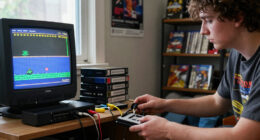
If you’re looking for a usb arcade encoder kit, you’re likely aiming to create or upgrade a custom arcade controller for gaming, MAME, or Raspberry Pi projects. The best options offer zero delay performance and compatibility across platforms, but tradeoffs often involve build quality, ease of wiring, and included features. The BEYEE Zero Delay Encoder stands out as the overall best for its reliability and broad compatibility, while the Guwarry 2-Player Encoder offers excellent value for multiplayer setups. Choosing the right encoder depends on your project scope, budget, and technical comfort—continue reading for a detailed comparison to help you decide.

Play games on Amazon Luna for your game nights, included with Prime
- A rotating selection of games, no download needed
- Play on TV, laptop or phone
- Fast, free delivery for your gear, too
Complete the kit


Key Takeaways
- Top picks balance performance and ease of wiring, with the BEYEE encoder leading in reliability and compatibility.
- Many kits include extra buttons and joysticks, but these can inflate the price and may not match your preferred components.
- Zero delay encoding is becoming standard, but build quality varies significantly, impacting longevity and consistent performance.
- Compatibility with platforms like PC, Raspberry Pi, and MAME is widespread, but confirm support for your specific setup before purchase.
- Wiring complexity differs; kits with plug-and-play connectors are preferable for beginners, while others require soldering skills.
| BEYEE Zero Delay Arcade USB Encoder for PC, MAME & Raspberry Pi Projects |  | Best Overall for Versatile DIY Arcade Projects | Compatibility: Windows, MAME, Raspberry Pi | Dimensions: 8.5 cm x 3.5 cm x 1 cm | Terminal Size: 4.8mm / 0.188 inch | VIEW ON AMAZON | See Our Full Breakdown |
| Guwarry 2-Player Zero Delay USB Encoder for Arcade Games |  | Best for Multi-Platform 2-Player Arcade Builds | Compatible Devices: Mac, PC, Windows | Controller Type: Joystick | Connectivity Technology: USB | VIEW ON AMAZON | See Our Full Breakdown |
| EG STARTS Arcade 2 Player Zero Delay USB Encoder for PC and DIY Arcade Projects |  | Best for Multi-Device Compatibility and Easy DIY Assembly | Compatible Devices: Mac, PC, Windows, Raspberry Pi, Arcade1Up | Controller Type: Joystick | Connectivity Technology: USB | VIEW ON AMAZON | See Our Full Breakdown |
| BEYEE 2-Player Zero Delay USB Encoder for Arcade Joystick and Buttons |  | Best for Dual-Encoder Custom 2-Player Arcade Systems | Number of Encoder Boards: 2 | USB Cables: 2 | Supported Joystick Types: 2Pin, 5Pin | VIEW ON AMAZON | See Our Full Breakdown |
| 2 Player Zero Delay USB Arcade Game Controller for PC & Raspberry Pi |  | Best for Out-of-the-Box Dual-Player Setup with Wide Compatibility | Compatible Devices: PC, Windows, Raspberry Pi 1/2/3 | Controller Type: Joystick | Connectivity Technology: USB | VIEW ON AMAZON | See Our Full Breakdown |
| Reyann Zero Delay Arcade USB Encoder for PC and Raspberry Pi |  | Best for DIY Arcade Builders Seeking Precision and Compatibility | Compatible Devices: PC, Raspberry Pi | Controller Type: Joystick | Connectivity Technology: USB | VIEW ON AMAZON | See Our Full Breakdown |
| Zero Delay Arcade Game USB Encoder for PC, Raspberry Pi, MAME & RetroPie Projects |  | Best for Emulation and Retro Gaming Enthusiasts | Compatible Devices: PC, Windows | Controller Type: Joystick | Connectivity Technology: USB | VIEW ON AMAZON | See Our Full Breakdown |
| EG STARTS Arcade DIY Kit USB Encoder for PC Joystick with LED Buttons |  | Best for Entry-Level DIY Arcade Projects with Visual Appeal | Compatible Devices: PC, Windows | Controller Type: Push Button | Connectivity Technology: USB | VIEW ON AMAZON | See Our Full Breakdown |
| EG STARTS Zero Delay USB Encoder for PC Game Controllers and Arcade Joystick DIY Kits |  | Best for Versatile, Low-Latency PC Arcade Builds | Compatible Devices: PC, Windows | Controller Type: Push Button | Connectivity Technology: USB | VIEW ON AMAZON | See Our Full Breakdown |
| SJ@JX 2 Player Arcade USB Encoder Board Zero Delay Game Controller DIY Kit with 20 Buttons and 2 Joysticks for RetroPie, PC, MAME, Raspberry Pi |  | Best for Dual-Player Arcade Setups and Customization | Compatible Devices: Windows, Raspberry Pi | Controller Type: Joystick | Connectivity Technology: USB | VIEW ON AMAZON | See Our Full Breakdown |
| Arcade Game Controller USB Encoder Zero Delay 2 Player for PC, MAME, Raspberry Pi, Retro |  | Best Overall for DIY Low-Latency Arcade Builds | Compatible Devices: Windows, Raspberry Pi | Controller Type: Joystick | Connectivity Technology: USB | VIEW ON AMAZON | See Our Full Breakdown |
| BEYEE 2-Player Zero Delay USB Encoder for Arcade Joystick and Buttons |  | Best for Complete DIY 2-Player Arcade Projects | Number of Players: 2 | Compatibility: PC, Windows, MAME, Raspberry Pi | Connection Type: USB | VIEW ON AMAZON | See Our Full Breakdown |
| EG STARTS Classic Arcade Games Cabinet Kit USB Encoder with Joystick and LED Buttons |  | Best for High-Quality DIY Cabinet with Visual Flair | Joystick Type: 8-way | Handle Material: Plastic | LED Lights: Included | VIEW ON AMAZON | See Our Full Breakdown |
| Qenker 2-Player LED Arcade DIY Kit for USB MAME PC & Raspberry Pi |  | Best for Fully Customizable Multi-Platform DIY Projects | Controller Type: Button Control, Joystick | Connectivity Technology: USB | Button Quantity: 20 | VIEW ON AMAZON | See Our Full Breakdown |
| EG STARTS Zero Delay USB Encoder for PC LED Arcade Joystick DIY Kit (5Pin Cable + 10x 3Pin Wires) |  | Best for Budget-Conscious DIY Arcade Projects with LED Support | Compatible Devices: Windows | Controller Type: Joystick | Connectivity Technology: USB | VIEW ON AMAZON | See Our Full Breakdown |
| usb arcade encoder kit | Compatible Devices | Controller Type | Connectivity Technology | Button Quantity |
|---|---|---|---|---|
| BEYEE Zero Delay Arcade USB En | — | — | — | — |
| Guwarry 2-Player Zero Delay US | Mac, PC, Windows | Joystick | USB | 16 |
| EG STARTS Arcade 2 Player Zero | Mac, PC, Windows, Raspberry Pi, Arcade1Up | Joystick | USB | 16 |
| BEYEE 2-Player Zero Delay USB | — | — | — | — |
| 2 Player Zero Delay USB Arcade | PC, Windows, Raspberry Pi 1/2/3 | Joystick | USB | 16 |
| Reyann Zero Delay Arcade USB E | PC, Raspberry Pi | Joystick | USB | 16 |
| Zero Delay Arcade Game USB Enc | PC, Windows | Joystick | USB | 16 |
| EG STARTS Arcade DIY Kit USB E | PC, Windows | Push Button | USB | — |
| EG STARTS Zero Delay USB Encod | PC, Windows | Push Button | USB | 16 |
| SJ@JX 2 Player Arcade USB Enco | Windows, Raspberry Pi | Joystick | USB | 20 |
| Arcade Game Controller USB Enc | Windows, Raspberry Pi | Joystick | USB | 26 |
| BEYEE 2-Player Zero Delay USB | — | — | — | — |
| EG STARTS Classic Arcade Games | — | — | — | — |
| Qenker 2-Player LED Arcade DIY | Android, Linux, Mac, PC, Raspberry Pi | Button Control, Joystick | USB | 20 |
| EG STARTS Zero Delay USB Encod | Windows | Joystick | USB | 16 |
More Details on Our Top Picks
BEYEE Zero Delay Arcade USB Encoder for PC, MAME & Raspberry Pi Projects
This encoder stands out for its plug-and-play setup and broad compatibility with Windows, MAME, and Raspberry Pi, making it a flexible choice for DIY arcade builders. Unlike the Guwarry or EG STARTS options, it offers zero delay response, which is essential for competitive gaming. However, its terminal size of 4.8mm limits its use to specific arcade controls, and some technical skill might be needed for assembly. Compared to other encoders, it provides a compact form factor with all necessary components included, streamlining installation for experienced hobbyists. Still, its specialized terminals mean it’s less adaptable for custom wiring without modification.
Pros:- Zero delay response ensures precise, responsive gameplay
- Plug-and-play setup simplifies installation
- Compatible with Windows, MAME, and Raspberry Pi
Cons:- Limited terminal size restricts control types without modification
- Requires some technical skill for DIY assembly
Best for: Hobbyists building custom arcade cabinets who want reliable, low-latency performance with broad platform support
Not ideal for: Beginners seeking a fully plug-and-play solution with minimal wiring, as some assembly knowledge is required
- Compatibility:Windows, MAME, Raspberry Pi
- Dimensions:8.5 cm x 3.5 cm x 1 cm
- Terminal Size:4.8mm / 0.188 inch
- Package Includes:Encoder board, USB cable, 4 x 2pin cables, 10 wire cables
Our verdict“This encoder is ideal for experienced DIYers needing a reliable, multi-platform arcade solution with minimal latency.”
Guwarry 2-Player Zero Delay USB Encoder for Arcade Games
The Guwarry encoder offers support for multiple platforms including PC, Raspberry Pi, and Arcade1Up, making it a versatile choice for dual-player arcade projects. It includes three 5V power outputs for LED integration, which adds flair to custom builds. Compared to the BEYEE, it’s slightly bulkier but provides easier wiring with quick-connect terminals. Its main tradeoff is that it’s limited to two players unless additional units are purchased, which could add complexity or cost for larger setups. Overall, this model is well-suited for those wanting straightforward installation and multi-platform support without sacrificing performance.
Pros:- Supports multiple devices including PC, Raspberry Pi, and Arcade1Up
- Quick connection terminals simplify wiring
- Includes multiple power outputs for LED components
Cons:- Limited to 2-player setups unless additional units are added
- Requires some technical knowledge for assembly
Best for: DIY arcade enthusiasts creating two-player setups with integrated LED lighting for visual effects
Not ideal for: Single-player projects or users who prefer wireless or more compact encoders, as it’s designed specifically for two-player wired configurations
- Compatible Devices:Mac, PC, Windows
- Controller Type:Joystick
- Connectivity Technology:USB
- Button Quantity:16
- Power Source:Corded Electric
- Weight:0.28 kg
Our verdict“This encoder suits builders wanting a multi-platform, wired 2-player arcade control system with integrated lighting options.”
EG STARTS Arcade 2 Player Zero Delay USB Encoder for PC and DIY Arcade Projects
The EG STARTS encoder excels in supporting a wide range of devices, including PC, Raspberry Pi, Mac, and Arcade1Up, making it a flexible choice for diverse DIY projects. It features plug-and-play installation with 16 buttons and 3 power outputs, simplifying setup for those familiar with arcade wiring. Compared to the Guwarry, it offers broader device support but is limited to two-player configurations. Its main drawback is the absence of included power sources or accessories, requiring users to source these separately. This makes it a solid pick for users comfortable with DIY wiring who want broad compatibility and a straightforward interface.
Pros:- Supports multiple devices including PC, Mac, Raspberry Pi
- Zero delay response for arcade-quality gaming
- Easy to install with plug-and-play design
Cons:- Limited to 2-player configurations unless multiple units are used
- No included power supplies or accessories
Best for: Experienced builders seeking a versatile, multi-platform encoder for 2-player arcade setups
Not ideal for: Beginners or those needing a ready-to-use, all-in-one solution, due to the need for additional wiring and power setup
- Compatible Devices:Mac, PC, Windows, Raspberry Pi, Arcade1Up
- Controller Type:Joystick
- Connectivity Technology:USB
- Button Quantity:16
- Power Output:3
- Weight:0.27 kg
Our verdict“This encoder is best suited for seasoned DIYers who prioritize device compatibility and reliable, low-latency performance.”
The BEYEE 2-Player Encoder makes a strong case for building dedicated dual-player arcade systems with separate encoder boards for each side, ensuring zero delay for both players. Its design supports easy wiring for systems using either 2Pin or 5Pin joysticks, which broadens compatibility. Compared to the single-encoder models, it allows independent control for each player, which can be a major advantage in more complex arcade setups. However, each encoder supports only one player, so building a true 2-player system requires two units. Its compatibility with MAME and other emulators makes it ideal for retro gaming projects, but the setup can be more complex than single-encoder solutions.
Pros:- Supports two players with separate encoder boards
- Zero delay response for both players
- Supports multiple joystick types and wiring options
Cons:- Requires two encoder units for full 2-player setup
- Setup complexity increases with dual boards
Best for: Advanced builders creating custom dual-player arcade machines with independent controls
Not ideal for: Beginners or casual users, as wiring two encoder boards increases complexity and cost
- Number of Encoder Boards:2
- USB Cables:2
- Supported Joystick Types:2Pin, 5Pin
- Cable Size:2.8mm
- Size:8.5 cm x 3.5 cm x 1 cm
Our verdict“This encoder is perfect for experienced hobbyists designing independent control for each player in a custom arcade build.”
2 Player Zero Delay USB Arcade Game Controller for PC & Raspberry Pi
This controller offers a ready-to-use dual-player arcade experience with zero delay, making it ideal for users who want minimal assembly. It supports a broad range of devices, including PC and Raspberry Pi models 1/2/3, with support for all joystick and push button types using 2.8mm terminals. Compared to the other encoders, its plug-and-play design reduces setup time, but it’s limited to 16 buttons, which might not suffice for complex arcade systems. Its high-quality build and compatibility with emulators make it a strong choice for casual enthusiasts and those seeking a straightforward, reliable arcade controller.
Pros:- Supports all joystick and push button types with 2.8mm terminals
- Zero delay USB encoding ensures responsive gameplay
- Compatible with PC and Raspberry Pi
Cons:- Limited to 16 buttons, restricting complex control schemes
- No wireless or modular design for customization
Best for: Casual gamers and hobbyists looking for a simple, ready-made two-player arcade controller for PC or Raspberry Pi
Not ideal for: Advanced builders needing more than 16 buttons or custom wiring options, as it’s more of a pre-assembled controller than a DIY kit
- Compatible Devices:PC, Windows, Raspberry Pi 1/2/3
- Controller Type:Joystick
- Connectivity Technology:USB
- Button Quantity:16
- Item Weight:250 g
- Dimensions:5.12 x 3.54 x 3.15 inches
Our verdict“This controller provides a hassle-free, responsive arcade experience suitable for casual users and plug-and-play fans.”
Reyann Zero Delay Arcade USB Encoder for PC and Raspberry Pi
This encoder stands out for its zero delay response, making it a prime choice for players who demand precise timing. Compared with the EG STARTS USB Encoder, it offers broader support for all joystick and button types with 4.8mm terminals, providing more flexibility for custom setups. However, it’s limited to 16 buttons, which could be restrictive for complex arcade configurations. Its support for turbo, auto, mode, and clear functions with LED indicators enhances usability, especially for enthusiasts who enjoy customizing their controls. While it requires some technical know-how to assemble and lacks included cables or mounting hardware, its compatibility with both PC and Raspberry Pi makes it highly versatile. Overall, this pick makes the most sense for DIYers who prioritize responsiveness and compatibility over ready-to-go simplicity.
Pros:- Supports all joystick and button types with 4.8mm terminals
- Zero delay USB response for precise gaming
- Supports multiple functions like turbo and auto with LED indicators
- Compatible with PC and Raspberry Pi
Cons:- Limited to 16 buttons, not suitable for large arcade setups
- Requires technical knowledge for assembly
- No included cables or mounting hardware
Best for: Experienced hobbyists and custom arcade builders who need a high-precision, multi-device encoder.
Not ideal for: Beginners or those seeking a plug-and-play solution with included accessories, as assembly and configuration are required.
- Compatible Devices:PC, Raspberry Pi
- Controller Type:Joystick
- Connectivity Technology:USB
- Additional Features:Zero Delay, support for turbo, auto, mode, and clear functions with LED
- Button Quantity:16
- Item Weight:125 g
- Item Dimensions:5.12 x 1.77 x 3.15 inches
Our verdict“This encoder is ideal for experienced DIY enthusiasts who need a reliable, low-latency connection across multiple devices.”
Zero Delay Arcade Game USB Encoder for PC, Raspberry Pi, MAME & RetroPie Projects
This encoder excels at compatibility with emulation systems like MAME and RetroPie, making it a solid choice for retro gaming setups. Its ergonomic design with 16 buttons and a Sanwa-style joystick offers comfortable gameplay, especially compared to the Reyann encoder, which is more geared toward technical customization. Nonetheless, its build quality is fairly basic, and it’s limited to arcade-style controllers—so it’s less suited for complex or multi-purpose gaming arrangements. It connects via USB with low latency, but it lacks wireless options, which could be a drawback for some users. This product makes the most sense for hobbyists focusing on emulation and classic arcade projects who want straightforward compatibility but don’t require extensive customization or durability for heavy use.
Pros:- High compatibility with PC and Raspberry Pi
- Ergonomic design with 16 buttons for versatile gameplay
- Easy to connect via USB with low latency
- Supports emulation systems like MAME and RetroPie
Cons:- Limited to arcade-style controllers, not standard gaming controllers
- No wireless connectivity options
- Basic build quality may not withstand heavy use
Best for: Retro gaming enthusiasts building emulation cabinets or arcade projects on a budget.
Not ideal for: Heavy-duty arcade operators or users seeking wireless setups, due to its basic build and wired-only connection.
- Compatible Devices:PC, Windows
- Controller Type:Joystick
- Connectivity Technology:USB
- Additional Features:Ergonomic, supports MAME & RetroPie
- Button Quantity:16
- Hardware Platform:PC
- Weight:126 g
- Dimensions:5.12 x 3.15 x 1.77 inches
Our verdict“This encoder is well-suited for retro gaming fans focusing on emulation who want reliable, straightforward hardware.”
EG STARTS Arcade DIY Kit USB Encoder for PC Joystick with LED Buttons
This kit is designed for newcomers to arcade building, offering an easy-to-install package with LED illuminated push buttons and a joystick. Compared with higher-end models like the Reyann, it includes a full kit with 8-way 5-pin joystick and 16 buttons, making it suitable for creating a complete arcade station. The LED buttons provide visual feedback, enhancing the aesthetic and user experience. However, its durability and lifespan are less documented, and it’s primarily suitable for single-player setups, limiting scalability. Its straightforward assembly process makes it appealing for beginners, but technical users might find it lacks advanced customization options. This pick makes the most sense for hobbyists starting out or those wanting an attractive, functional arcade cabinet without complex features.
Pros:- Includes high-quality LED buttons and joystick
- Easy to install and set up for DIY projects
- Compatible with Windows and Raspberry Pi
- Zero delay USB encoder for responsive gameplay
Cons:- Limited to 1-player setup in the kit
- Unclear durability and lifespan details
- Requires technical knowledge for assembly
Best for: Beginners or hobbyists creating their first arcade cabinet who want an attractive, easy-to-assemble kit.
Not ideal for: Advanced users or heavy-duty arcade operators seeking high durability and extensive customization.
- Compatible Devices:PC, Windows
- Controller Type:Push Button
- Connectivity Technology:USB
- Additional Features:LED illuminated buttons and ergonomic joystick
- Number of Buttons:16
- Hardware Platform:PC
- Weight:500 g
- Dimensions:7.09 x 3.54 x 4.33 inches
Our verdict“This kit offers an accessible entry point for beginners aiming to build a visually appealing arcade setup with minimal fuss.”
EG STARTS Zero Delay USB Encoder for PC Game Controllers and Arcade Joystick DIY Kits
This encoder offers a straightforward, zero delay response suited for a variety of DIY arcade projects. Unlike the Reyann or the EG STARTS kit, it focuses more on supporting all 5-pin joysticks and 2.8mm push buttons, providing a flexible, low-latency solution for gamers who want reliable performance. Its simple design, with LED indicators and turbo modes, makes it convenient for precise control, but its basic aesthetic and limited customization options may not appeal to users seeking elaborate setups. Compatible exclusively with Windows, it’s focused on ensuring low latency rather than multi-platform flexibility. This makes it ideal for builders who prioritize performance above flashy features or extensive configuration options.
Pros:- Zero delay response for accurate control
- Supports all 5-pin joysticks and 2.8mm push buttons
- Includes turbo and auto modes with LED indicators
- Compatible with multiple Windows versions
Cons:- Limited to PC and Windows systems only
- No wireless connectivity options
- Basic design without extensive customization features
Best for: Builders seeking a reliable, high-performance encoder for Windows-based arcade projects and game controllers.
Not ideal for: Users who want wireless options or are looking for a highly customizable or multi-platform solution.
- Compatible Devices:PC, Windows
- Controller Type:Push Button
- Connectivity Technology:USB
- Additional Features:Turbo and Auto Mode with LED
- Button Quantity:16
- Hardware Platform:PC
- Weight:3.8 ounces
- Dimensions:7.4 x 2 x 3.4 inches
Our verdict“This encoder is perfect for Windows users needing a dependable, low-latency controller for arcade and game projects.”
This kit shines for its support of dual-player configurations, making it a strong candidate for multiplayer arcade cabinets. It includes 20 buttons, two joysticks, and colorful plugs, simplifying installation compared to the Reyann or EG STARTS kits. Its compatibility with RetroPie, Raspberry Pi, and PC broadens its appeal for retro and multi-user arcade projects. While the inclusion of extra components adds versatility, it’s somewhat more complex to wire and assemble, requiring technical skills. The kit’s support for SANWA and HAPP styles ensures flexibility with popular button and joystick types. Compared to single-player models, it offers substantial value for shared gaming, but it’s limited to 2-player setups, which could restrict larger machines.
Pros:- Supports both SANWA and HAPP style buttons and joysticks
- Zero delay response for smooth gameplay
- Includes all necessary cables and components for quick setup
- Supports multiple platforms including RetroPie and Raspberry Pi
Cons:- Limited to 2-player configurations
- Requires some technical wiring knowledge
- No detailed compatibility list for less common controllers
Best for: Enthusiasts building two-player arcade cabinets with a focus on ease of installation and compatibility.
Not ideal for: Single-player or multi-player setups beyond two players, due to its limited configuration support and complexity.
- Compatible Devices:Windows, Raspberry Pi
- Controller Type:Joystick
- Connectivity Technology:USB
- Additional Features:Supports SANWA & HAPP styles, zero delay
- Button Quantity:20
- Hardware Platform:Desktop, PC
- Weight:0.22 kg
- Dimensions:0.39″D x 1.38″W x 0.39″H
Our verdict“This kit is ideal for dual-player arcade projects where quick setup and flexibility with components are priorities.”
Arcade Game Controller USB Encoder Zero Delay 2 Player for PC, MAME, Raspberry Pi, Retro
This encoder shines for those who prioritize zero delay response in their custom arcade setups. Its low latency and compatibility with SANWA joysticks make it a standout for responsive gameplay, especially when compared with the EG STARTS Zero Delay USB Encoder, which offers similar low latency but supports only 16 buttons. The main tradeoff here is the limited to 2-player configurations and the need for some DIY skills, which may be a hurdle for beginners. Compared to multi-player options like the BEYEE 2-Player Encoder, this option is more focused but less versatile in scale. It’s ideal for DIY enthusiasts who want a high-performance, wired solution for a 2-player cabinet, but those seeking wireless or plug-and-play simplicity may find it less suitable.Pros:- Low latency for responsive gameplay
- Supports popular arcade joysticks and buttons
- Compatible with Windows and Raspberry Pi
Cons:- Limited to 2-player setup
- Requires DIY assembly and technical knowledge
Best for: DIY arcade builders who need reliable, low-latency input for a 2-player setup
Not ideal for: Beginners or hobbyists looking for a simple, wireless, or ready-to-play solution
- Compatible Devices:Windows, Raspberry Pi
- Controller Type:Joystick
- Connectivity Technology:USB
- Additional Features:Low Latency
- Button Quantity:26
- Hardware Platform:PC
- Item Weight:7.04 ounces
- Item Dimensions:6.89 x 4.29 x 1.61 inches
Our verdict“This encoder makes the most sense for experienced DIYers seeking a wired, low-latency arcade control solution for a 2-player cabinet.”
BEYEE 2-Player Zero Delay USB Encoder for Arcade Joystick and Buttons
This encoder provides plug-and-play simplicity with a complete wiring kit, making it ideal for those new to DIY arcade builds. Its zero delay performance matches that of the Arcade Game Controller Encoder, but it also offers a more straightforward assembly process thanks to pre-included cables. Compared with the EG STARTS Zero Delay Encoder, it supports two players and a full wiring kit, making setup easier, though it may lack some advanced features like LED indicators. Its main tradeoff is that assembly still requires technical comfort, especially when connecting multiple components. This kit is best suited for hobbyists who want a comprehensive, ready-to-assemble solution for a 2-player arcade cabinet, but it may not appeal to those seeking wireless or wireless-compatible options.Pros:- Zero delay for responsive gameplay
- Includes complete wiring kit for easy setup
- Supports multiple platforms including Raspberry Pi
Cons:- Assembly may be challenging for complete beginners
- Limited to compatible terminal connections, no wireless support
Best for: Beginners or intermediate DIYers building a 2-player arcade cabinet with all necessary components included
Not ideal for: Advanced users wanting wireless or highly customizable setups without pre-wired components
- Number of Players:2
- Compatibility:PC, Windows, MAME, Raspberry Pi
- Connection Type:USB
- Terminal Size:4.8mm / 0.188 inch
- Included Cables:8 joystick, 20 button cables
Our verdict“This encoder is perfect for DIYers wanting a full kit with minimal hassle for a 2-player arcade project.”
EG STARTS Classic Arcade Games Cabinet Kit USB Encoder with Joystick and LED Buttons
This kit emphasizes durability and aesthetic appeal with a professional 8-way joystick and LED-lit push buttons, making it well-suited for those who want a more polished look. Compared to the Qenker or BEYEE kits, this offers robust microswitches tested for 10 million cycles, ensuring long-term reliability. The inclusion of LED lighting adds visual flair, but the setup may require more technical skill, especially for integrating LEDs and ensuring compatibility with specific systems. Its main drawback is the lack of detailed dimensions and limited info about compatibility nuances, which could complicate integration for some users. It’s best for DIYers aiming for a durable, visually appealing arcade cabinet with ready-to-use components, but beginners might find assembly more involved.Pros:- High-quality, durable materials
- Includes LED lighting for visual impact
- Reliable microswitches with long lifespan
Cons:- Requires technical knowledge to assemble correctly
- Limited information on exact dimensions and system compatibility
Best for: Enthusiasts seeking a durable, visually attractive arcade cabinet kit with professional-grade controls
Not ideal for: Beginners or casual hobbyists who prefer plug-and-play solutions without detailed wiring or assembly
- Joystick Type:8-way
- Handle Material:Plastic
- LED Lights:Included
- Compatibility:PC, MAME, Raspberry Pi
- Material:Heat-resistant plastic
- Switch Life:10 million cycles
Our verdict“This kit is suited for DIYers looking for a durable, attractive cabinet with professional controls and LED accents.”
Qenker 2-Player LED Arcade DIY Kit for USB MAME PC & Raspberry Pi
This kit offers comprehensive components for creating a versatile 2-player arcade setup, with LED buttons, joysticks, and zero delay encoders. Its support for multiple operating systems including Windows, Linux, and Mac makes it highly adaptable. Compared with the EG STARTS or BEYEE kits, the Qenker kit provides more options for customization, appealing to hobbyists who want a fully tailored arcade experience. The main tradeoff is that assembly can be complex, especially for those new to electronics, and the joystick quality is decent but not premium, which might affect long-term durability. It’s best for experienced DIYers or those wanting a multi-platform, feature-rich kit that can be personalized extensively, but beginners may find it overwhelming.Pros:- Supports multiple operating systems
- Complete kit with all necessary components
- High-quality, heat-resistant plastic construction
Cons:- Assembly can be challenging for novices
- Joystick quality is decent but not top-tier
Best for: Experienced DIY enthusiasts aiming for a fully customizable, multi-platform arcade project
Not ideal for: Beginners or users seeking a simple, plug-and-play arcade setup
- Controller Type:Button Control, Joystick
- Connectivity Technology:USB
- Button Quantity:20
- Compatible Devices:Android, Linux, Mac, PC, Raspberry Pi
- Additional Features:DIY Customization, LED Lighting
- Hardware Platform:pc M
Our verdict“This kit is ideal for experienced DIYers wanting extensive customization across multiple systems for their arcade project.”
EG STARTS Zero Delay USB Encoder for PC LED Arcade Joystick DIY Kit (5Pin Cable + 10x 3Pin Wires)
This encoder offers a simple, reliable zero delay connection with support for LED push buttons and 5-pin joysticks. Its ease of installation makes it appealing for hobbyists who want a basic, functional setup without complex wiring. When compared with the Arcade Game Controller Encoder, it’s more affordable but supports only 5-pin joysticks, limiting compatibility with some high-end models. The lack of wireless support and LED indicators beyond basic lighting means it’s less feature-rich, but it remains a solid choice for budget-friendly, wired arcade projects. The main drawback is that additional purchases are often needed for complete setups, especially for LED buttons.Pros:- Supports LED push buttons for visual effects
- Easy to install with pre-wired connectors
- Compatible with multiple DIY arcade systems
Cons:- Supports only 5-pin joysticks, limiting compatibility
- Requires additional purchase of LED buttons for a complete setup
Best for: Budget-conscious DIYers building a wired arcade cabinet with 5-pin joystick support
Not ideal for: Users seeking wireless or more advanced LED features without extra purchases
- Compatible Devices:Windows
- Controller Type:Joystick
- Connectivity Technology:USB
- Additional Features:Ergonomic Button
- Button Quantity:16
- Hardware Platform:Desktop
- Package Quantity:1
- Item Dimensions:4.33 x 3.15 x 1.77 inches
Our verdict“This encoder suits budget-minded hobbyists who prefer wired connections and basic LED features for their arcade build.”

How We Picked
Products were evaluated based on several key factors: performance reliability, build quality, wiring simplicity, compatibility with popular platforms, and overall value. We prioritized kits that offer zero delay performance for responsive gameplay, as well as those with sturdy construction and clear wiring instructions. Kits that include extras like LEDs or additional buttons were noted, but only if they added meaningful value. Our rankings reflect a balance between ease of use for beginners and advanced features for seasoned builders, ensuring options cater to various skill levels and project needs.
| usb arcade encoder kit | Controller Type |
|---|---|
| BEYEE Zero Delay Arcade USB En | — |
| Guwarry 2-Player Zero Delay US | Joystick |
| EG STARTS Arcade 2 Player Zero | Joystick |
| BEYEE 2-Player Zero Delay USB | — |
| 2 Player Zero Delay USB Arcade | Joystick |
| Reyann Zero Delay Arcade USB E | Joystick |
| Zero Delay Arcade Game USB Enc | Joystick |
| EG STARTS Arcade DIY Kit USB E | Push Button |
| EG STARTS Zero Delay USB Encod | Push Button |
| SJ@JX 2 Player Arcade USB Enco | Joystick |
| Arcade Game Controller USB Enc | Joystick |
| BEYEE 2-Player Zero Delay USB | — |
| EG STARTS Classic Arcade Games | — |
| Qenker 2-Player LED Arcade DIY | Button Control, Joystick |
| EG STARTS Zero Delay USB Encod | Joystick |
Factors to Consider When Choosing Usb Arcade Encoder Kit
When selecting a usb arcade encoder kit, it’s essential to consider factors that influence both the build process and long-term performance. Your choice should align with your technical skills, intended use, and budget. Carefully evaluating these aspects can prevent common pitfalls like incompatible components or complicated wiring that frustrate assembly and operation.
Performance and Delay
Zero delay performance is critical for responsive arcade gameplay, especially in fast-paced titles. Look for encoders explicitly rated as zero delay or low latency. Cheaper options might introduce slight delays, which can be noticeable during competitive play. Balancing performance with your project scope helps ensure a smooth experience without overpaying for features you won’t use.
Wiring and Compatibility
Ease of wiring varies greatly; some kits feature plug-and-play connectors, ideal for beginners, while others require soldering. Confirm that the encoder supports your platform—PC, Raspberry Pi, or arcade cabinet—by checking compatibility specifications. Mismatched wiring or incompatible firmware can lead to setup headaches and unreliable operation.
Build Quality and Durability
Materials matter—sturdy plastic or metal enclosures and high-quality switches contribute to longevity. Cheaper kits may use flimsy parts that wear out quickly, leading to inconsistent button presses or broken connectors. Investing in well-built kits reduces frustration and replacement costs over time.
Additional Features
Extras like RGB LED lighting, extra buttons, or compatibility with multi-platform setups can enhance your build. However, these features often come at a higher price and may not be necessary for all users. Prioritize features that match your project goals and avoid paying for bells and whistles you won’t utilize.
Price and Value
Budget constraints influence your options, but extremely cheap kits often compromise quality and performance. Conversely, premium kits tend to offer better durability and features. Consider your long-term needs—sometimes, investing a bit more upfront results in a smoother build and more reliable operation, saving money on repairs or replacements later.
Frequently Asked Questions
Can I use a usb arcade encoder kit with any joystick and buttons?
Most usb arcade encoder kits are designed to be compatible with standard arcade-style joysticks and buttons, which follow common wiring standards. However, it’s important to verify the specifications to ensure compatibility, especially regarding connector types and wiring pinouts. Some kits support 5-pin or 3-pin connections, so matching these with your components avoids additional adapters or soldering. Checking the included wiring instructions or manufacturer support pages can prevent compatibility issues during assembly.
Is a zero delay encoder necessary for casual gaming?
For most casual gaming, a slight delay may go unnoticed, so a standard encoder can suffice. However, if you plan to play fast-paced or competitive arcade titles, a zero delay encoder ensures your inputs register instantly, providing a more authentic and responsive experience. Investing in a zero delay model improves overall gameplay, especially in titles where reaction time matters, but might be overkill if you’re only using your setup for leisurely play.
Do I need to solder when installing a usb arcade encoder kit?
It depends on the specific kit you choose. Many modern kits aim for plug-and-play wiring, eliminating the need for soldering, which benefits beginners. Others, especially DIY-oriented kits, require soldering to connect wires securely and customize your setup. If soldering isn’t your forte, selecting a kit with pre-soldered connectors or clear wiring diagrams will save you time and frustration. Always check the product details before purchasing to match your comfort level.
How long does a typical usb arcade encoder last?
High-quality encoders can last for years with proper use, thanks to durable materials and reliable switches. Cheaper models may wear out faster, especially if subjected to frequent heavy use or rough handling. Regular maintenance, like cleaning contacts and avoiding excessive force, extends lifespan. Investing in a reputable brand often translates into a more durable product that maintains performance over time, reducing replacement frequency.
Are additional buttons and LEDs worth paying extra for?
Extras like additional buttons or customizable LEDs can enhance your arcade build aesthetically and functionally, especially for themed setups or multi-game cabinets. However, if your project is simple or budget-constrained, these features may not justify the higher cost. Consider whether these additions align with your goals—if you value visual customization or plan to expand your control panel later, investing in a kit with extras could be worthwhile.
Conclusion
For most users, the BEYEE Zero Delay Arcade USB Encoder offers the best balance of performance, compatibility, and durability, making it ideal as the overall best choice. Budget-conscious builders or those new to arcade projects might prefer kits like the EG STARTS Arcade DIY Kit for its simplicity and affordability, making it the best for beginners. Serious gamers or enthusiasts seeking premium features and longevity should consider the Qenker 2-Player LED Arcade DIY Kit as a premium option. If you’re building a multiplayer setup or custom cabinet, focus on kits with multiple controllers or extra wiring options. Ultimately, your choice hinges on your technical skills, project scope, and budget—use these insights to pick the best fit for your arcade ambitions.
As an affiliate, we earn on qualifying purchases.Halloween Picks
halloween