If you’re looking for the 11 best arcade monitor replacements for 2026, I’ve found great options from UNICO, including 17″, 19″, and 26″ models with HDMI, VGA, CGA, and EGA support. There are high-resolution screens like 2K LCDs and specialized monitors for crisp visuals. Plus, upgraded control boards and mounting solutions make installation straightforward. Stick with me, and you’ll discover all the key features and compatibility tips to upgrade your arcade setup smoothly.
Key Takeaways
- Prioritize monitors with high resolution (1080p or higher) for improved visual clarity in arcade setups.
- Ensure compatibility with common arcade inputs like HDMI, VGA, CGA, and EGA for seamless integration.
- Opt for durable, long-lasting displays with features like auto-adjustment and wide viewing angles.
- Consider size options (17″, 19″, 26″) based on your cabinet dimensions and desired immersion.
- Look for monitors with easy installation, built-in connectors, and reliable support for hassle-free upgrades.
| UNICO 17″ Arcade Monitor Replacement with HDMI/VGA |  | Best HDMI Compatibility | Screen Size: 17-inch | Compatibility: Arcade, retro game cabinets | Signal Input Types: HDMI, VGA, CGA, EGA | VIEW LATEST PRICE | See Our Full Breakdown |
| LCD Controller Kit for Arcade and Raspberry Pi |  | Most Flexible Controller | Screen Size: N/A (Controller kit) | Compatibility: Arcade, Raspberry Pi, DV170 models | Signal Input Types: HDMI, VGA, DVI | VIEW LATEST PRICE | See Our Full Breakdown |
| UNICO 19” Arcade Replacement Screen with LCD Monitor |  | Reliable Replacement | Screen Size: 19-inch | Compatibility: 99% of 19-inch arcade machines | Signal Input Types: HDMI, VGA, CGA, EGA | VIEW LATEST PRICE | See Our Full Breakdown |
| UNICO 26-inch Arcade Monitor for Gaming |  | Best Large Display | Screen Size: 26-inch | Compatibility: 99% of 26-inch arcade setups | Signal Input Types: HDMI, VGA, CGA, EGA | VIEW LATEST PRICE | See Our Full Breakdown |
| 2K LCD Screen for iPad 3/4 Arcade Display Kit |  | Compact & High-Resolution | Screen Size: 9.7-inch | Compatibility: iPad 3/4, multi-device support | Signal Input Types: HDMI, VGA | VIEW LATEST PRICE | See Our Full Breakdown |
| 26-Inch Arcade LED Monitor for Jamma & MAME Games |  | Best For DIY Projects | Screen Size: 26-inch | Compatibility: Jamma, MAME, arcade systems | Signal Input Types: VGA only | VIEW LATEST PRICE | See Our Full Breakdown |
| UNICO 19″ Arcade LCD Replacement Monitor | 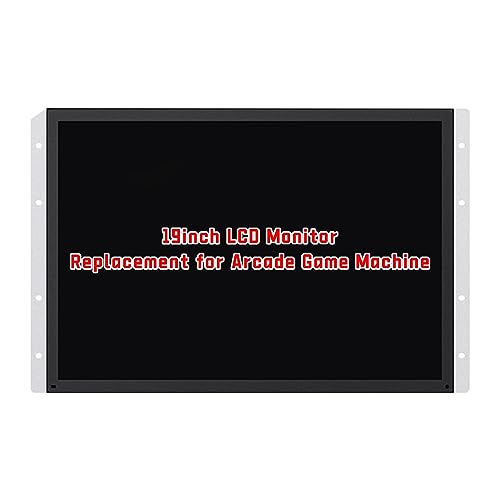 | User-Friendly Upgrade | Screen Size: 19-inch | Compatibility: 19-inch arcade systems | Signal Input Types: HDMI, VGA, CGA, EGA | VIEW LATEST PRICE | See Our Full Breakdown |
| High Voltage Board for 19-Inch RetroArcade Monitor |  | Vivid Arcade Experience | Screen Size: N/A (High voltage board) | Compatibility: Specific high voltage boards | Signal Input Types: N/A (High voltage board) | VIEW LATEST PRICE | See Our Full Breakdown |
| HDMI Control Board for Arcade1Up Displays |  | Durable High-Voltage | Screen Size: N/A (Control board) | Compatibility: Arcade1Up, display replacements | Signal Input Types: HDMI (display-specific) | VIEW LATEST PRICE | See Our Full Breakdown |
| VGA & Power Board for RetroArcade 19″ Monitor |  | Easy Installation | Screen Size: N/A (VGA & Power board) | Compatibility: RetroArcade 19-inch monitors | Signal Input Types: VGA, power | VIEW LATEST PRICE | See Our Full Breakdown |
| UNICO 26″ Arcade Monitor with HDMI/VGA/CGA/EGA |  | Authentic Arcade Feel | Screen Size: 26-inch | Compatibility: Arcade, retro gaming, multiple inputs | Signal Input Types: HDMI, VGA, CGA, EGA | VIEW LATEST PRICE | See Our Full Breakdown |
More Details on Our Top Picks
-
LCD Controller Board Monitor Kit,Compatible for Arcade,1Up Cabinet, Compatible for Raspeberry ,Pi DV170YGZ-N10 DV170YGM-N10 HDMI-Compatible+VGA+DVI(Micro HDMI to HDMI)
Signal Reception and Processing: It can receive various signal sources such as cable TV signals, satellite TV signals,...
As an affiliate, we earn on qualifying purchases.
UNICO 17″ Arcade Monitor Replacement with HDMI/VGA
If you’re looking for a reliable replacement monitor that works seamlessly with most arcade setups, the UNICO 17-inch Phoenix Monitor is an excellent choice. It features a 17-inch LCD display with a sharp 1280 x 1024 resolution, perfect for classic arcade games. Equipped with CGA, EGA, HDMI, and VGA ports, it’s compatible with most 17-inch arcade machines. The metal frame makes installation straightforward and secure. Plus, it’s built with advanced components that guarantee balanced image quality, wide viewing angles, and a long lifespan. The package includes the monitor and a 12V 3A power adapter, making it easy to set up your retro gaming space.
- Screen Size:17-inch
- Compatibility:Arcade, retro game cabinets
- Signal Input Types:HDMI, VGA, CGA, EGA
- Power Supply:12V 3A
- Installation Type:Easy removable frame
- Durability & Lifespan:Extended lifespan, advanced components
- Additional Feature:Metal frame included
- Additional Feature:Wide viewing angles
- Additional Feature:Extended lifespan components
-
UNICO 19’’ Arcade Replacement Screen, 1280 * 1024 Pixels LCD Gaming Monitor for CGA, EGA Game Arcade, Easy Install Monitor Arcade Accessories - 19inch
[19'' Arcade Monitor for 99% 19'' Arcade] The UNICO 19'' Arcade Gaming Monitor could suit for 99% 19''...
As an affiliate, we earn on qualifying purchases.
LCD Controller Kit for Arcade and Raspberry Pi
The LCD Controller Kit for Arcade and Raspberry Pi stands out as an essential upgrade for hobbyists and arcade enthusiasts seeking seamless compatibility and versatile input options. It supports arcade, 1Up cabinets, Raspberry Pi, and specific models like DV170YGZ-N10 and DV170YGM-N10. With HDMI, VGA, and DVI interfaces, plus Micro HDMI to HDMI conversion, it handles diverse devices effortlessly. This kit can decode signals from cable TV, satellite, and streaming sources, supporting formats like AVI, MP4, MKV, in HD, 4K, and 8K resolutions. Its smart OS options, Wi-Fi, and Ethernet guarantee easy connectivity, making it a versatile, all-in-one solution for modern arcade setups.
- Screen Size:N/A (Controller kit)
- Compatibility:Arcade, Raspberry Pi, DV170 models
- Signal Input Types:HDMI, VGA, DVI
- Power Supply:N/A (controller kit)
- Installation Type:Modular, requires wiring setup
- Durability & Lifespan:Not specified
- Additional Feature:Supports HD and 4K formats
- Additional Feature:Built-in smart OS
- Additional Feature:Wireless Wi-Fi/Ethernet
-
UNICO 26 inch Arcade Monitor, 4:3 Ratio LCD Gaming Monitor for HDMI/VGA/CGA/EGA Arcade Machine
[26'' Arcade Monitor for 99% 26'' Arcade] The UNICO 26'' Arcade Gaming Monitor's ratio is a is 4:3....
As an affiliate, we earn on qualifying purchases.
UNICO 19” Arcade Replacement Screen with LCD Monitor
The UNICO 19” Arcade Replacement Screen stands out as an ideal choice for arcade operators seeking easy installation and versatile compatibility. This monitor fits 99% of 19-inch arcade machines, making upgrades straightforward. Its 1280 x 1024 LCD panel delivers sharp images, wide viewing angles, and long-lasting performance while avoiding CRT burn-in issues. Designed for quick removal and setup, it features built-in connectors for CGA, EGA, HDMI, and VGA signals, ensuring broad system compatibility. Plus, it comes with a power adapter and 24-hour customer support, making it a reliable, user-friendly upgrade for any arcade setup.
- Screen Size:19-inch
- Compatibility:99% of 19-inch arcade machines
- Signal Input Types:HDMI, VGA, CGA, EGA
- Power Supply:12V 3A
- Installation Type:Plug-and-play with connectors
- Durability & Lifespan:Long lifespan, mitigates CRT issues
- Additional Feature:Easy removal design
- Additional Feature:Mitigates CRT burn-in
- Additional Feature:Versatile signal compatibility
UNICO 26-inch Arcade Monitor for Gaming
Designed for serious arcade enthusiasts, the UNICO 26-inch Arcade Monitor offers a reliable upgrade with its 1024×768 LCD panel that delivers sharp visuals and wide viewing angles. It’s compatible with most 26-inch arcade setups, including Arcade 1up, CGA, and EGA systems. The monitor’s sleek design features built-in connectors for quick installation, supporting HDMI, VGA, and DB15 signals. Its lightweight, compact size makes setup and maintenance easy. The durable LCD panel avoids CRT burn-in issues and extends lifespan. Overall, it’s a solid choice for anyone seeking a high-quality, easy-to-maintain arcade display with excellent image clarity and compatibility.
- Screen Size:26-inch
- Compatibility:99% of 26-inch arcade setups
- Signal Input Types:HDMI, VGA, CGA, EGA
- Power Supply:12V 3A
- Installation Type:Built-in connectors, easy install
- Durability & Lifespan:Long-lasting LCD, reliable
- Additional Feature:Compact dimensions
- Additional Feature:Long operational life
- Additional Feature:Positive customer feedback
2K LCD Screen for iPad 3/4 Arcade Display Kit
If you’re building or upgrading an arcade setup with an iPad 3 or 4, the 2K LCD Screen for the Arcade Display Kit offers a perfect blend of compatibility and high-resolution visuals. This 9.7-inch capacitive display features a 2K resolution, ensuring sharp, vivid images with minimal lag or distortion. It supports adjustable brightness, contrast, and color settings, making it easy to customize for excellent visuals. The kit includes H-boards and is compatible with multiple devices, including set-top boxes and gaming consoles, offering versatile use. Lightweight and compact, it’s ideal for DIY arcade projects, providing a reliable, high-quality upgrade for your arcade setup.
- Screen Size:9.7-inch
- Compatibility:iPad 3/4, multi-device support
- Signal Input Types:HDMI, VGA
- Power Supply:N/A (display kit)
- Installation Type:DIY, requires assembly
- Durability & Lifespan:Designed for durability
- Additional Feature:Precise signal decoding
- Additional Feature:Adjustable visual settings
- Additional Feature:Supports multi-device switching
26-Inch Arcade LED Monitor for Jamma & MAME Games
For arcade enthusiasts seeking a reliable upgrade, the 26-inch Arcade LED Monitor stands out as an excellent choice for Jamma and MAME systems. Its open frame chassis allows easy integration into various cabinets, supporting resolutions up to 1080p and PC timings up to WXGA. With a vivid 16:9 display, 450:1 contrast, and auto-adjustment features, it delivers bright, sharp images and wide viewing angles. Compatible with most stand-up and cocktail arcade setups, it’s perfect for titles like Hydro-Thunder and NBA Showtime. Although discontinued, this durable monitor offers over 60,000 hours of lifespan, making it a solid investment for long-term arcade gaming.
- Screen Size:26-inch
- Compatibility:Jamma, MAME, arcade systems
- Signal Input Types:VGA only
- Power Supply:N/A (monitor)
- Installation Type:Direct replacement
- Durability & Lifespan:Over 60,000 hours lifespan
- Additional Feature:Auto image resizing
- Additional Feature:On-screen display menu
- Additional Feature:High contrast ratio
UNICO 19″ Arcade LCD Replacement Monitor
The UNICO 19″ Arcade LCD Replacement Monitor stands out as an excellent choice for arcade enthusiasts seeking a modern, reliable upgrade to vintage arcade monitors. It features a 4:3 aspect ratio, perfect for most 19-inch arcade setups, with a sharp 1280×1024 resolution that delivers clear, vibrant visuals. The monitor’s wide viewing angles and extended lifespan make it ideal for retro gaming and arcade restorations. Installation is straightforward, thanks to built-in connectors compatible with CGA/EGA, HDMI, and VGA signals. With a lightweight design and customer support, the UNICO 19” offers a durable, hassle-free upgrade that keeps your arcade looking and performing at its best.
- Screen Size:19-inch
- Compatibility:19-inch arcade systems
- Signal Input Types:HDMI, VGA, CGA, EGA
- Power Supply:12V 3A
- Installation Type:Hook-up via connectors
- Durability & Lifespan:Reliable, extended use
- Additional Feature:High-quality image clarity
- Additional Feature:Brightness adjustable
- Additional Feature:Rated 4.1 stars
High Voltage Board for 19-Inch RetroArcade Monitor
This high voltage board is essential for restoring 19-inch RetroArcade.us arcade monitors, especially for those with experience in electronics who want a reliable replacement part. Designed specifically for the RetroArcade.us Ver 1.5 model, it powers the monitor’s display panel. It’s a small, lightweight component—just an inch square—making installation manageable for skilled users. Remember, compatibility is vital, so verify your existing board before purchasing. The board doesn’t include cables or wiring, so reuse your current setup. It’s a straightforward upgrade, but proper installation is key—this product isn’t returnable once installed, and it’s covered only for DOA issues within 30 days.
- Screen Size:N/A (High voltage board)
- Compatibility:Specific high voltage boards
- Signal Input Types:N/A (High voltage board)
- Power Supply:N/A (High voltage board)
- Installation Type:High voltage replacement
- Durability & Lifespan:30-day DOA warranty
- Additional Feature:Over-voltage protection
- Additional Feature:Rapid installation
- Additional Feature:30-day warranty
HDMI Control Board for Arcade1Up Displays
If you’re upgrading or repairing your Arcade1Up display, the HDMI Control Board stands out as an essential component due to its all-encompassing protection features. It’s compatible with various arcade models, including displays like M170ETN01.1 and WYD170SKD-01. The board offers four smart protection mechanisms—over-voltage, over-current, over-temperature, and short-circuit safeguards—that shield your devices from damage. It also supports quick-charge protocols like PD and QC for fast, stable power delivery. Plus, its intelligent sleep chip reduces power consumption during inactivity, ensuring energy efficiency. Overall, this control board guarantees reliable operation and extensive protection for your arcade display setup.
- Screen Size:N/A (Control board)
- Compatibility:Arcade1Up, display replacements
- Signal Input Types:HDMI (display-specific)
- Power Supply:N/A (control board)
- Installation Type:Replacement for display assemblies
- Durability & Lifespan:Designed for long-term arcade use
- Additional Feature:Over-temperature protection
- Additional Feature:Supports quick-charge
- Additional Feature:Energy-saving sleep mode
VGA & Power Board for RetroArcade 19″ Monitor
For arcade enthusiasts comfortable with electronics, the VGA & Power Board for RetroArcade.us 19″ Monitor offers a straightforward solution to keep vintage setups running smoothly. This replacement board is designed specifically for the Ver.2 19-inch arcade monitors, featuring VGA and 12V power connections. It’s a high-voltage component requiring careful installation and electrical expertise. Remember to verify your existing board type before buying, as different designs exist. The kit includes just the board—monitor units and cables must be reused. With a 30-day DOA warranty, it’s a reliable, essential part for maintaining your classic arcade machine’s display.
- Screen Size:N/A (VGA & Power board)
- Compatibility:RetroArcade 19-inch monitors
- Signal Input Types:VGA, power
- Power Supply:12V power
- Installation Type:Connector-based installation
- Durability & Lifespan:60,000+ hours lifespan
- Additional Feature:Compact design
- Additional Feature:Reusable wiring
- Additional Feature:Easy electronic setup
UNICO 26″ Arcade Monitor with HDMI/VGA/CGA/EGA
The UNICO 26″ Arcade Monitor stands out as an excellent choice for arcade enthusiasts and professionals seeking authentic retro gaming experiences. Its 26-inch LCD screen with a 4:3 aspect ratio perfectly mimics classic arcade displays. Supporting HDMI, VGA, CGA, and EGA inputs, it offers versatile compatibility with various arcade systems, including Arcade 1up. With a resolution of 1024×768 pixels and a lightweight design, it’s easy to install and portable. The package includes a power adapter, and users praise its performance and build quality. Overall, it’s a reliable upgrade that enhances the authenticity of any retro arcade setup.
- Screen Size:26-inch
- Compatibility:Arcade, retro gaming, multiple inputs
- Signal Input Types:HDMI, VGA, CGA, EGA
- Power Supply:12V 3A
- Installation Type:Multiple input/output options
- Durability & Lifespan:Over 60,000 hours estimated lifespan
- Additional Feature:Supports multiple inputs
- Additional Feature:Portable lightweight design
- Additional Feature:High customer satisfaction
Factors to Consider When Choosing an Arcade Monitor Replacement
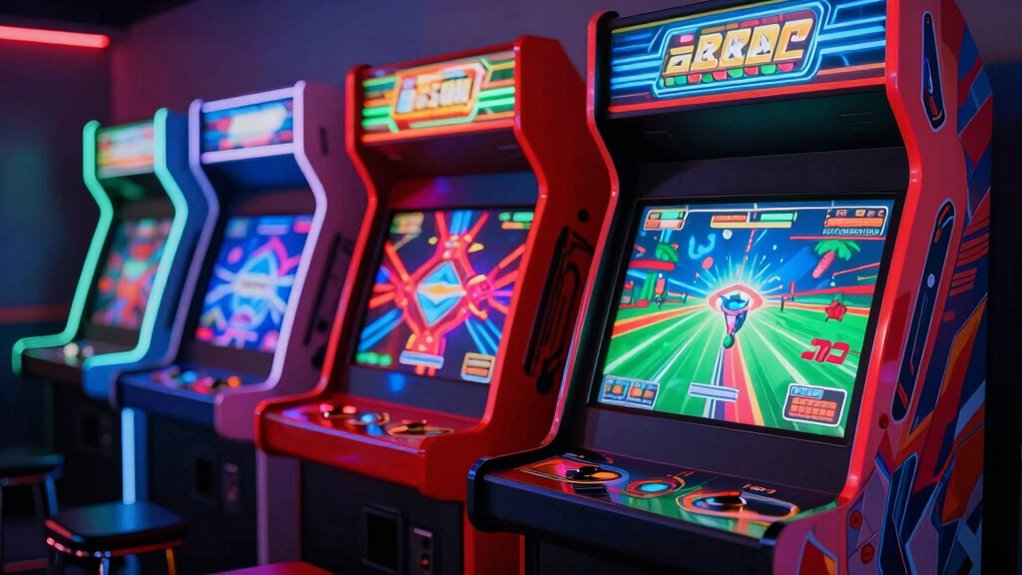
When choosing an arcade monitor replacement, I focus on compatibility with my hardware to guarantee everything works smoothly. I also consider display resolution quality and input options to get the best visual and connection flexibility. Finally, I look at screen size, aspect ratio, and ease of installation to fit my setup perfectly.
Compatibility With Hardware
Choosing the right arcade monitor replacement hinges on ensuring it’s compatible with your existing hardware setup. First, check that the monitor supports the same input connections as your arcade hardware, whether HDMI, VGA, CGA, or EGA. Next, verify that the resolution and aspect ratio match your system’s specifications to keep display quality intact. It’s also important to confirm the monitor’s size and mounting options align with your cabinet’s dimensions and mounting points. Don’t overlook the power supply—ensure the monitor supports your arcade’s voltage, typically 12V or 24V, to avoid electrical issues. Finally, make sure the supported signal formats match your hardware’s output capabilities. Compatibility is key to seamless operation and avoiding costly adjustments or replacements down the line.
Display Resolution Quality
A higher display resolution can considerably enhance your arcade gaming experience by producing clearer, more detailed images. Resolutions like 1280×1024 and 1024×768 are popular choices, offering a good balance between image quality and compatibility with arcade systems. A monitor with better resolution improves visual accuracy, especially in games that rely on fine detail or precise graphics. To guarantee ideal performance, the resolution should match or exceed the original specifications of your arcade hardware. Upgrading to higher resolutions, such as 1080p or 4K, not only boosts image clarity but also future-proofs your setup for modern content and new game releases. Overall, selecting a monitor with the right resolution is key to a more immersive and visually satisfying arcade experience.
Input Connectivity Options
Selecting the right arcade monitor replacement requires careful attention to input connectivity options, as these determine how easily you can connect your existing hardware. You’ll want to confirm the monitor has the necessary input ports like HDMI, VGA, CGA, or EGA to match your arcade system’s output. It’s also wise to verify if the monitor supports multiple input formats, especially if you plan to use different gaming devices. Compatibility matters—make sure the input connectors and signal standards align with your cabling and hardware to avoid needing adapters or converters. Some monitors include built-in signal processing, which helps handle diverse input sources smoothly. Overall, matching the monitor’s input options with your setup ensures seamless installation and reliable operation, making your arcade experience hassle-free.
Ease of Installation
Ensuring a smooth installation process starts with paying attention to the monitor’s ease of setup. I look for monitors with built-in connectors matching my arcade system’s signals, like VGA, HDMI, or CGA, to avoid extra adapters. Monitors with quick-release or modular mounting brackets make swapping screens simple, saving time and effort. Clear installation guides or straightforward mounting options are essential, especially if I lack technical expertise. Compatibility with my cabinet’s dimensions and mounting frame also matters, preventing frustrating fit issues. Additionally, integrated connectors and minimal wiring complexity reduce the need for custom cables or additional adapters, streamlining the entire process. Overall, choosing a monitor designed with easy installation features saves me effort and guarantees I get my arcade up and running quickly.
Screen Size and Aspect Ratio
Choosing the right screen size and aspect ratio is essential because they directly influence how immersive and authentic your arcade experience feels. The size impacts visuals—larger screens, like 26 inches, offer more immersion but need more space and proper mounting. Common sizes range from 17 to 26 inches, so matching your setup is key. The aspect ratio, whether 4:3 or 16:9, affects how games are displayed; 4:3 is standard for classic arcade titles, while 16:9 suits modern games better. Ensuring the monitor’s aspect ratio aligns with the original hardware prevents distorted images or black bars. Ultimately, selecting a size and aspect ratio that reflect the original arcade cabinet helps preserve authentic gameplay and visual proportions, enhancing your nostalgic experience.
Durability and Lifespan
Durability and lifespan are crucial factors because arcade monitors often endure long hours of continuous use in demanding environments. A sturdy monitor should use high-quality components that resist wear and environmental stress, helping it last longer. Modern LCDs, for example, can reliably operate over 60,000 hours, offering significant longevity compared to older CRTs. Monitors with sturdy casings and reinforced connectors are less prone to physical damage, enhancing durability. Choosing the right technology also matters—LCD screens tend to be more resistant to issues like burn-in and degradation, which can shorten lifespan. Additionally, regular maintenance and proper installation can further extend a monitor’s operational life. Overall, investing in a well-built, high-quality arcade monitor ensures consistent performance over many years.
Power Supply Requirements
When selecting an arcade monitor replacement, paying close attention to power supply requirements is essential to guarantee compatibility and reliable operation. First, confirm the monitor’s power input matches your existing power supply specifications, like voltage (e.g., 12V) and current (e.g., 3A). Check that the monitor’s power connector type is compatible with your arcade cabinet’s power board to avoid installation issues. Use a power supply with sufficient wattage to handle the monitor’s power draw without overload or instability. It’s also important to contemplate the monitor’s internal power regulation features, which help maintain stable operation and prevent damage from power fluctuations. Finally, verify if additional components, such as power boards or adapters, are needed to meet the monitor’s power requirements and ensure everything functions smoothly.
Price and Warranty Coverage
Considering the importance of power supply compatibility, it’s equally essential to evaluate the price and warranty coverage of an arcade monitor replacement. Price can vary considerably, often reflecting the level of warranty support included. A higher price might mean more extensive coverage, protecting you against defects or malfunctions long-term. It’s important to carefully review warranty details—some only cover dead-on-arrival issues, while others offer extended protection for years. Verifying what’s included ensures you won’t face unexpected repair costs. Good warranty coverage provides peace of mind and reliable post-purchase support. Comparing these factors helps you find a monitor that balances cost with long-term value. Ultimately, choosing a model with solid warranty coverage ensures you’re protected and minimizes costly repairs down the line.
Frequently Asked Questions
Are These Replacement Monitors Compatible With Vintage Arcade Cabinets?
Yes, most replacement monitors are compatible with vintage arcade cabinets, but it depends on the specific model. I always double-check the mounting size, input types, and resolution to guarantee a perfect fit. Some modern monitors might need adapters or modifications, but many are designed with compatibility in mind. If you’re unsure, I recommend consulting the manufacturer’s specs or seeking advice from arcade restoration communities.
Do These Monitors Support Modern Gaming Consoles Besides Arcade Systems?
These monitors are like chameleons, adaptable to different gaming setups. They do support modern gaming consoles, but you’ll need the right adapters or converters to connect them properly. Many replacements have HDMI or DisplayPort inputs, making them compatible with current devices. I recommend double-checking the specifications to guarantee seamless compatibility. With a little setup, you can enjoy modern gaming on a vintage-style display, blending nostalgia with today’s technology.
What Is the Typical Lifespan of These Arcade Monitor Replacements?
Most arcade monitor replacements last around 5 to 10 years, depending on usage and maintenance. I’ve found that regular cleaning and avoiding extreme temperatures help extend their lifespan. If you’re careful with handling and guarantee proper electrical setup, you can maximize their longevity. Keep in mind that older models might need more frequent repairs, but newer units tend to be more durable and reliable over time.
Can These Monitors Be Easily Installed by Beginners?
Think of installing these monitors like setting up a vintage arcade game from the ’80s—it’s simpler than you might expect. I found most replacements are beginner-friendly, often coming with detailed instructions and plug-and-play features. While some technical skills help, you don’t need to be an electronics wizard. Just take your time, follow the guide, and you’ll have your arcade looking sharp again in no time.
Do They Include Built-In Speakers or Audio Output Options?
Most arcade monitors I’ve looked into do include built-in speakers, which makes setup easier and saves space. However, some models offer audio output options like headphone jacks or external speaker connections if you want better sound quality. I recommend checking the specifications because not all monitors have built-in audio. If sound is important to you, pick a model with the features you need for a more immersive gaming experience.
Conclusion
Choosing the right arcade monitor replacement is like finding the perfect puzzle piece—crucial for a seamless gaming experience. With options ranging from compact HDMI/VGA models to larger 26-inch screens, there’s something for every arcade enthusiast. Don’t forget to take into account factors like compatibility and resolution. Remember, your perfect arcade setup isn’t just built with hardware; it’s crafted with passion. So, immerse yourself and pick the monitor that will bring your arcade dreams to life—your game on!