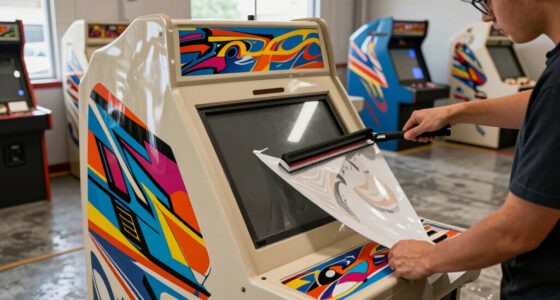
Choosing the right arcade cabinet with a spinner involves balancing compatibility, control precision, and ease of installation. The Arcade Spinner for Arcade1Up offers seamless integration with popular arcade systems, making it ideal for Arcade1Up owners. The SpinTrack Arcade USB Spinner Kit stands out for its high-resolution control and versatile modes, perfect for precision gaming. If you’re into DIY projects, the Tsticks GRS LED Trackball with Spinner provides advanced optical technology and customization options. For those seeking adjustable control and durability, the GRS Push & Pull Arcade Spinner Ultra offers configurable CPR and robust construction. Lastly, the ThunderStick LED Arcade Trackball provides a plug-and-play upgrade compatible with multiple platforms. Each choice involves tradeoffs in compatibility, complexity, and features, so understanding your specific needs is key.

Play games on Amazon Luna for your game nights, included with Prime
- A rotating selection of games, no download needed
- Play on TV, laptop or phone
- Fast, free delivery for your gear, too
Complete the kit


Key Takeaways
- Compatibility varies: some spinners are designed for specific arcade models, others are more universal.
- Control resolution and modes differ, affecting precision and gameplay experience.
- Installation complexity ranges from plug-and-play to requiring technical skills.
- Durability and build quality are critical for long-term use, especially for high-frequency play.
- Price and warranty vary, influencing overall value and peace of mind.
| Arcade Spinner for Arcade1Up |  | Best for Arcade1Up Owners | Compatibility: Windows, Linux, OS | Interface: 12-in-1 interface board | Suitable for: Arcade version 12-in-1 and 6-in-1 | VIEW ON AMAZON | See Our Full Breakdown |
| SpinTrack Arcade USB Spinner Kit by RetroArcade.us, Red |  | Best for Precision and Versatility | Resolution: 1200 pulses per revolution | Connectivity: USB 2.0 | Modes: Lightweight or inertia-based spinning | VIEW ON AMAZON | See Our Full Breakdown |
| Tsticks GRS LED Trackball with Spinner for Arcade |  | Best for DIY Projects & Customization | Type: Trackball with Spinner | Technology: Optical | LED Effects: Customizable | VIEW ON AMAZON | See Our Full Breakdown |
| GRS Push & Pull Arcade Spinner Ultra |  | Best for Adjustable Control & Durability | CPR: 128 – 4096 | Material: Aluminum | Features: Push, pull, scroll buttons | VIEW ON AMAZON | See Our Full Breakdown |
| ThunderStick LED Arcade Trackball (TS-UTB01) |  | Best for Easy Upgrade & Compatibility | Compatibility: Arcade1Up Atari 12-in-1, Centipede, PC, Mac, Raspberry Pi | Interface: USB | Type: Arcade trackball | VIEW ON AMAZON | See Our Full Breakdown |
More Details on Our Top Picks
Arcade Spinner for Arcade1Up
This spinner excels at integrating seamlessly with Arcade1Up machines, supporting Windows, Linux, and OS via a 12-in-1 interface board. It’s a natural choice for owners of Arcade1Up’s 12-in-1 and 6-in-1 models, offering straightforward compatibility. Compared with more universal options, its limited scope means it might not suit custom or non-Arcade1Up cabinets. Installation can be tricky, especially due to somewhat confusing instructions, but once set up, it provides reliable performance. It’s especially suited for those who want a dedicated upgrade for their existing arcade setup.
Pros:- Seamless compatibility with Arcade1Up models
- Supports multiple operating systems
- Designed specifically for popular arcade versions
Cons:- Limited to specific arcade versions
- Installation instructions can be confusing
- Not suitable for counter or party cades
Best for: Arcade1Up owners seeking a dedicated spinner upgrade
Not ideal for: Users with different arcade cabinets or DIY projects beyond Arcade1Up
- Compatibility:Windows, Linux, OS
- Interface:12-in-1 interface board
- Suitable for:Arcade version 12-in-1 and 6-in-1
Our verdict“A solid choice for Arcade1Up owners needing a compatible, reliable spinner upgrade.”
SpinTrack Arcade USB Spinner Kit by RetroArcade.us, Red
The SpinTrack USB Spinner Kit offers high-resolution control with 1200 pulses per revolution and dual modes—lightweight or inertia-based spinning—making it ideal for gamers demanding precision. The sealed ball bearings and fast USB 2.0 data transfer ensure ultra-smooth operation. Compared with simpler spinners, it demands some electronic expertise for installation, including wiring and setup, which might deter beginners. Its 90-day warranty adds some peace of mind, but the complexity makes it better suited for experienced hobbyists or arcade builders.
Pros:- High-resolution control with 1200 pulses
- Dual modes for varied gameplay
- Ultra-smooth, sealed bearings
Cons:- Requires electronic expertise for installation
- Limited warranty period
- Assembly needed
Best for: Players needing high precision and customization
Not ideal for: Beginners or those seeking an easy, plug-and-play solution
- Resolution:1200 pulses per revolution
- Connectivity:USB 2.0
- Modes:Lightweight or inertia-based spinning
Our verdict“Ideal for serious arcade enthusiasts who prioritize control and customization.”
Tsticks GRS LED Trackball with Spinner for Arcade
The Tsticks GRS LED Trackball combines a spinner and trackball into one device, using advanced optical technology for smooth, precise control. Its customizable LED effects add a visual flair, making it perfect for arcade buffs who want a personalized setup. The universal mounting for 28mm holes means it can fit many DIY projects, but detailed compatibility information is limited, and installation might be complex for beginners. It offers a unique blend of aesthetic customization and functional performance, suited for those comfortable with technical assembly.
Pros:- Combines spinner and trackball functions
- Optical tech for smooth operation
- Customizable LED effects
Cons:- Limited system compatibility info
- Potentially complex installation
- Durability details are sparse
Best for: DIY enthusiasts and arcade modders
Not ideal for: Players seeking a straightforward, plug-and-play spinner
- Type:Trackball with Spinner
- Technology:Optical
- LED Effects:Customizable
GRS Push & Pull Arcade Spinner Ultra
The GRS Push & Pull Arcade Spinner Ultra stands out for its adjustable CPR from 128 to 4096, providing highly customizable precision. Its sturdy aluminum construction promises durability, and the inclusion of push, pull, and scroll buttons adds versatility. However, the product description lacks details on compatibility and software requirements, which could limit its immediate usability for some users. It’s best suited for those who want a highly adjustable, durable control device for arcade or PC use.
Pros:- Adjustable CPR for precise control
- Durable aluminum build
- Multiple input options
Cons:- Limited compatibility info
- No software details provided
- Potential complexity in setup
Best for: Players needing customizable control and robust build quality
Not ideal for: Beginners or users without technical setup skills
- CPR:128 – 4096
- Material:Aluminum
- Features:Push, pull, scroll buttons
Our verdict“Perfect for users who prioritize durability and control customization.”
ThunderStick LED Arcade Trackball (TS-UTB01)
The ThunderStick LED Arcade Trackball offers a straightforward, drop-in replacement designed specifically for Arcade1Up Atari 12-in-1 and Centipede units, with compatibility extending to PC, Mac, and Raspberry Pi via USB. Its plug-and-play nature simplifies upgrades for arcade enthusiasts looking to boost performance and aesthetics without complicated wiring. However, it doesn’t support all arcade models, specifically excluding some legacy units, and limited LED feature details might disappoint users seeking visual effects. It’s best for those wanting a quick, reliable upgrade with broad platform compatibility.
Pros:- Easy to install as a drop-in
- Compatible with multiple platforms
- Industrial-quality build
Cons:- Limited to specific arcade models
- LED features not detailed
- Not suitable for all legacy units
Best for: Arcade owners seeking an easy upgrade solution
Not ideal for: Custom DIY projects requiring extensive modifications
- Compatibility:Arcade1Up Atari 12-in-1, Centipede, PC, Mac, Raspberry Pi
- Interface:USB
- Type:Arcade trackball
Our verdict“An excellent choice for quick upgrades on supported arcade cabinets and platforms.”

How We Picked
My selection process focused on balancing compatibility, control quality, ease of installation, and durability. I prioritized products that cater to different user needs: from DIY enthusiasts to arcade owners seeking plug-and-play solutions. Compatibility with popular arcade systems, adjustable control features, and build quality were key factors. I also considered user feedback and technical specifications to ensure each product offers distinct advantages and tradeoffs suitable for different buyer profiles.
Factors to Consider When Choosing Arcade Cabinet With Spinner
Selecting the right arcade cabinet spinner depends on your specific setup, skill level, and how much customization you desire. Key considerations include compatibility with your existing arcade or DIY system, whether you prefer a ready-to-use plug-and-play device or a more customizable component, and the level of control precision needed for your gaming style. Understanding these factors helps ensure you choose a spinner that enhances your arcade experience without unnecessary complication.Compatibility with Your Arcade System
Determining whether a spinner works with your specific arcade cabinet or DIY setup is essential. Some spinners are designed for particular models like Arcade1Up or specific PC configurations, while others are more universal. Always check the product’s compatibility details and ensure it matches your existing hardware before purchasing.
Ease of Installation and Use
Consider whether you want a plug-and-play solution that requires minimal wiring or a component that allows for detailed customization but demands electronic skills. Beginners might prefer ready-made options, while experienced users can benefit from adjustable and modular units for finer control.
Control Precision and Features
High resolution (measured in pulses per revolution) and adjustable control modes can significantly impact gameplay. Think about whether you need ultra-smooth control for precision tasks or a basic spinner for casual use. Additional features like LED effects or configurable buttons can add aesthetic value or functional versatility.
Build Quality and Durability
Since arcade use often involves frequent, intense use, selecting a spinner with sturdy construction—such as aluminum or sealed bearings—is advisable. This ensures longevity and consistent performance over time, especially if you’re upgrading a cabinet for long-term use.
Price and Warranty
While budget options are tempting, investing in a well-built spinner with a warranty can save money in the long run by reducing replacement or repair costs. Balance your budget with the features and durability you need for your setup.
Frequently Asked Questions
Can I install these spinners on any arcade cabinet?
Most spinners are designed for specific arcade models or DIY systems. For example, the ThunderStick is compatible with Arcade1Up and Raspberry Pi, while others like the GRS Ultra require more customization. Always verify compatibility before purchasing to ensure the spinner will fit and work properly with your setup.
Do I need technical skills to install these spinners?
The level of technical skill varies. Plug-and-play options like the ThunderStick are straightforward, often just requiring mounting and USB connection. However, more advanced units like the SpinTrack or Tsticks may need wiring, calibration, and software setup, making some electronic experience necessary.
Which spinner offers the best control for professional arcade use?
The SpinTrack Arcade USB Spinner Kit stands out for its high-resolution control and dual operation modes, making it suitable for players seeking precision. Its 1200 pulses per revolution and smooth operation make it a favorite among serious arcade enthusiasts.
Are LED features important in choosing an arcade spinner?
LED effects primarily add visual flair and personalization, which can enhance the aesthetic of your arcade setup. For those focusing on performance, LED features are optional. If visual customization matters, products like the Tsticks GRS LED Trackball provide extensive LED options.
What is the typical warranty period for these spinners?
Warranty periods vary, with most offering around 90 days to a year. The SpinTrack provides a 90-day DOA exchange, while others may have limited warranties. Always check warranty details before purchase, especially for high-use or investment pieces.
Conclusion
If you own an Arcade1Up cabinet and want seamless integration, the Arcade Spinner for Arcade1Up is your best bet. For gamers seeking high precision and adjustable modes, the SpinTrack Arcade USB Spinner Kit offers excellent control. DIY enthusiasts and modders will appreciate the Tsticks GRS LED Trackball for its customization potential. Those prioritizing durability and adjustable control should consider the GRS Push & Pull Arcade Spinner Ultra. Finally, if you’re after a quick upgrade compatible with multiple platforms, the ThunderStick LED Arcade Trackball provides a reliable, plug-and-play solution. Match your choice to your technical skills, compatibility needs, and gameplay preferences to get the most satisfying arcade experience.
Fall Picks
fall essentials
As an affiliate, we earn on qualifying purchases.