To maintain your modern arcade game hardware, regularly calibrate the display, controllers, and input devices to guarantee smooth operation. Keep the equipment clean by gently removing dust, especially around fans and vents to prevent overheating. Stay up-to-date with software updates to fix bugs and add features, and inspect components for wear or loose connections. Document all maintenance activities to keep track of issues and repairs—these tips will help you keep your arcade game in top shape and running smoothly.
Key Takeaways
- Perform regular hardware calibration of displays, joysticks, and buttons to ensure optimal functionality and gameplay experience.
- Keep software updated to fix bugs, improve performance, and add new features, minimizing glitches and security issues.
- Conduct routine inspections and clean components, especially fans and vents, to prevent overheating and dust buildup.
- Schedule periodic maintenance, including calibration and inspections, and document all activities for future reference and troubleshooting.
- Check connections and secure internal components to prevent malfunctions and ensure long-term hardware reliability.

Maintaining modern arcade game hardware is crucial to guarantee smooth operation and maximize their lifespan. When you keep the hardware properly calibrated, you guarantee that every component functions at its ideal level, providing players with a seamless gaming experience. Regular hardware calibration involves adjusting the display, joysticks, buttons, and other input devices to align with manufacturer specifications. This prevents issues like misaligned images, unresponsive controls, or distorted sound, which can frustrate players and lead to premature hardware failure. Set aside time periodically to check and calibrate these elements, especially after moving or servicing the machine. Proper calibration not only enhances gameplay but also reduces wear and tear on parts, ultimately saving you money on repairs. Additionally, maintaining proper flushing mechanisms ensures that internal components remain free of moisture-related issues that could impair electronic systems.
Alongside hardware calibration, staying on top of software updates plays a critical role in maintaining your arcade machines. Manufacturers often release updates that fix bugs, improve performance, and add new features. By regularly applying these updates, you keep your hardware running efficiently and secure against vulnerabilities. Many modern arcade systems have built-in options for automatic updates, making it easier for you to stay current. If not, check the manufacturer’s website or support channels regularly and manually install updates when available. Failing to update software can leave your system exposed to glitches that might cause crashes or degraded gameplay quality. It can also mean missing out on improvements that could attract more players or provide new content, boosting your arcade’s profitability.
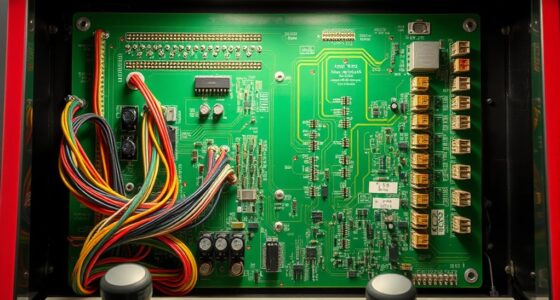
In addition to calibration and updates, routine hardware inspections are essential. Look for signs of wear, loose connections, or damaged parts. Clean the components gently, especially fans and vents, to prevent overheating and dust buildup that can impair performance. Ensuring that all internal connections are secure helps avoid unexpected shutdowns or input lag. If you notice persistent issues, don’t hesitate to consult the manufacturer’s troubleshooting guides or contact technical support. Addressing problems early prevents small malfunctions from escalating into costly repairs or complete hardware replacements.
Finally, documenting maintenance activities creates a useful record for future reference. Keep track of calibration dates, software versions, and repairs performed. This documentation helps you identify recurring issues and plan preventive maintenance more effectively. It also simplifies troubleshooting, as you’ll have a clear history of what’s been done and when. By adhering to a consistent maintenance routine that emphasizes hardware calibration, timely software updates, and regular inspections, you guarantee your arcade hardware remains reliable, engaging, and profitable for years to come.
Frequently Asked Questions
How Often Should I Calibrate Arcade Game Monitors?
You should calibrate arcade game monitors regularly—ideally once every three to six months—to maintain peak display accuracy. Frequent use and changing environmental conditions can affect image quality, so stay proactive with monitor calibration. Consistent calibration ensures vibrant colors and sharp images, enhancing player experience. Keep an eye on any display issues, and if you notice color distortions or blurry images, recalibrate promptly for the best visual performance.
What Are Common Issues With Modern Arcade Hardware?
Like a ship steering through treacherous waters, your arcade hardware faces common issues such as overheating, display glitches, and component failures. These problems can threaten hardware longevity if not addressed promptly. Regular software updates help patch bugs and improve performance, reducing breakdown risks. By staying vigilant and proactive, you guarantee your arcade machine remains a vibrant centerpiece, avoiding the stormy seas of hardware malfunction and extending its lifespan.
Can I Upgrade Arcade Hardware Components Myself?
Yes, you can do DIY upgrades on your arcade hardware, but you need to check hardware compatibility first. Make sure new components fit your arcade machine’s specifications and won’t cause conflicts. Follow detailed guides and use the right tools to avoid damaging your equipment. If you’re unsure, consult manufacturer instructions or seek advice from experienced enthusiasts to guarantee smooth upgrades and peak performance.
What Safety Precautions Are Necessary During Maintenance?
You should always prioritize safety during maintenance by wearing appropriate safety gear like gloves and eye protection, making the process more comfortable and secure. Focus on electrical safety by unplugging the machine before working on it, avoiding water contact, and inspecting for damaged wiring. These precautions help prevent shocks and injuries, ensuring you enjoy your work and keep the arcade game in top shape with peace of mind.
How Do I Troubleshoot Display or Sound Malfunctions?
When troubleshooting display or sound malfunctions, start by checking the video calibration settings to guarantee the display is correctly configured. For sound issues, perform audio troubleshooting by inspecting connections and testing speakers. If the display is flickering or audio is distorted, reset the system or update firmware. Always verify all cables are secure and test with known working components to pinpoint the problem quickly.
Conclusion
By staying on top of regular maintenance, you keep your arcade game hardware in tip-top shape, ensuring it runs smoothly and attracts players. Don’t wait for problems to snowball—address issues early and keep everything running like clockwork. Remember, a stitch in time saves nine. When you invest time now, you prevent costly repairs later, making your arcade a winning game for both you and your customers.