
TL;DR

Play games on Amazon Luna for your game nights, included with Prime
- A rotating selection of games, no download needed
- Play on TV, laptop or phone
- Fast, free delivery for your gear, too
Gaming laptops for students now blend powerful hardware with sleek designs, making them perfect for gaming and schoolwork. Focus on key specs like GPU, CPU, and display, and consider recent upgrades for future-proofing.
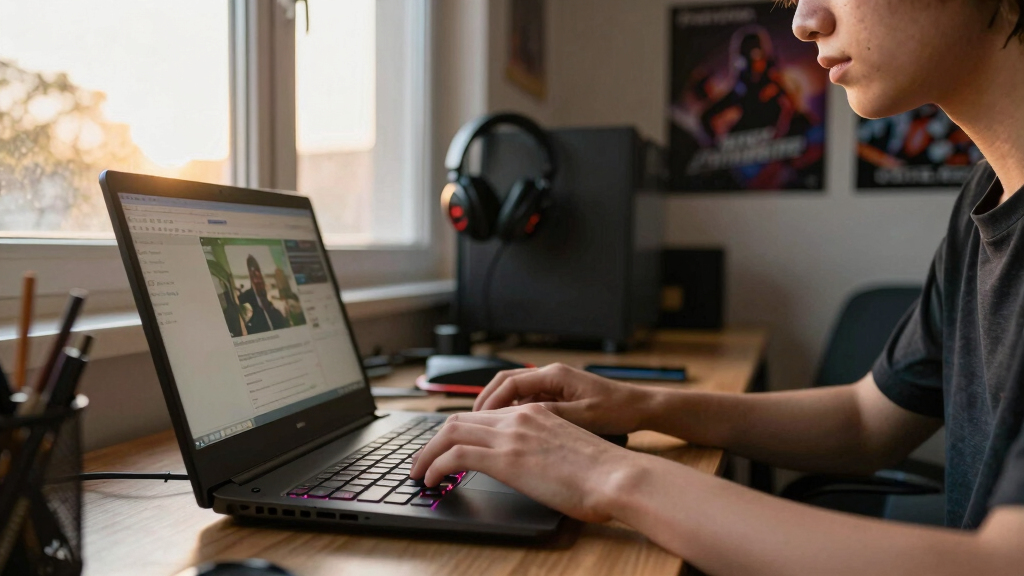
Imagine plugging into a laptop that handles your latest game with ease—yet slips into your backpack without pulling your shoulder out of socket. That’s today’s reality. Gaming laptops for students are no longer bulky monsters; they’re sleek, fast, and packed with tech that makes both gaming and studying a breeze.
In this guide, you’ll see how to pick the right one for your needs. We’ll cover what specs matter, recent tech updates, and real-world tips to get the most bang for your buck. Whether you’re a casual gamer or aiming to run the latest AAA titles, there’s a perfect fit for you.
Prioritize GPU and CPU specs for smooth gaming and multitasking performance.
Balance portability and battery life—look for models under 5 pounds with at least 4 hours of real-world use.
Recent upgrades in GPU and display tech make modern gaming laptops more versatile and future-proof.
Choose models with upgrade options for long-term relevance and value.
Set a realistic budget and focus on essential features—high-end isn’t always necessary for student needs.
What makes a gaming laptop a student’s best friend?
Gaming laptops for students are built to do double duty—powerful enough for high-end games, yet portable enough to carry around campus. They feature GPU options like NVIDIA GeForce RTX series, offering smooth frame rates and ray tracing. These features are critical because they directly influence your gaming experience’s quality and realism. Ray tracing, for example, simulates real-world lighting and reflections, providing more immersive visuals, which can be appealing even during study breaks when you want to relax with visually stunning games.
Pairing this with a fast CPU, at least 8GB of RAM, and SSD storage creates a machine that can handle demanding tasks seamlessly. The CPU impacts how quickly your system processes instructions, affecting everything from gaming to multitasking. RAM allows you to run multiple applications simultaneously without lag, essential for juggling gaming, research, and note-taking. SSDs drastically reduce load times, making transitions between tasks or games snappy and efficient. The balance of these hardware elements ensures that a gaming laptop can serve as an effective tool for both recreation and productivity, minimizing compromises and maximizing versatility.
best gaming laptops for students 2024
As an affiliate, we earn on qualifying purchases.
As an affiliate, we earn on qualifying purchases.
How to spot a gaming laptop that’s actually portable
- Check the weight—aim for under 5 pounds if you’re lugging it daily. Lighter models reduce fatigue and make carrying your laptop less of a chore, especially when you’re moving between classes or studying on campus.
- Look at battery life—ideally 4 hours or more in real-world use. Gaming laptops tend to drain batteries quickly under load, but models with better power management or efficient hardware can last longer. Longer battery life means fewer interruptions for charging, allowing you to focus on your studies or gaming sessions without constantly hunting for outlets.
- Size matters—15.6-inch screens hit a sweet spot for balance between visibility and portability. Larger screens can enhance your gaming and viewing experience but add weight and bulk. Smaller screens might be more portable but can compromise immersion and detail. Choosing the right size depends on your priorities—are you more focused on portability or visual experience? Understanding these tradeoffs helps you select a machine that fits your lifestyle without sacrificing essential features.
Take the example of a student who wants a machine for class and gaming. They choose a slim, 4.5-pound model with a 120Hz display and a 6-hour battery life—perfect for a day on campus, then gaming at night. This balance ensures they’re not weighed down by their device and can enjoy uninterrupted use during their busy schedule.
Latest tech upgrades making gaming laptops better for students
| Feature | Previous Models | 2024 Upgrades |
|---|---|---|
| GPU | NVIDIA GTX 1660, RTX 3050 | NVIDIA RTX 4060, AMD Radeon RX 7800 XT |
| CPU | Intel Core i5/i7 11th Gen, AMD Ryzen 5/7 5000 | Intel 13th Gen, AMD Ryzen 7000 |
| Display | 60–120Hz, Full HD | Up to 240Hz, OLED options |
| Design | Bulky, gamer aesthetic | Sleek, lightweight, more subdued style |
These technological upgrades are more than just incremental improvements—they significantly impact how well a gaming laptop can serve a student’s needs. For instance, a Slim gaming laptop with a 240Hz OLED display offers not only high refresh rates for smooth gameplay but also stunning visuals that enhance both gaming and multimedia tasks. The move from bulkier designs to sleek, lightweight models means students no longer have to compromise on style or portability. Upgraded GPUs and displays ensure that the laptop remains capable of handling upcoming game releases and demanding applications, offering a future-proof investment that adapts to evolving tech standards.
What specs really matter for gaming and studying?
- GPU: Crucial for gaming; NVIDIA GeForce RTX 4060 or better handles current games and ray tracing. A powerful GPU ensures you can enjoy high-quality graphics without lag, which is especially important for AAA titles or graphically intensive applications used in some courses.
- CPU: Intel Core i5/i7 or AMD Ryzen 5/7 ensures multitasking and smooth gameplay. A robust CPU prevents bottlenecks, allowing you to run multiple programs simultaneously—like chat apps, research tools, and games—without slowdown, which is vital during busy school periods.
- RAM: 8GB minimum; 16GB+ recommended for multitasking and future-proofing. More RAM helps your system handle multiple applications and large files, reducing wait times and preventing crashes during intensive tasks or gaming marathons.
- Storage: SSDs cut load times dramatically; a 512GB or 1TB SSD is ideal. Fast storage means quicker boot times, faster game loads, and efficient handling of large files, which benefits both gaming sessions and academic work.
For instance, a student running multiple Chrome tabs, a virtual lecture, and a demanding game will benefit from 16GB RAM and an SSD for quick access and smooth multitasking. These specs directly influence how seamlessly your device can handle the multitasking demands of student life combined with gaming.
Can a gaming laptop handle your daily college life?
Absolutely. Many gaming laptops are more than just gaming beasts—they’re powerful enough for emails, streaming, and writing papers. For example, a student who uses their laptop for Zoom lectures, YouTube tutorials, and casual gaming will find models with Intel Core i5 and GTX 1660 capable of all those tasks. The key is understanding that modern gaming laptops often incorporate hardware that exceeds the needs of typical academic tasks, meaning they can easily handle multitasking, content creation, and media consumption.
However, keep in mind that gaming laptops tend to be heavier and have shorter battery life. So, if you’re mostly working in class or libraries, look for lighter models with longer battery life. The tradeoff here is between raw power and portability—knowing your typical usage pattern helps you choose the right balance.
How to pick the right gaming laptop on a student budget
- Identify your must-have specs: GPU, CPU, RAM. Focus on the components that will impact your gaming and academic performance the most, rather than getting caught up in unnecessary features.
- Set a realistic price range—entry-level starts at around $800, mid-range hits $1,200–$1,500. Understanding your budget helps narrow your options and prevents overspending on features you don’t need.
- Compare features and reviews—look for models with good cooling and decent battery life. Proper cooling prevents thermal throttling, which can reduce performance during extended gaming or study sessions, while good battery life minimizes interruptions.
- Prioritize portability if you’ll carry it daily. Weigh the importance of size and weight against performance to find a machine that fits your lifestyle without sacrificing essential capabilities.
For example, a student with a tight budget might choose a Lenovo Legion 5 with an RTX 3050, AMD Ryzen 5, and 16GB RAM for around $1,000—balancing performance and cost. Recognizing the tradeoffs between price, performance, and portability ensures you get a machine that meets your needs without unnecessary expense.
Future-proof your purchase with smart choices
Invest in a laptop with current-generation hardware and upgrade options. Look for models with upgradable RAM or storage. This allows you to extend your device’s relevance, accommodating future software updates and game releases without needing an immediate replacement. Upgradability means you can adapt your laptop as your needs evolve, saving money over time and reducing electronic waste.
For example, a student who buys a gaming laptop with 16GB RAM and accessible SSD slots can upgrade later, extending its lifespan and performance. This strategic choice ensures that your investment remains valuable as technology advances and your requirements change.
Frequently Asked Questions
Are gaming laptops good for everyday college tasks?
Yes, many gaming laptops are more than powerful enough for emails, streaming, and assignments. Just watch out for weight and battery life if you’re on the go.
What’s the best budget gaming laptop for students?
Models like the Lenovo Legion 5 or ASUS TUF Gaming series offer solid performance around $1,000, balancing price and features well.
Will gaming laptops stay relevant for upcoming game releases?
High-end models with current RTX 4060 or AMD RX 7800 XT GPUs tend to be more future-proof, but rapid tech development means no machine lasts forever. Regular updates or upgrades help extend lifespan.
Is battery life a dealbreaker for gaming laptops?
For gaming, expect 2–4 hours, but for casual use, some models offer longer runtimes. If you need all-day battery life, consider models with efficient hardware and power modes.
Can I upgrade a gaming laptop later?
Many models allow upgrades to RAM and SSD, but some high-performance machines have limited options. Check the specific model before buying if future upgrades matter to you.
Conclusion
Choosing a gaming laptop as a student is about balancing power with portability. Recent tech advances mean you can find machines that do both—crushing your favorite games and handling coursework with ease.
Remember, the best laptop is the one that fits your lifestyle, budget, and future plans. Pick wisely, and your new machine will become your most trusted study and gaming buddy.
Columbus Day / Indigenous Peoples' Day Picks
long weekend sales
As an affiliate, we earn on qualifying purchases.