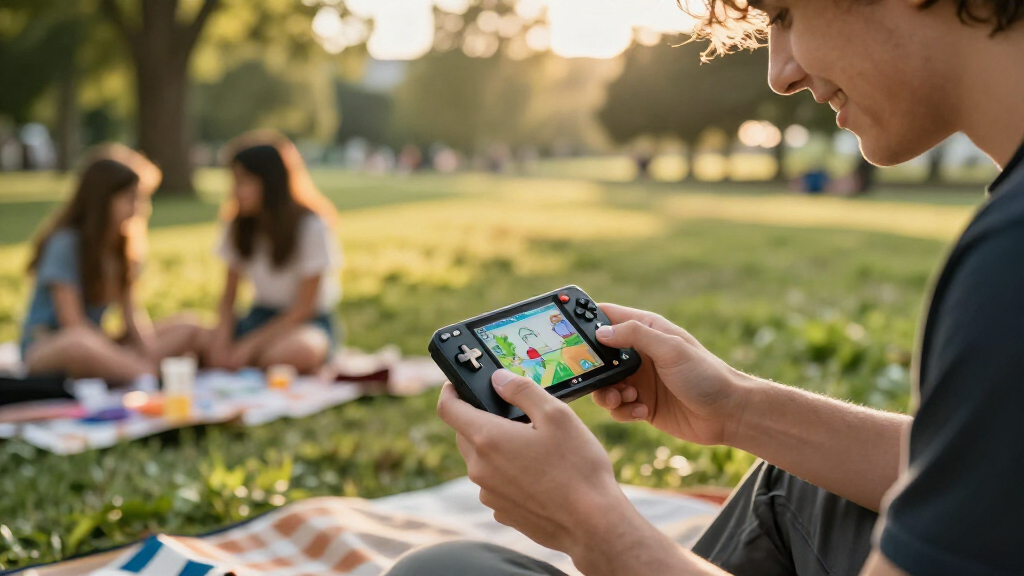
Choosing among the best Raspberry Pi handheld consoles depends on whether you want a gaming-focused build, a computer you can type on, or a kit that uses hardware you already own. I rank the Waveshare GamePi43 first for its included Raspberry Pi 3B+ and larger, sharper screen. The Waveshare 3.5-inch Game HAT with joystick and buttons is a better fit for compact retro play, while the uConsole is the standout for Linux tasks that need a keyboard.

Play games on Amazon Luna for your game nights, included with Prime
- A rotating selection of games, no download needed
- Play on TV, laptop or phone
- Fast, free delivery for your gear, too
These are not interchangeable devices. The GamePi43 is the most complete gaming package, but still needs batteries. The two Game HATs are smaller and depend on a compatible Raspberry Pi, while the uConsole needs a separately supplied CM4 and involves more assembly. I compare them by setup burden, controls, display, portability, and how well each serves handheld gaming rather than treating a list of specs as a verdict.
Complete the kit



Key Takeaways
- The Waveshare GamePi43 is the strongest pick for buyers who want a Raspberry Pi 3B+ included and a larger 4.3-inch, 800 × 480 screen.
- The Waveshare 3.5-inch Game HAT with joystick and buttons suits compact retro gaming, but you supply the Raspberry Pi and an 18650 battery.
- The other 3.5-inch Game HAT has similar screen and battery needs, with listed compatibility ending at Raspberry Pi 3B+ rather than including 4B.
- The uConsole is a handheld Linux computer first: its backlit QWERTY keyboard helps with typing but makes it a different choice from gamepad-style consoles.
- None of the four is a complete out-of-box portable setup: the Game HATs and GamePi43 need batteries, while the uConsole also needs a CM4 and storage card.
| Waveshare GamePi43 Portable Retro Game Console with Raspberry Pi 3B+ |  | Best Overall | Included Raspberry Pi: Raspberry Pi 3B+ | Display: 4.3-inch IPS | Resolution: 800 × 480 | VIEW LATEST PRICE | See Our Full Breakdown |
| Waveshare Game HAT for Raspberry Pi with 3.5-Inch IPS Screen |  | Best Compact Game HAT | Screen: 3.5-inch IPS | Resolution: 480 × 320 | Refresh rate: 60 Hz | VIEW LATEST PRICE | See Our Full Breakdown |
| Waveshare Game HAT for Raspberry Pi with 3.5-Inch IPS Display |  | Best Simple Retro Gaming Build | Display: 3.5-inch IPS LCD | Resolution: 480 × 320 | Frame rate: 60 frames | VIEW LATEST PRICE | See Our Full Breakdown |
| uConsole Handheld Linux Computer Kit for Raspberry Pi CM4, 5-Inch IPS Display, QWERTY Keyboard, Wi-Fi (Silver) |  | Best for Linux and Typing | Compatible module: Raspberry Pi CM4, not included | Mainboard: ClockworkPi v3.14 Rev 5 | Display: 5-inch IPS, 720p | VIEW LATEST PRICE | See Our Full Breakdown |
| Raspberry Pi handheld console | Display | Resolution | Frame rate | Power |
|---|---|---|---|---|
| Waveshare GamePi43 Portable Re | 4.3-inch IPS | 800 × 480 | 60 fps | 18650 lithium batteries, not included |
| Waveshare Game HAT for Raspber | — | 480 × 320 | — | 18650 lithium battery, not included |
| Waveshare Game HAT for Raspber | 3.5-inch IPS LCD | 480 × 320 | 60 frames | — |
| uConsole Handheld Linux Comput | 5-inch IPS, 720p | — | — | — |
More Details on Our Top Picks
Waveshare GamePi43 Portable Retro Game Console with Raspberry Pi 3B+
I put the GamePi43 first because it asks less of a buyer who wants a Raspberry Pi handheld for games: a Raspberry Pi 3B+ is included, rather than requiring you to source a board before assembly. Its 4.3-inch IPS screen at 800 × 480 is the largest and highest-resolution display among these four products. Compared with either 3.5-inch Game HAT, that extra screen area gives menus and game scenes more room, while the listed 60 fps rate suits the device’s gaming focus.
The GamePi43 also combines a gamepad, onboard speakers, an earphone jack, and a battery-life indicator. The controls for volume and backlight give you practical adjustments without changing the device’s role: it is a gaming console, not a small typing computer like the uConsole. The included Pi 3B+ makes this a more complete hardware base than the other Waveshare options, though buyers still need to supply 18650 batteries and prepare the software and storage setup themselves.
That remaining setup matters. This is not a finished console that can be used immediately from the box, and the supplied details do not give a confirmed software update support date. Its stated compatible models include the 4B, B+, 2B, 3B, and 3B+, but the included board is a 3B+. I would choose it over a Game HAT when screen size and a bundled Pi matter more than the smallest possible build. I would choose the uConsole instead only if typing and general Linux use outweigh gamepad controls.
Pros:- Includes a Raspberry Pi 3B+, reducing the need to source a compatible board separately.
- The 4.3-inch 800 × 480 IPS display is larger and higher resolution than the 3.5-inch screens in this group.
- Gamepad controls, onboard speakers, and an earphone jack suit handheld gaming.
- Battery indicator and volume and backlight controls add useful on-device adjustments.
Cons:- 18650 batteries are not included, so the hardware package is not ready for portable use on its own.
- The supplied information does not establish a software update support date.
- Its larger screen and built-in Pi make it a less minimal starting point than a compact HAT build.
Best for: Buyers who want a gaming-oriented handheld with a Raspberry Pi 3B+ included and a larger, clearer screen than the 3.5-inch Game HAT options.
Not ideal for: People who want a ready-to-play device with batteries supplied, need a confirmed software-support timeline, or prefer a keyboard-based Linux handheld.
- Included Raspberry Pi:Raspberry Pi 3B+
- Display:4.3-inch IPS
- Resolution:800 × 480
- Frame rate:60 fps
- Processor and RAM:64-bit quad-core, 1.4 GHz; 1 GB RAM
- Controls and audio:Gamepad, onboard speakers, and earphone jack
- Power:18650 lithium batteries, not included
- Listed compatible Pi models:4B, B+, 2B, 3B, and 3B+
Our verdict“I recommend the GamePi43 for the broadest gaming-focused package here, provided you are prepared to supply batteries and handle software setup.”
Waveshare Game HAT for Raspberry Pi with 3.5-Inch IPS Screen
This 3.5-inch Waveshare Game HAT is the compact gaming pick for someone who already has a compatible Raspberry Pi and wants a handheld-style screen with a joystick and buttons. Its 480 × 320 IPS panel is smaller and lower resolution than the GamePi43’s display, but that is the main trade: less screen area in exchange for a more compact build. The supplied listing specifies 60 Hz and a broad set of supported boards, including Raspberry Pi 4B.
Compared with the other 3.5-inch Game HAT in this roundup, this model’s listing makes its control layout and compatibility clearer. It names both a joystick and buttons, and lists the 4B alongside earlier boards. The shared fundamentals remain similar: both have an IPS screen at 480 × 320, an onboard speaker and earphone jack, and require an 18650 battery bought separately. The GamePi43 is the better pick if you want an included Pi and a larger panel; this HAT makes more sense when a supported board is already on hand and compactness matters more.
There are practical limits to check before choosing it. Raspberry Pi Zero, Zero W, and Zero WH need an additional HDMI cable, so their use is not as straightforward as the listed supported full-size boards. The battery is also not included, and no battery-life estimate is supplied for this model. It is a sensible route to a small Pi gaming build, but buyers should confirm that their exact board, cable arrangement, and battery plan match the intended build.
Pros:- Compact 3.5-inch IPS screen with 480 × 320 resolution and a listed 60 Hz refresh rate.
- Joystick and buttons provide a clearly specified gaming control layout.
- Compatibility listing includes Raspberry Pi 4B as well as several earlier models.
- Onboard speaker and earphone jack provide built-in and private listening options.
Cons:- Requires a compatible Raspberry Pi and an 18650 battery, both outside the core HAT package.
- Pi Zero-family boards require an additional HDMI cable.
- The 3.5-inch screen gives less viewing area and lower resolution than the GamePi43.
Best for: Raspberry Pi owners who want a compact retro gaming setup with a named joystick-and-button layout and listed compatibility that includes the Pi 4B.
Not ideal for: Buyers who need the biggest display, want a Raspberry Pi included, or expect batteries and Zero-model HDMI cabling to come in the package.
- Screen:3.5-inch IPS
- Resolution:480 × 320
- Refresh rate:60 Hz
- Controls:Joystick and buttons
- Compatibility:Raspberry Pi A+, B+, 2B, 3B, 3B+, and 4B
- Zero-family support:Zero, Zero W, and Zero WH with an additional HDMI cable
- Audio:Onboard speaker and earphone jack
- Power:18650 lithium battery, not included
Our verdict“I would pick this Game HAT for a compact build around a Pi you already own, especially if you want its explicitly listed joystick controls and Pi 4B support.”
Waveshare Game HAT for Raspberry Pi with 3.5-Inch IPS Display
This Game HAT is a straightforward option for turning a supported Raspberry Pi into a small gaming handheld. Its 3.5-inch IPS display uses a 480 × 320 resolution and a listed 60-frame rate, with a built-in speaker and earphone jack for audio. The package also lists an acrylic case, HDMI connector, and Pi screws, giving a buyer some of the physical parts needed for a build rather than just a bare screen.
Its closest comparison is the other Waveshare 3.5-inch HAT, which specifies a joystick and support for Raspberry Pi 4B. This model’s compatibility list names the A+, B+, 2B, 3B, and 3B+, but not the 4B. If you have a 4B or want the control layout spelled out as joystick and buttons, I would favor the B07G57BC3R version. If your board matches this listing and you value the named included case and connection accessories, this one remains a compact route into Pi-based retro gaming.
Neither compact HAT can match the GamePi43’s larger 4.3-inch, 800 × 480 panel, and this model does not include the Raspberry Pi or its power source. Its 18650 battery is sold separately, and the stated battery life is about one to two hours depending on the game. That estimate is useful when planning sessions, but it also sets a clear limit for portable use. Pi Zero models need extra HDMI cabling, so I would check the board and connector requirements before buying rather than assume every small Pi fits the build without additions.
Pros:- 3.5-inch IPS display offers a compact 480 × 320 gaming screen.
- Includes an acrylic case, HDMI connector, and Raspberry Pi screws.
- Onboard speaker and earphone jack support different listening preferences.
- Supports charging while playing.
Cons:- The 18650 battery and Raspberry Pi are not included.
- Stated battery life is about one to two hours, depending on the game.
- Listed compatibility does not include Raspberry Pi 4B; Zero models need an additional HDMI cable.
Best for: A buyer with a Raspberry Pi A+, B+, 2B, 3B, or 3B+ who wants a compact screen-based gaming conversion and the listed acrylic case and connection accessories.
Not ideal for: Owners of a Raspberry Pi 4B who want compatibility explicitly listed, or anyone seeking a larger screen, included Pi, or longer stated battery runtime.
- Display:3.5-inch IPS LCD
- Resolution:480 × 320
- Frame rate:60 frames
- Compatible platforms:Raspberry Pi A+, B+, 2B, 3B, and 3B+
- Battery:18650 lithium battery, not included
- Stated battery life:About 1–2 hours, depending on the game
- Audio:Onboard speaker and earphone jack
- Included accessories:Acrylic case, HDMI connector, and Raspberry Pi screws
Our verdict“I recommend this version for a compact build around one of its listed Pi models, but the joystick-focused sibling is the safer choice for Pi 4B owners.”
uConsole Handheld Linux Computer Kit for Raspberry Pi CM4, 5-Inch IPS Display, QWERTY Keyboard, Wi-Fi (Silver)
The uConsole is the outlier in this lineup: it is a handheld Linux computer with a backlit QWERTY keyboard, not a gamepad-first console. Its 5-inch 720p IPS display is the largest by diagonal measurement here, and the keyboard makes it better suited to command-line work, typing, and general portable computing than either Waveshare Game HAT. For buyers who want to carry a small Linux machine and also play games, that combination may be more useful than a dedicated set of game controls.
Compared with the GamePi43, the uConsole gives up the included Raspberry Pi and traditional gamepad in favor of a keyboard and a higher-resolution 720p screen. It needs a Raspberry Pi CM4 module that is not included, as well as 18650 batteries and a TF card. That makes the initial hardware checklist longer than the GamePi43’s, even though the uConsole includes a CM4 adapter, shell parts, speakers, Wi-Fi antenna, and assembly accessories. I would choose it for a computer-shaped handheld, not as the easiest route to a gaming-only build.
Connectivity needs careful reading. The listing title references LTE, but the supplied configuration is Wi-Fi-only, and a SIM card and cellular plan are not included. I would not buy it on the assumption that cellular connectivity is present. Bluetooth 5.0, BLE, and Wi-Fi are listed, but the missing CM4, batteries, and storage remain essential pieces. Against the two Game HATs, the uConsole is far more suited to text input and a full Linux interface, while its keyboard and kit assembly make it less direct for quick gamepad play.
Pros:- 5-inch 720p IPS screen provides the largest diagonal display in this comparison.
- Backlit QWERTY keyboard is useful for terminal work, typing, and Linux navigation.
- Includes a CM4 adapter, Wi-Fi antenna, speakers, shell parts, and assembly accessories.
- Lists Wi-Fi, Bluetooth 5.0, and BLE connectivity.
Cons:- Raspberry Pi CM4 module, 18650 batteries, and TF card are not included.
- The listed Wi-Fi-only configuration should not be assumed to include LTE or cellular service.
- Keyboard-first controls are less suited to conventional handheld gaming than the GamePi43 gamepad.
Best for: Linux hobbyists and portable-computing users who want a 5-inch screen and physical QWERTY keyboard, and who already have or plan to source a compatible CM4.
Not ideal for: Buyers seeking a ready-made gaming handheld, a familiar gamepad layout, included computer module, or confirmed cellular service in the Wi-Fi-only configuration.
- Compatible module:Raspberry Pi CM4, not included
- Mainboard:ClockworkPi v3.14 Rev 5
- Display:5-inch IPS, 720p
- Keyboard:Backlit QWERTY
- Connectivity:Wi-Fi 802.11 b/g/n/ac, Bluetooth 5.0, and BLE
- Memory and storage details:LPDDR4; listed memory storage capacity of 32 GB
- Included accessories:CM4 adapter, Wi-Fi antenna, speakers, shells, bracket system, and 2.5 mm hex key
- Not included:CM4 module, 18650 batteries, TF card, SIM card, and cellular service plan
Our verdict“I recommend the uConsole for portable Linux computing with occasional gaming, not for buyers whose main goal is a simple gamepad-style Raspberry Pi console.”
How We Picked
I ranked these products for the specific job named in the title: turning Raspberry Pi hardware into a handheld device, with retro gaming as the main use case. That means I gave weight to the screen and controls, the Raspberry Pi models each device supports, how much hardware the buyer must source separately, and whether the physical design makes sense for portable play. A feature earns attention here only when it changes what a buyer can do or how much setup the build requires.
The GamePi43 takes the lead because it includes a Raspberry Pi 3B+, pairs it with the largest screen in this group, and provides gamepad controls, audio, and battery-status features. Its batteries are still excluded, and the listed software update support date is unknown, so its advantage is a more complete hardware starting point—not a guarantee of painless setup or long-term software support.
I place the joystick-equipped 3.5-inch Game HAT next for buyers who prefer a smaller gaming build and already have compatible Pi hardware. Its compact 480 × 320 display trades viewing area and resolution for a smaller form. I distinguish it from the other Waveshare Game HAT because its supplied compatibility information includes Raspberry Pi 4B. The second Game HAT remains a reasonable compact option, but its listed compatibility stops at 3B+ and its control description is less specific.
The uConsole ranks fourth for gaming, not because it is poorly suited to handheld computing, but because its keyboard-led layout serves a different purpose. I give it a clear role for people who want Linux interaction, typing, and a 5-inch display in a portable form. It requires a separately purchased CM4, batteries, and storage, and the listing’s LTE wording should not be read as confirmation of cellular service in this Wi-Fi-only configuration. I do not assume included software, emulation performance, or battery endurance beyond the supplied details.
| Raspberry Pi handheld console | Included accessories |
|---|---|
| Waveshare GamePi43 Portable Re | — |
| Waveshare Game HAT for Raspber | — |
| Waveshare Game HAT for Raspber | Acrylic case, HDMI connector, and Raspberry Pi screws |
| uConsole Handheld Linux Comput | CM4 adapter, Wi-Fi antenna, speakers, shells, bracket system, and 2.5 mm hex key |
Factors to Consider When Choosing Best Raspberry Pi Handheld Consoles
I would start by deciding whether you want a gaming handheld or a handheld computer that can also run games. The three Waveshare products are built around game controls and compact screens, while the uConsole’s keyboard points toward Linux tasks. Once that distinction is clear, compare board compatibility, screen size, included parts, and battery requirements.
Choose the controls that match your use
For gamepad-style play, the GamePi43 is the most direct fit in this group, with a named gamepad layout. The B07G57BC3R Game HAT specifies a joystick and buttons, making it a compact alternative when you already own a compatible Pi. The B07PKGGD14 Game HAT describes button control, but does not specify the same joystick detail in its supplied information. The uConsole is in another category: its keyboard helps with text entry and Linux navigation, but it is not a substitute for a conventional gamepad.
Consider what you will actually control. Menu navigation, emulators, and text-heavy applications place different demands on a handheld. If your main reason for building is retro gaming, prioritize a familiar control layout. If terminal commands, notes, or typing are part of the plan, the uConsole’s keyboard may justify the additional module and assembly work.
Check the exact Raspberry Pi model before buying
Compatibility is a deciding factor, not a footnote. The GamePi43 includes a Raspberry Pi 3B+ and lists compatibility with the 4B, B+, 2B, 3B, and 3B+. The joystick-equipped Game HAT also lists Pi 4B support, while the other 3.5-inch HAT’s supplied list ends at 3B+. The uConsole requires a CM4 module, which is not included; it is not a HAT for the same board family as the other three.
Both Game HAT descriptions mention that Pi Zero-family boards need an additional HDMI cable. That extra connection can affect the build and cable routing, so do not assume a Zero board will connect like the listed full-size models. I would match the exact Pi model against the product’s compatibility details before choosing a screen or ordering parts.
Balance screen size against portability
The two Game HATs share a 3.5-inch, 480 × 320 IPS display, a compact choice for a handheld build. The GamePi43 steps up to 4.3 inches and 800 × 480, giving game scenes and text more space. The uConsole has a 5-inch 720p screen, but the keyboard-oriented layout changes the device’s purpose as well as its footprint.
A larger panel can make interfaces easier to read, but screen size alone does not determine which product suits you. Think about whether you value a small gaming device, a more spacious game display, or a portable computer with room for typing. The GamePi43 offers the most balanced gaming-oriented screen in this group; the uConsole’s larger display is most compelling for Linux interaction.
Count the parts that are not included
None of these descriptions promises a fully ready-to-use portable setup. The GamePi43 includes its Pi 3B+, but batteries are separate. Both Game HATs need a compatible Raspberry Pi and an 18650 battery. The B07PKGGD14 listing gives an approximate one-to-two-hour battery life, varying by game; the B07G57BC3R details do not provide a runtime figure. The uConsole asks the buyer to supply a CM4, batteries, and a TF card.
Before choosing, make a short parts list for your existing setup. Check your board, battery requirements, storage, and any HDMI cable needed for a Zero model. Also distinguish wireless networking from mobile service: the uConsole’s selected configuration is listed as Wi-Fi-only, and its SIM card and cellular service plan are not included. This check can prevent a compact kit from turning into a project with unexpected missing components.
Choose between a kit and a more complete hardware base
The GamePi43 is the clearest choice if you want an included Raspberry Pi and a gaming-focused layout. The Game HATs are more modular: they make sense when you already own a compatible board and want to use it in a compact screen-and-controls build. The uConsole includes useful assembly parts and a CM4 adapter, yet still depends on the separate CM4 and other essentials.
I would not equate more included parts with a finished console. The GamePi43 still needs power and software preparation, and the uConsole remains a kit. Decide how much assembly and sourcing you are willing to do. If you want to reuse a Pi already on your desk, a Game HAT may reduce duplication. If you are starting from scratch and prioritize gaming, the GamePi43 supplies more of the core hardware.
Think about software setup and support
These products provide physical hardware, but the supplied details do not establish a specific ready-to-play operating system, emulator library, or full software setup process. I would not assume a particular game collection or current support schedule from the hardware listing alone. The GamePi43’s software update support date is unknown, so buyers who need a documented maintenance timeline should look for current support information before committing.
That uncertainty matters differently across the lineup. A HAT-based build lets an experienced Raspberry Pi owner bring their own system and configuration. The uConsole targets Linux use, but still requires a CM4 and storage. If you are new to Raspberry Pi, plan for setup time rather than expecting the screen and controls alone to provide a finished console experience.
Frequently Asked Questions
Which Raspberry Pi handheld in this group is best for gaming?
I rank the Waveshare GamePi43 first for gaming because it includes a Raspberry Pi 3B+, uses the largest gaming-focused display here at 4.3 inches and 800 × 480, and provides a gamepad layout. It still needs 18650 batteries and software preparation, so it is not a complete ready-to-play package. If you already own a compatible Pi and prefer a smaller build, the joystick-equipped 3.5-inch Game HAT is the more compact alternative.
What is the difference between the two 3.5-inch Waveshare Game HATs?
Both use a 3.5-inch, 480 × 320 IPS screen, have onboard audio, and require an 18650 battery that is not included. The B07G57BC3R version explicitly lists a joystick and buttons and includes Raspberry Pi 4B in its compatibility details. The B07PKGGD14 version lists button control, includes an acrylic case, HDMI connector, and Pi screws, and lists compatibility through Pi 3B+. Check the exact board and included accessories against your intended build.
Does the GamePi43 include a Raspberry Pi?
Yes. The GamePi43 listing specifies an included Raspberry Pi 3B+, which gives it an advantage over both Game HATs and the uConsole when a buyer is starting without a board. Its 18650 batteries are not included, and the supplied product details do not make it a finished software-ready console. Buyers should plan for power and operating-system or game setup separately.
Is the uConsole a gaming console or a handheld computer?
I would treat the uConsole primarily as a handheld Linux computer. Its 5-inch 720p screen and backlit QWERTY keyboard suit typing and computer interaction, but the keyboard is not the gamepad-style control layout offered by the GamePi43. It can make sense for someone who values Linux tasks alongside gaming, provided they source a compatible CM4, batteries, and storage. The Wi-Fi-only configuration should not be assumed to include LTE.
What do I need to supply before using one of these handhelds?
The missing parts differ by product. The GamePi43 needs 18650 batteries, though its Raspberry Pi 3B+ is included. Each Game HAT needs a compatible Raspberry Pi and an 18650 battery; Pi Zero-family boards also need an additional HDMI cable according to the listings. The uConsole requires a CM4 module, 18650 batteries, and a TF card, with SIM card and cellular service also excluded. I recommend checking your board and power setup before ordering.
Conclusion
For most buyers whose priority is a Raspberry Pi gaming handheld, I recommend the GamePi43: it includes a Pi 3B+, gives you the largest gaming-oriented screen, and uses gamepad controls. Choose the joystick-equipped 3.5-inch Game HAT if you already own a compatible Pi and want a smaller build, particularly if your board is a Pi 4B. The other 3.5-inch HAT is a sensible fit for its listed earlier Pi models when its included acrylic case and connection accessories suit your setup.
Pick the uConsole only if your priority is handheld Linux computing and typing, with gaming as a secondary use. Its keyboard and 5-inch display give it a distinct role, but the separate CM4, batteries, and storage make it a less direct gaming purchase. Whichever route you take, check board compatibility and missing power parts first; those details make the difference between a suitable build and a kit that does not match the hardware you own.
Fall Picks
fall essentials
As an affiliate, we earn on qualifying purchases.