
Proper ventilation plays a vital role in protecting your arcade machines from heat buildup. It guarantees airflow directs warm air away from essential components like power supplies, graphics cards, and processors, preventing overheating and thermal stress. Good airflow also signals early signs of overheating, helping you fix issues early. Regular maintenance keeps vents clear and dust-free, maximizing cooling efficiency. Keep in mind, better airflow can extend your machines’ lifespan—discover how to optimize it further in the following tips.
Key Takeaways
- Proper ventilation guides airflow to effectively dissipate heat from critical components, preventing overheating.
- Continuous airflow moves warm air away from sensitive parts, reducing thermal stress and prolonging equipment lifespan.
- Removing dust and debris from vents maintains unobstructed airflow, ensuring efficient cooling and preventing heat buildup.
- Strategically placed fans and ducted systems optimize airflow paths for targeted cooling of high-heat components.
- Regular maintenance and cleaning sustain ventilation efficiency, protecting arcade machines from heat-related damage and failures.
The Role of Ventilation in Managing Heat

Proper ventilation is essential for managing heat in arcade machines, as they generate a significant amount of thermal energy during operation. You need to understand how airflow patterns influence heat dissipation. Effective airflow moves warm air away from critical components, preventing overheating. Strategic placement of vents and fans guides air through the machine, creating a continuous cycle that carries heat out. Without proper airflow, hot spots develop, risking damage or failure of internal parts. To optimize heat dissipation, ensure vents are unobstructed and fans are functioning correctly. By maintaining consistent airflow, you help keep internal temperatures stable, extending your machine’s lifespan. Good ventilation isn’t just about comfort; it’s about safeguarding the electronics and ensuring reliable performance over time. Incorporating digital literacy into maintenance routines can also help monitor and optimize cooling systems more effectively.
Common Heat-Generating Components in Arcade Machines
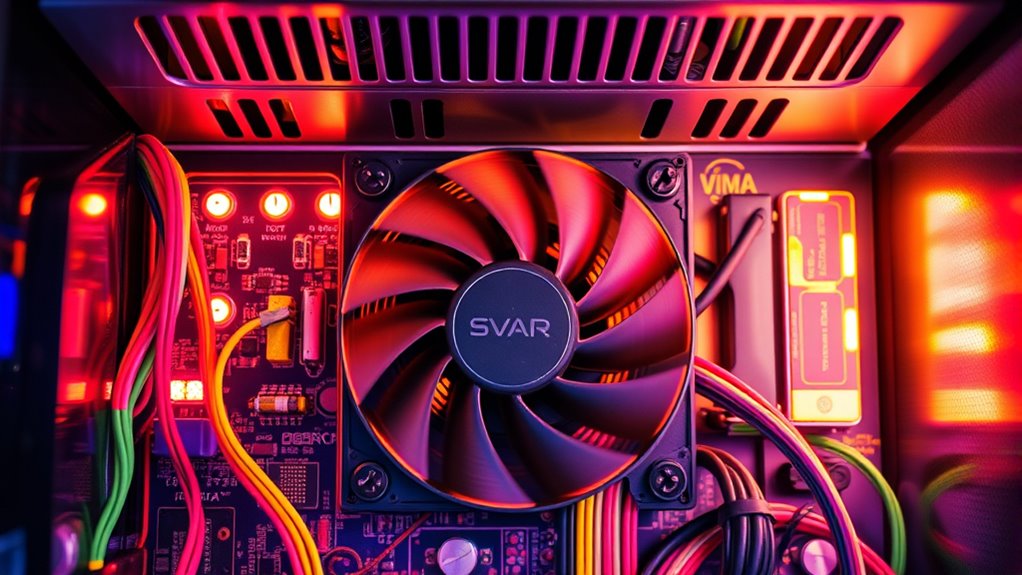
Arcade machines contain several components that generate significant heat during operation, making effective ventilation essential. Understanding these heat sources helps you optimize arcade game design and maintain player ergonomics.
- Power Supplies: These units convert electrical energy and produce heat as a byproduct, especially during high loads. Proper cooling guarantees consistent performance and prevents overheating.
- Graphics and Sound Cards: Critical for delivering immersive experiences, these components generate substantial heat, risking performance drops if not properly ventilated.
- Processors and Circuit Boards: The brains behind the game, they process data continuously, releasing heat that can affect gameplay and hardware longevity. Good ventilation preserves both arcade game design and player comfort.
Signs Indicating Overheating Issues

When your arcade machine starts behaving unexpectedly or showing visual and auditory glitches, it’s often a sign that overheating is occurring. You might notice flickering screens, distorted images, or sound distortion—that’s a sign the internal components are struggling. Overheating can also cause the machine to freeze or shut down unexpectedly, disrupting gameplay and harming your arcade game design. Additionally, excessive heat can make players uncomfortable, reducing overall player comfort and diminishing the gaming experience. Unusual warmth around vents or noticeable hot spots on the cabinet are physical indicators that your machine needs better ventilation. Recognizing these signs early helps you address heat issues before they cause permanent damage, ensuring your arcade remains fun and reliable for every player. Being aware of family dynamics and influences can also help in understanding the importance of maintaining a stable environment for your equipment.
How Proper Airflow Prevents Component Failures

Ensuring good airflow inside your arcade machine is essential because it actively cools internal components, preventing them from overheating. Proper airflow patterns ensure heat is directed away from sensitive parts, reducing the risk of failure. Temperature sensors monitor internal heat levels, alerting you to potential issues before damage occurs. To optimize airflow and prevent component failures, consider these points: 1. Maintain clear airflow paths by removing obstructions and dust buildup. 2. Use fans that create consistent airflow patterns to distribute heat evenly. 3. Regularly check temperature sensors to ensure they respond accurately, indicating when cooling needs adjustment. Additionally, selecting trusted brands for cooling equipment can enhance reliability and performance.
Types of Ventilation Systems Suitable for Arcades

Choosing the right ventilation system is essential for maintaining ideal airflow and preventing overheating in your arcade machines. You’ll want systems that balance effective air filtration with minimal fan noise to keep your environment comfortable. Exhaust fans are common, pulling hot air out and drawing cooler air in, improving airflow and reducing heat buildup. For smaller spaces, oscillating fans or ceiling fans can help circulate air efficiently. If your arcade has dust or allergens, consider air filtration units that remove particles without creating loud noise. Ducted ventilation systems are also effective, providing targeted airflow to specific areas. Remember, selecting quiet fans ensures that noise doesn’t interfere with gameplay or customer experience, while proper air filtration keeps the environment safe and clean. Additionally, incorporating AI-driven climate control systems can optimize airflow based on real-time temperature data, further enhancing heat management.
Installation Tips for Effective Ventilation

To guarantee your arcade machines stay cool and protected, start by placing vents where airflow naturally moves and avoids obstructions. Make sure to check and clean your vents regularly so dust and debris don’t block proper ventilation. Proper placement and maintenance are key to keeping your machines operating smoothly. Additionally, ensuring good air circulation can help prevent heat buildup and extend the lifespan of your equipment.
Proper Vent Placement
Proper vent placement is crucial for keeping arcade machines cool and preventing overheating. If vents aren’t positioned correctly, heat can build up around components, especially when ambient temperature rises. To optimize vent placement, consider these tips:
- Place vents near heat-generating parts like power supplies and processors to facilitate efficient heat escape.
- Ensure vents are positioned to promote airflow, ideally at the top or sides where hot air rises.
- Avoid blocking vents with nearby objects or walls, which can trap heat and reduce ventilation effectiveness.
- Understanding trust issues can help identify underlying causes of overheating in electronic components, emphasizing the importance of proper ventilation to prevent damage.
Regular Vent Maintenance
Regular vent maintenance is crucial to guarantee your arcade machine’s cooling system remains effective. Over time, dust and debris can block vents, disrupting the airflow pattern and reducing heat dissipation. Regularly inspect and clean your vents to prevent this buildup. Pay close attention to the vent design, ensuring it promotes smooth airflow and minimizes obstructions. If vents are damaged or poorly designed, consider replacing them with models that optimize airflow. Maintaining a clean and well-designed vent system ensures consistent heat removal, preventing overheating. Also, check for any leaks or cracks that could compromise ventilation. Proper maintenance is key to reliable, effective ventilation. Understanding industry trends can help you stay updated on the latest ventilation solutions and improve your arcade’s cooling system. By keeping your vents in top condition, you ensure your arcade machine stays cool, runs smoothly, and extends its lifespan.
Benefits of Regular Maintenance and Cleaning of Ventilation Systems
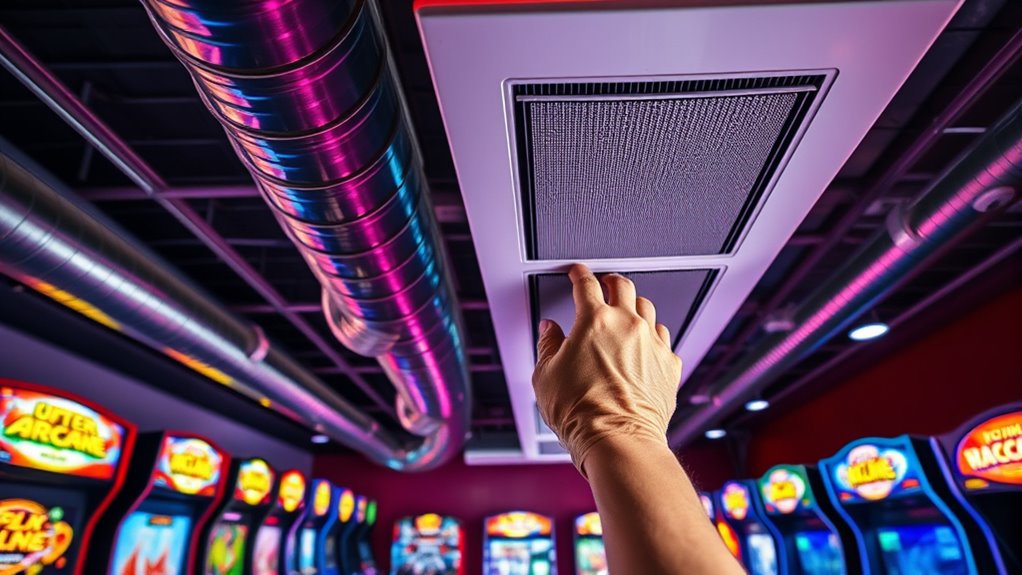
Regularly maintaining and cleaning your ventilation system prevents dust buildup that can clog filters and reduce airflow. When you keep your system in good shape, it runs more efficiently and helps keep your arcade machines cool. This simple upkeep can also extend the lifespan of your equipment, saving you money in the long run. Additionally, ensuring proper ventilation system maintenance can help prevent potential fire hazards caused by overheating components.
Prevents Dust Build-up
Dust can quickly accumulate inside arcade machines if ventilation systems aren’t maintained, leading to overheating and component damage. Regular cleaning helps prevent dust buildup, ensuring ideal airflow management. When dust settles on internal parts, it blocks airflow, causing heat to trap and raising the risk of failure. To keep your machines in top shape, focus on these key actions:
- Clean filters and vents regularly to remove dust and debris.
- Use compressed air to blow out dust from hard-to-reach areas.
- Inspect internal components for dust accumulation and wipe down as needed.
Ensures Airflow Efficiency
Maintaining clean ventilation systems guarantees that airflow remains unobstructed, keeping arcade machines cool and operational. When you regularly clean and inspect your ventilation, you ensure ideal airflow patterns that prevent hot spots and uneven heat distribution. Proper maintenance preserves the integrity of your ventilation design, allowing air to circulate efficiently throughout the arcade space. Clogged filters, dust buildup, or blocked vents disrupt airflow, reducing cooling effectiveness. Additionally, airflow efficiency is crucial for preventing heat buildup and ensuring your machines stay within optimal operating temperatures. By keeping your ventilation system in top shape, you help maintain consistent airflow, which directly supports the cooling needs of your machines. This proactive approach prevents heat buildup, minimizes downtime, and keeps your arcade running smoothly. Regular maintenance is essential to sustain airflow efficiency and protect your equipment from overheating.
Extends Equipment Lifespan
When you keep your ventilation systems clean and well-maintained, you considerably extend the lifespan of your arcade equipment. Proper airflow prevents overheating, which can damage sensitive components and lead to costly repairs. Regular maintenance also supports ideal arcade game design, ensuring your machines run smoothly and reliably. Additionally, well-maintained ventilation promotes player safety by reducing heat buildup and preventing potential malfunctions. To maximize these benefits, consider these steps:
- Clean filters and vents regularly to prevent dust accumulation.
- Inspect and service fans and cooling systems to ensure efficient operation.
- Monitor temperature levels to catch overheating issues early.
- Incorporating high-quality cooling solutions can further enhance heat management and protect your equipment.
Impact of Ventilation on Arcade Machine Longevity

Proper ventilation plays a crucial role in extending the lifespan of arcade machines by preventing overheating and reducing the buildup of internal heat. When heat is managed effectively, your arcade game design remains stable, and components last longer. This stability keeps players engaged, as consistent performance avoids crashes or glitches that frustrate users. Good airflow minimizes thermal stress, which can degrade internal parts over time, maintaining the quality of the gaming experience.
| Ventilation Level | Impact on Longevity | Player Engagement |
|---|---|---|
| Poor | Shortened lifespan | Decreased |
| Adequate | Extended lifespan | Consistent |
| Optimal | Maximum lifespan | Peak engagement |
| Excessive | Potential damage | Unnecessary wear |
Cost-Effective Strategies to Improve Cooling Efficiency

You can boost cooling efficiency by optimizing ventilation pathways to guarantee airflow moves smoothly through your machines. Utilizing natural airflow, like placing arcade machines near windows or vents, can also reduce the need for expensive fans or cooling systems. These simple, cost-effective strategies help protect your equipment without breaking the bank.
Optimize Ventilation Pathways
Optimizing ventilation pathways is a cost-effective way to boost cooling efficiency in arcade machines. By guaranteeing proper airflow, you prevent heat buildup and protect internal components. Start by removing airflow barriers like clutter or obstructive objects that block vents. Next, upgrade or add ventilation fans to increase airflow through critical areas. Position fans strategically to direct hot air out and draw cooler air in, creating a continuous circulation. Finally, check that vents are clear and unobstructed, allowing free flow of air. These simple adjustments can considerably improve cooling without major costs. Properly optimized pathways ensure heat is efficiently expelled, reducing the risk of overheating and extending your arcade machine’s lifespan.
Use Natural Airflow
Have you considered harnessing natural airflow to cool your arcade machines? By understanding airflow patterns in your space, you can encourage natural cooling without relying solely on fans or HVAC systems. Position machines near windows or vents that create cross-ventilation, allowing fresh air to flow through and carry away heat. Open doors strategically to enhance airflow, especially during cooler parts of the day. Using natural airflow reduces energy costs and minimizes equipment noise, making it a cost-effective strategy. Keep in mind that airflow patterns can vary throughout the day, so observe and adjust openings as needed. With proper placement and awareness of natural cooling principles, you can help keep your arcade machines at ideal temperatures while saving on cooling expenses.
Future Innovations in Arcade Machine Cooling Solutions

As technology advances, arcade machine cooling solutions are poised to become more innovative and efficient. Future innovations will integrate biometric security, ensuring only authorized personnel access sensitive components, reducing heat from tampering or unnecessary maintenance. Virtual reality systems will demand advanced cooling methods to manage increased heat generated by high-performance hardware, pushing cooling designs to new levels.
Future arcade cooling will blend biometric security and VR demands for safer, more efficient high-performance gaming.
Here are three exciting developments to expect:
- Smart cooling systems that automatically adjust airflow based on real-time temperature data.
- Incorporation of liquid cooling techniques for more effective heat dissipation.
- Use of AI-driven airflow management to optimize ventilation and reduce energy consumption.
These innovations will keep arcade machines cooler, safer, and ready for immersive, high-tech gaming experiences.
Frequently Asked Questions
How Does Ambient Temperature Affect Arcade Machine Cooling?
Ambient temperature directly impacts your arcade machine’s cooling, as higher temperatures make it harder for the system to regulate internal heat. You need to focus on airflow optimization to keep components cool and prevent overheating. When the surrounding air is cooler, your machine’s temperature regulation becomes more effective, ensuring smooth operation and longevity. Conversely, hot environments strain cooling systems, risking damage and performance issues if ventilation isn’t properly managed.
Can Ventilation Systems Reduce Noise Levels in Arcades?
Ever wondered if ventilation systems can cut down noise levels? They certainly can, especially with smart ventilation design. By using quieter fans and sound-dampening materials, you reduce noise pollution, creating a more enjoyable arcade experience. Proper ventilation not only cools machines but also minimizes disruptive sounds, helping players stay focused. So, yes, well-designed ventilation systems effectively promote noise reduction, making your arcade a more inviting and comfortable space.
What Are the Energy Consumption Differences Between Ventilation Types?
You’ll notice that different ventilation types impact energy efficiency and ventilation costs differently. Exhaust fans are generally more energy-efficient for small spaces, using less power while providing adequate airflow. In contrast, HVAC systems offer better temperature control but tend to have higher ventilation costs due to increased energy consumption. Choosing the right type depends on balancing your arcade’s needs for air quality, energy efficiency, and budget.
How Do Humidity Levels Influence Cooling Effectiveness?
Humidity levels can make or break your cooling efforts—it’s like trying to cool a desert with a leaky faucet. When humidity is high, moisture control becomes vital because excess moisture hampers heat dissipation, reducing cooling effectiveness. Proper ventilation aids in moisture mitigation, ensuring hot air escapes and dry air circulates. By controlling humidity, you optimize cooling, prevent overheating, and protect your arcade machines from heat damage, keeping them in peak condition.
Are There Eco-Friendly Ventilation Options Available?
You can choose eco-friendly ventilation options like solar-powered fans, which use renewable energy to reduce your carbon footprint. Recycling materials for fans or ventilation ducts further minimizes environmental impact. These options help maintain ideal temperatures for your arcade machines without relying on traditional energy sources. By implementing solar-powered fans and recycling materials, you create a sustainable environment that protects your equipment while supporting eco-conscious practices.
Conclusion
Remember, a stitch in time saves nine—keeping your arcade machines well-ventilated now prevents costly repairs later. Regularly check and maintain your ventilation systems, and don’t ignore signs of overheating. By doing so, you’ll extend your machines’ life and keep players happy. Investing in proper airflow isn’t just smart; it’s essential. When you prioritize cooling, you’re trading potential downtime for endless gaming fun—because a cool machine is a happy machine.