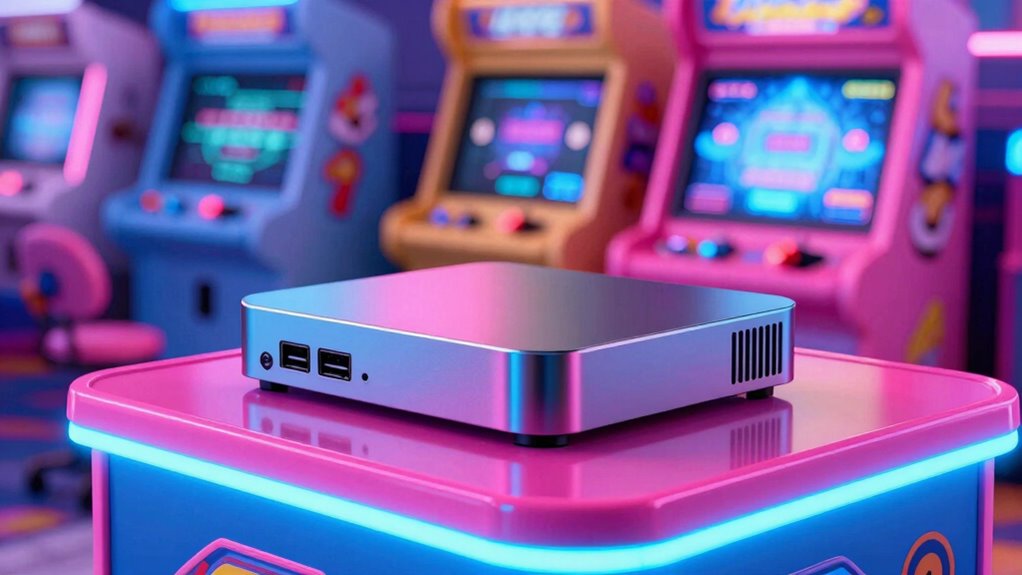

A mini PC is the smartest arcade upgrade because it offers powerful performance in a compact, space-saving design. It easily fits behind monitors or inside custom cabinets, making your setup cleaner and more organized. Plus, it’s energy-efficient, reducing costs, and supports future upgrades to keep up with gaming tech. Its portability lets you take your arcade anywhere. Want to know how it can transform your gaming space? Keep going to find out more.
Key Takeaways
- Mini PCs save space and fit seamlessly into existing arcade setups, eliminating the need for bulky hardware.
- Their portability allows for easy transport and quick setup at different gaming events or locations.
- Upgradable components ensure the arcade system remains relevant and adaptable to future gaming technology.
- Energy-efficient hardware reduces power consumption and maintenance costs over time.
- Sleek design and organized cables enhance the aesthetic appeal of your arcade environment.
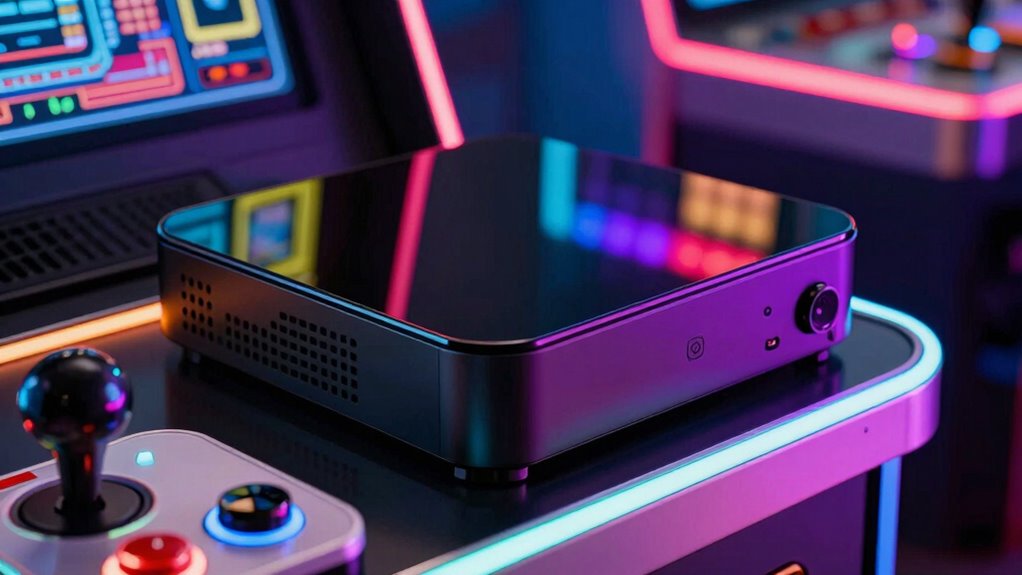
Upgrading your arcade setup with a mini PC is a smart move that combines power and space-saving design. If you’re looking to enhance your gaming experience without sacrificing valuable space, a mini PC can be the perfect solution. Its compact size means you won’t have to clear out an entire room or dedicate a bulky cabinet just to house your gaming hardware. Instead, you get a sleek, efficient device that fits neatly into your existing setup. This is especially advantageous if you’re into portable gaming, as a mini PC allows you to easily transport your arcade system to friends’ houses or gaming events. You can pack it up quickly and set up just about anywhere, making your gaming experience more flexible and accessible.
A mini PC combines power and space-saving design, perfect for portable and flexible arcade gaming setups.
Space optimization is one of the biggest benefits of choosing a mini PC for your arcade upgrade. Traditional desktop towers can take up a lot of space, often forcing you to compromise on other elements like seating, display, or storage. A mini PC, however, offers all the power of a full-sized desktop in a fraction of the footprint. It can sit discreetly behind a monitor, under a desk, or even inside a custom arcade cabinet, keeping your gaming area tidy and clutter-free. This means you can dedicate more room to the fun parts of your setup—like larger screens, better sound systems, or additional controllers—without feeling cramped. The small form factor also makes it easier to organize cables and peripherals, reducing clutter and creating a more streamlined aesthetic. Additionally, mini PCs often support future upgrades, ensuring your arcade remains relevant as gaming technology advances. Incorporating a mini PC into your setup can also improve energy efficiency, helping you save on electricity bills while maintaining high performance. Plus, the compact design of a mini PC makes it easier to integrate into custom arcade cabinets or other creative setups, enhancing both functionality and style. Moreover, choosing a mini PC can lead to a more cost-effective investment over time, as they tend to require less maintenance and have a longer lifespan. Plus, with the increasing availability of customizable components, you can tailor your mini PC to perfectly suit your gaming needs.

GMKtec M5 Ultra Gaming Mini PC Ryzen 7 7730U (Upgraded 7430U/ 5825U), 32GB RAM 512GB SSD Dual NIC LAN 2.5GbE Desktop Computers, Triple 4K Display, WiFi 6E, USB-C, BT 5.2, DP, HDMI 2.0
- Powerful Ryzen 7 Processor: 8 cores, 16 threads, up to 4.50GHz
- Ample RAM & Storage: 32GB DDR4, 512GB PCIe SSD
- Dual 2.5GbE LAN: High-speed network connectivity
As an affiliate, we earn on qualifying purchases.
As an affiliate, we earn on qualifying purchases.
Frequently Asked Questions
Can a Mini PC Run All Arcade Emulators Smoothly?
Yes, a mini PC can run all arcade emulators smoothly if it has a powerful enough processor, ample RAM, and a good graphics card. You’ll enjoy excellent arcade game compatibility and stable emulator performance, making your gaming experience seamless. Just make certain you choose a mini PC with the right specs, and you’ll be able to play a wide range of arcade titles without lag or issues.
What Are the Power Consumption Benefits of Using a Mini PC?
Imagine your arcade as a thriving garden; a mini PC acts like a gentle rain—powerful yet efficient. It offers remarkable energy efficiency, meaning less power is wasted, and delivers significant power savings. You’ll enjoy smooth performance without draining your energy bills. This eco-friendly choice keeps your arcade running longer, reducing environmental impact while keeping your gaming space lively and inviting. It’s a smart move for both your wallet and the planet.
How Easy Is It to Upgrade a Mini PC for Arcade Use?
Upgrading a mini PC for arcade use is generally straightforward, thanks to its hardware compatibility. You can easily swap out RAM, storage, or even add a dedicated graphics card if the case and power supply support it. The upgrade difficulty depends on your mini PC’s design, but most models are user-friendly, making maintenance simple and accessible. Just guarantee compatibility before purchasing new components for a smooth upgrade process.
Do Mini PCS Have Enough Ports for Arcade Peripherals?
Did you know that most mini PCs come with 4 to 8 ports? They easily support arcade peripherals like joysticks, buttons, and controllers. You can also enjoy remote accessibility, making it simple to customize or troubleshoot your setup from afar. Plus, their sleek design aids aesthetic integration, ensuring your arcade remains stylish without sacrificing functionality. So, yes, mini PCs typically have enough ports for all your arcade needs.
Is a Mini PC More Cost-Effective Than Traditional Arcade Machines?
A mini PC is often more cost-effective than traditional arcade machines, especially when you consider the initial price and ongoing maintenance. With a better cost comparison, you’ll find that a mini PC fits your budget considerations while offering flexibility for upgrades and customization. Plus, you save money on space, power, and repairs, making it a smarter, budget-friendly choice for creating or upgrading your arcade setup.
Conclusion
So, why settle for a bulky, outdated arcade setup when a mini PC can transform your gaming experience? With its compact size, powerful performance, and easy customization, it’s the smart upgrade you didn’t know you needed. Are you ready to elevate your arcade game without sacrificing space or style? A mini PC might just be the upgrade that takes your gaming nights to the next level—aren’t your epic gaming moments worth it?