
Choosing an LED arcade marquee kit starts with a basic distinction: do you want a display that brings game content to your marquee, or a light source that illuminates artwork you already have? I rank the Legends BitPixel LED Marquee first for buyers seeking a USB-connected arcade display with included retro games. The 20-inch 12V DC White LED Light Bar is my practical pick for straightforward, cool-white illumination in a cabinet.

Play games on Amazon Luna for your game nights, included with Prime
- A rotating selection of games, no download needed
- Play on TV, laptop or phone
- Fast, free delivery for your gear, too
These products solve different problems, so they are not interchangeable. BitPixel combines marquee hardware with game content and a Windows/USB setup, while the light bar is a narrow lighting component with mounting clips, but no display or games. The main tradeoff is interactive display versus simple lighting: choose based on what your cabinet needs, and check compatibility and installation requirements before buying.
Complete the kit

Key Takeaways
- Choose the Legends BitPixel if you want a USB-connected marquee display paired with retro games, rather than a basic light source.
- Choose the 20-inch light bar if your cabinet already has marquee artwork and needs compact 6500K white illumination.
- The BitPixel is listed for Windows and USB connectivity; confirm your cabinet and software setup support it before purchase.
- The light bar needs a compatible 12V DC power connection, so its mounting clips do not remove the need to plan wiring.
- Neither item is a universal, complete cabinet kit: BitPixel’s update details are unspecified, and the light bar does not include a marquee display.
| Legends BitPixel LED Marquee, USB Plug and Play, 8-Bit Retro Arcade Games |  | Best Overall — USB marquee display with retro game content | Platform: Windows | Connectivity: USB | Input device: Gamepad | VIEW ON AMAZON | See Our Full Breakdown |
| 20 inch 12V DC White LED Light Bar with Mounting Clips for Arcade Marquee |  | Best for Simple Lighting — Compact cool-white bar | Dimensions: 20 in. L x 0.54 in. W x 0.34 in. H | Operating voltage: +12V DC | LED count: 30 high-brightness LEDs | VIEW ON AMAZON | See Our Full Breakdown |
| led arcade marquee kit | Warranty | Platform | Connectivity | Input device |
|---|---|---|---|---|
| Legends BitPixel LED Marquee | Warranty information not detailed | Windows | USB | Gamepad |
| 20 inch 12V DC White LED Light | 90 days | — | — | — |
More Details on Our Top Picks
Legends BitPixel LED Marquee, USB Plug and Play, 8-Bit Retro Arcade Games
The Legends BitPixel LED Marquee is my leading choice for buyers who want more than light behind marquee artwork. It is described as a home arcade device that connects by USB and includes classic 8-bit arcade and retro games across several genres. That combination makes it the more feature-rich pick in this pair: the 20-inch light bar can illuminate a cabinet, but it does not provide a display or game content.
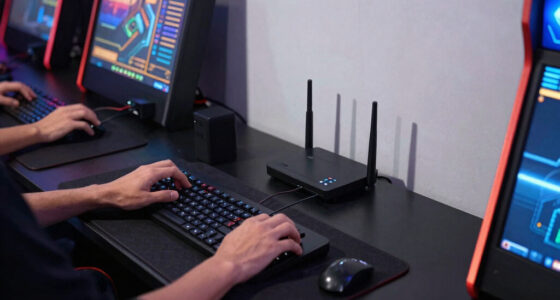
USB plug-and-play connectivity is the clearest convenience benefit. A USB connection can reduce setup friction compared with planning a separate 12V lighting circuit, although the listed Windows platform means I would verify compatibility with the intended arcade system before ordering. The input device is listed as a gamepad, and the resolution is described as 720p or 1080p. Those details suggest a display-oriented product, but the available information does not explain which resolution applies in a given setup or how the display integrates with specific cabinets.
The tradeoff is that BitPixel is not simply a replacement LED strip for a static marquee. Buyers seeking even, cool-white illumination behind printed artwork may find the light bar more direct and easier to match to their cabinet’s existing design. BitPixel’s game library and marquee display are appealing if an interactive element is the goal, but software-update support is unspecified, and the warranty information is not detailed. I would choose it for a supported Windows-based arcade setup, not as a universal lighting component.
Compared with the light bar, this is the better pick for a buyer who wants a marquee feature with added entertainment value. Compared with a purpose-built lighting bar, it brings more setup questions and may be unnecessary if all that is missing is illumination. Its first-place ranking reflects its broader marquee function, not a promise of universal compatibility.
Pros:- USB connectivity supports a straightforward connection approach.
- Includes classic 8-bit and retro game content.
- Covers multiple genres, including action, fighting, puzzle, and sports.
- Offers listed 720p or 1080p resolution options.
Cons:- Windows platform and gamepad details may not suit every cabinet setup.
- Software-update support is not specified.
- Warranty information is not detailed.
Best for: Arcade owners with a compatible Windows-based setup who want a USB marquee display and included retro game content.
Not ideal for: Buyers who only need white backlighting for printed marquee art, or who need confirmed compatibility and software-update details before purchase.
- Platform:Windows
- Connectivity:USB
- Input device:Gamepad
- Resolution:720p or 1080p
- Color:Multicolor
- Content:Classic 8-bit arcade and retro games
- Warranty:Warranty information not detailed
Our verdict“I recommend BitPixel for compatible arcade setups that need a display-led marquee experience, but not for buyers seeking only simple cabinet backlighting.”
20 inch 12V DC White LED Light Bar with Mounting Clips for Arcade Marquee
For buyers whose marquee already has artwork and only needs illumination, the 20-inch 12V DC White LED Light Bar is the more focused choice. Its 30 high-brightness LEDs produce a stated 500 lumens at a 6500K cool-white color temperature, with a 120-degree beam angle. Those specifications make it a practical cabinet-lighting component rather than a display system. Compared with BitPixel, it gives up games and a marquee display in exchange for a simpler, purpose-built light source.
The narrow dimensions—20 inches long and 0.54 inches wide—may help when a cabinet has limited room behind the marquee. Mounting clips are included, which gives buyers a defined way to secure the bar. The listed lifespan is 50,000 hours, and the product description notes energy efficiency compared with traditional bulbs. These points suit a build where a compact white light is more useful than a second screen or additional arcade content.
Installation still takes planning. This bar runs on 12V DC, so buyers need a compatible supply and must account for safe wiring; the included clips do not make electrical setup automatic. The product information describes professional installation as a requirement, which may make it less appealing to a first-time cabinet builder. Its light is also fixed at cool white, unlike BitPixel’s multicolor display approach, so it is not the right fit for someone hoping for changing colors or on-screen visuals.
I rank it second overall because it addresses a narrower need, not because simple lighting is a lesser job. If the goal is to illuminate existing artwork, this may be the more direct match than BitPixel. If the goal is an interactive marquee experience, the bar cannot replace the display and game features. The 90-day warranty period is another limitation for a component buyers may install inside a cabinet and expect to leave in place.
Pros:- Compact 20-inch profile suits many tight marquee spaces.
- Includes mounting clips for securing the bar.
- Provides stated output of 500 lumens with a 120-degree beam angle.
- Listed 50,000-hour lifespan and energy-efficient LED operation.
Cons:- Requires a compatible 12V DC supply and planned electrical installation.
- Professional installation may be needed for buyers unfamiliar with cabinet wiring.
- Warranty period is limited to 90 days.
Best for: Cabinet owners who already have marquee artwork and need a compact, fixed cool-white LED light with mounting clips.
Not ideal for: Buyers seeking a display, multicolor effects, included games, or a solution that avoids 12V wiring work.
- Dimensions:20 in. L x 0.54 in. W x 0.34 in. H
- Operating voltage:+12V DC
- LED count:30 high-brightness LEDs
- Color temperature:6500K cool white
- Lumen output:500 lumens
- Beam angle:120 degrees
- Illumination lifespan:50,000 hours
- Material and weight:Resin and plastic; 13.6 ounces
- Warranty:90 days
Our verdict“I recommend this light bar when a cabinet needs straightforward cool-white illumination, but it is not a substitute for BitPixel’s display and game features.”

How We Picked
I ranked these two options by how directly they answer the search for an LED arcade marquee kit, then by the work a buyer must do to make them fit a cabinet. That distinction matters here: one product is a USB marquee display with retro game content, while the other is a 20-inch white LED bar intended to light a marquee or another tight space. They are different kinds of purchases, not competing versions of the same complete kit.
My first comparison point is marquee function. BitPixel gets the top position because it offers a more feature-rich arcade marquee experience, with USB connectivity and included game content. The light bar earns a separate value-focused role because its stated purpose is illumination: its compact profile, mounting clips, and 500-lumen output make it a focused choice for buyers who do not need a screen or games.
I also weighed installation and compatibility. USB connection can simplify the BitPixel setup, but its listed Windows platform means buyers should confirm how it will work with their existing arcade system. The light bar’s 12V DC requirement is clear, yet a buyer still needs a compatible power source and a safe wiring plan. I gave neither product credit for features that are not specified, including software-update support or a complete power and control package. The ranking reflects distinct use cases, not a claim that either product fits every cabinet.
Factors to Consider When Choosing Led Arcade Marquee Kit
I would make this decision by defining what “marquee kit” means for your cabinet. These two options cover separate needs: one adds a USB-connected display and game content, and one supplies fixed white light. Match the product to the missing part of your build before comparing individual specifications.
Decide between a display and backlighting
If you want retro content in the marquee area, the BitPixel is the only match in this comparison. Its described game selection and display-oriented resolution distinguish it from a conventional light source. If your cabinet already has a static marquee panel and you simply want it lit, the 20-inch bar is more directly suited to that task. Buying the display for basic illumination could add unnecessary setup, while buying the bar for game visuals will leave the central requirement unmet.
Check cabinet and system compatibility
Before choosing BitPixel, verify that your arcade computer or cabinet can use its Windows platform and USB connection. The product details do not specify compatibility with every arcade board, software package, or cabinet layout. For the light bar, measure the available space and confirm that a 20-inch bar can fit behind the marquee. Its slim width is helpful in a tight cavity, but cabinet depth, mounting orientation, and the position of existing hardware still matter.
Plan power and installation
The products differ sharply in setup. BitPixel connects via USB, which may make its connection more familiar to buyers with a Windows-based system. The light bar uses 12V DC; mounting clips are included, but buyers still need a suitable power source and safe wiring. If electrical work is outside your comfort zone, arrange qualified help rather than treating the clips as a complete installation kit.
Match the light character to your artwork
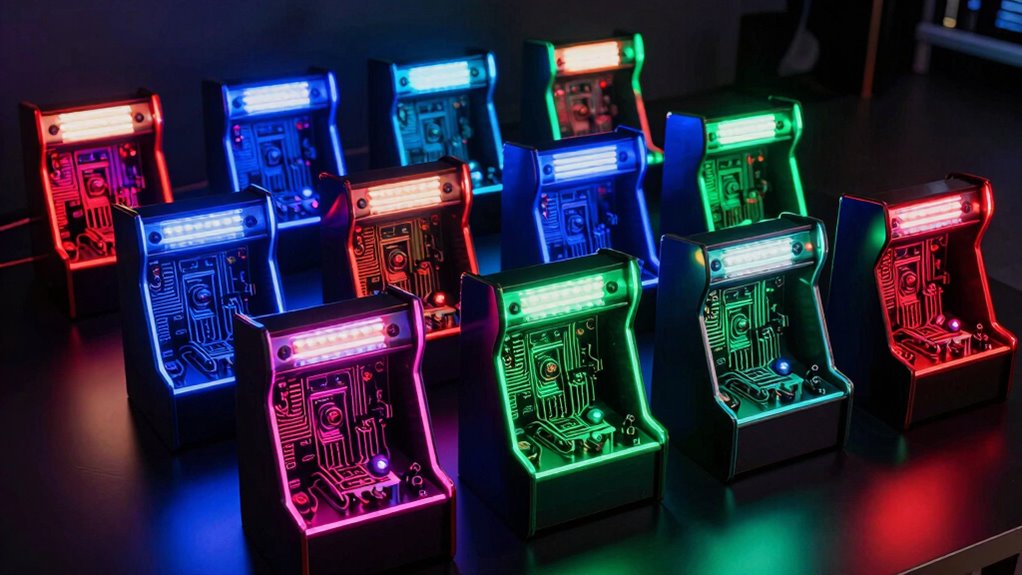
The light bar’s listed 6500K cool-white output is a fixed lighting choice. It may work well when you want a bright, neutral-to-cool appearance behind printed artwork, but it does not provide color effects. BitPixel is listed as multicolor and is designed around a display experience, so it is the more expressive option. Consider how the artwork should look when lit and whether changing visual content matters more than even white illumination.
Weigh support details and long-term needs
Available product information is incomplete in different ways. BitPixel’s warranty and software-update support are not detailed, while the light bar lists a 90-day warranty and a 50,000-hour illumination lifespan. Those statements answer different questions: stated LED lifespan does not remove the need to check installation and power, and an unspecified update policy does not tell you how BitPixel will be supported. If long-term support is a deciding factor, seek current manufacturer details before purchasing.
Frequently Asked Questions
Are these two products interchangeable?
No. The Legends BitPixel is a USB-connected marquee display with retro game content, while the 20-inch bar is a 12V DC lighting component. BitPixel is the closer choice for an interactive or display-led marquee; the light bar is for illuminating existing artwork. I would not choose one expecting it to perform the other’s main function.
Which option is easier to install?
BitPixel may be simpler to connect if your setup supports its listed Windows platform and USB connection. The light bar includes mounting clips, but it needs compatible 12V DC power and electrical installation planning; its description calls for professional installation. Actual effort depends on your cabinet layout and existing wiring, so check those details before deciding.
Does the light bar include a power supply?
The supplied product details list its operating voltage as +12V DC but do not confirm that a power supply is included. I would check the current package contents and identify a compatible supply before purchase. The mounting clips are specified, but they should not be taken as evidence that the electrical components needed for operation are included.
Can I use the light bar for color-changing marquee effects?
The listed light-bar specifications describe 6500K cool-white LEDs, not color-changing effects. For multicolor display content, BitPixel is the more relevant option in this pair, though its compatibility with your system should be confirmed. If programmable lighting is your goal, neither product description establishes that the light bar supports it.
What should I verify before buying BitPixel?
Confirm that your arcade computer or cabinet can use the listed Windows platform, USB connection, and gamepad input, then check the resolution and physical fit against your intended setup. The product details do not specify software-update support or provide detailed warranty information. I would seek current support and compatibility information if those points affect your purchase decision.
Conclusion
My recommendation depends on what your cabinet is missing. Choose the Legends BitPixel if you want a USB-connected, display-led marquee with retro game content and your system supports its Windows setup. Choose the 20-inch LED light bar if the artwork is already in place and your priority is compact, cool-white backlighting with mounting clips. If you need an all-in-one universal kit, neither listing confirms that it supplies every component for every cabinet, so verify compatibility, power, and installation needs before ordering.