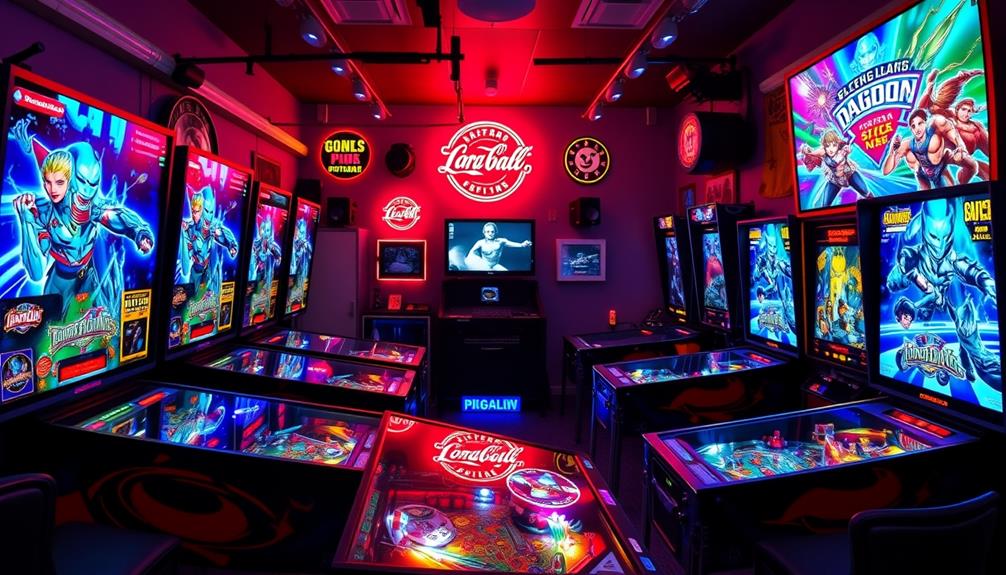

Choosing the right display for virtual pinball can significantly enhance your gameplay experience. The best options vary from ultra-wide stretched bar screens to compact secondary monitors, each suited to different setups and budgets. The top overall pick, VSDISPLAY 24” IPS Stretched Bar Display, offers a great balance of size and quality, while the GeeekPi 11.26 inch touchscreen excels as a secondary control panel. However, tradeoffs include factors like resolution, input options, and compatibility with your existing setup. Continue reading for a detailed comparison to help you find the perfect display for your virtual pinball rig.

Play games on Amazon Luna for your game nights, included with Prime
- A rotating selection of games, no download needed
- Play on TV, laptop or phone
- Fast, free delivery for your gear, too
Complete the kit



Key Takeaways
- Stretched bar displays are the most common and versatile for virtual pinball, with sizes ranging from 8.8 inches to 24 inches.
- IPS panels tend to offer better color accuracy and wider viewing angles, which improve visual clarity during gameplay.
- Touchscreens provide added control options but often come with higher price points and potential calibration issues.
- Compatibility with your existing hardware and input interfaces is critical to avoid connectivity frustrations.
- Larger displays deliver immersive visuals but may require more space and a more robust mounting solution.
| FanyiTek DV240FBM-NB0 24-Inch Stretched Bar LCD |  | Best Full-Width DMD/Topper | Screen size: 24 inches | Native resolution: 1920×360 | Refresh rate: 60Hz | VIEW ON AMAZON | See Our Full Breakdown |
| AISHICHEN 8.8-Inch 1920×480 LCD Display |  | Best Non-Touch Status Strip | Screen size: 8.8 inches | Native resolution: 1920×480 | Refresh rate: 60Hz | VIEW ON AMAZON | See Our Full Breakdown |
| VSDISPLAY 14.9-Inch LTA149B780F LCD Screen |  | Best for Legacy Video Inputs | Screen size: 14.9 inches | Panel model: LTA149B780F | Native resolution: 1280×390 | VIEW ON AMAZON | See Our Full Breakdown |
| AISHICHEN Upgraded 8.8-Inch Touchscreen Monitor |  | Best Compact Touch Display | Screen size: 8.8 inches | Display area: 233 x 66 mm | Native resolution: 1920×480 | VIEW ON AMAZON | See Our Full Breakdown |
| GeeekPi 11.26-Inch HDMI Capacitive Touch Screen |  | Best Raspberry Pi Pick | Screen size: 11.26 inches | Native resolution: 1920×440 | Panel type: IPS | VIEW ON AMAZON | See Our Full Breakdown |
| 8.8 Inch Mini Monitor, 1920×480 Secondary Screen, PC Case Screen for Raspberry Pi, AIDA64 PC CPU GPU RAM Data Monitor |  | Best for Compact Multi-Device Monitoring | Screen Size: 8.8 inches | Resolution: 1920×480 | Display Technology: IPS | VIEW ON AMAZON | See Our Full Breakdown |
| VSDISPLAY 24” 1920×360 IPS Stretched Bar Display with USB/H/D Video Input |  | Best for Digital Signage and Advertising Displays | Screen Size: 24 inches | Resolution: 1920×360 | Display Technology: IPS | VIEW ON AMAZON | See Our Full Breakdown |
| VSDISPLAY 7.84” 1280×400 IPS Mini Monitor Stretched Bar LCD Display, White |  | Best for Compact Secondary Monitoring | Screen Size: 7.84 inches | Resolution: 1280×400 | Display Technology: IPS | VIEW ON AMAZON | See Our Full Breakdown |
| display for virtual pinball | Screen size | Brightness | Native resolution | Refresh rate |
|---|---|---|---|---|
| FanyiTek DV240FBM-NB0 24-Inch | 24 inches | 300 cd/m² | 1920×360 | 60Hz |
| AISHICHEN 8.8-Inch 1920×480 LC | 8.8 inches | 300–600 cd/m², adjustable | 1920×480 | 60Hz |
| VSDISPLAY 14.9-Inch LTA149B780 | 14.9 inches | 400 cd/m² | 1280×390 | — |
| AISHICHEN Upgraded 8.8-Inch To | 8.8 inches | 300–600 cd/m², adjustable | 1920×480 | 60Hz |
| GeeekPi 11.26-Inch HDMI Capaci | 11.26 inches | — | 1920×440 | — |
| 8.8 Inch Mini Monitor | 8.8 inches | 520 cd/m² | — | — |
| VSDISPLAY 24” 1920×360 IPS St | 24 inches | 300 cd/m² | — | 60 Hz |
| VSDISPLAY 7.84” 1280×400 IPS | 7.84 inches | 350 cd/m² | — | — |
More Details on Our Top Picks
FanyiTek DV240FBM-NB0 24-Inch Stretched Bar LCD
I rank the FanyiTek DV240FBM-NB0 as the Best Full-Width DMD/Topper because its 24-inch span suits a wide cabinet opening far better than the 8.8-inch AISHICHEN LCD Display. The 1920×360 canvas gives score reels, animations, and topper artwork room to breathe, while the IPS panel and 178-degree viewing angle help when players stand off-center. Its 300-nit brightness is adequate indoors, and the 1200:1 contrast is stronger than the VSDISPLAY 14.9-inch model’s 500:1 rating. I place it first for full-size builds, but it is a DIY panel kit, not a finished monitor: the controller and cabling need safe mounting, and a 12V power adapter is absent. The shallow resolution also suits a DMD or topper more than a conventional backglass.
Pros:- The 24-inch stretched format fills wide cabinet openings
- The 1920×360 IPS panel provides detailed artwork and broad viewing angles
- The 1200:1 contrast ratio supports stronger separation between dark and bright graphics
- The controller board, LVDS cable, converter board, and controls are included
Cons:- The required 12V power adapter is not included
- The exposed panel and controller need an insulated enclosure and secure mounting
- The 360-pixel height limits standard backglass artwork and desktop use
Best for: I recommend it for full-size virtual pinball builders who need a wide DMD, animated topper, or marquee display.
Not ideal for: I would skip it for buyers seeking a finished, enclosed monitor or a tall 16:9 backglass.
- Screen size:24 inches
- Native resolution:1920×360
- Refresh rate:60Hz
- Panel type:IPS LCD
- Brightness:300 cd/m²
- Contrast ratio:1200:1
- Viewing angle:178 degrees
- Panel outline:612.7 x 132.1 mm
- Power requirement:12V DC, more than 3A; adapter not included
Our verdict“I would choose this for a full-width DMD or topper when cabinet integration matters more than out-of-box convenience.”
AISHICHEN 8.8-Inch 1920×480 LCD Display
I give the AISHICHEN 8.8-inch LCD Display the Best Non-Touch Status Strip role for compact virtual pinball builds that need a readable DMD, system monitor, or auxiliary screen without adding touch hardware. Its 1920×480 IPS panel packs much more horizontal detail than the larger VSDISPLAY 14.9-inch screen’s 1280×390 resolution, and adjustable 300–600-nit brightness helps match a dim cabinet or bright game room. Mini HDMI video and USB power make it easier to integrate than a bare controller-board kit. I rank it below larger cabinet displays because 8.8 inches can look undersized on a standard-width machine. Compared with the AISHICHEN Upgraded Touchscreen, it also loses direct menu input. VESA mounting and rotation add flexibility, though the rear pinhole brightness control is awkward once the screen is installed.
Pros:- The 1920×480 resolution produces detailed text and DMD artwork in a small footprint
- The 300–600 cd/m² brightness range adapts to different cabinet lighting
- The 50mm and 75mm VESA patterns provide useful mounting choices
- Windows, macOS, and Raspberry Pi compatibility supports varied build platforms
Cons:- The 8.8-inch image can appear too small in a standard-width cabinet
- There is no touch input for front-end or service controls
- Brightness adjustment requires accessing a recessed rear button
Best for: I recommend it for bartop or mini-cabinet builders who want a sharp auxiliary display without touch controls.
Not ideal for: I would skip it for full-size cabinet owners who need a DMD that remains legible from several feet away.
- Screen size:8.8 inches
- Native resolution:1920×480
- Refresh rate:60Hz
- Panel type:IPS
- Brightness:300–600 cd/m², adjustable
- Dimensions:233 x 66 mm
- Video input:Mini HDMI
- Power connection:USB
- Mounting:50mm/75mm VESA and adhesive-pad support
Our verdict“I would select this for a compact, sharp status strip when screen size and touch input are secondary concerns.”
VSDISPLAY 14.9-Inch LTA149B780F LCD Screen
I assign the VSDISPLAY 14.9-inch LTA149B780F the Best for Legacy Video Inputs spot because its DVI and VGA controller fits older virtual pinball PCs that cannot feed newer mini-HDMI displays directly. The 14.9-inch strip is easier to read across a cabinet than either 8.8-inch AISHICHEN model, and its 400-nit panel is brighter on paper than the 24-inch FanyiTek’s 300-nit screen. That middle size works well for a DMD or secondary information panel without demanding a full-width cutout. Resolution is the compromise: 1280×390 offers less fine detail than FanyiTek’s 1920×360 canvas, while the 500:1 contrast may produce grayer dark scenes. I would reserve this for builders who value connection flexibility; the exposed board, absent power adapter, and missing speaker add assembly work.
Pros:- DVI and VGA inputs support older virtual pinball computers
- The 14.9-inch width balances visibility with manageable cabinet space
- The 400 cd/m² brightness rating suits illuminated game rooms
- The controller, LVDS cable, converter board, and control keypad are supplied
Cons:- The 1280×390 resolution trails the sharper 1920-pixel alternatives
- The 500:1 contrast ratio can make black backgrounds appear gray
- The power adapter and speaker are absent, while the controller needs protected mounting
Best for: I recommend it for mid-size cabinets driven by older PCs with native DVI or VGA outputs.
Not ideal for: I would skip it for builders who want HDMI connectivity, high contrast, or a fully enclosed monitor.
- Screen size:14.9 inches
- Panel model:LTA149B780F
- Native resolution:1280×390
- Brightness:400 cd/m²
- Contrast ratio:500:1
- Video inputs:DVI and VGA
- Panel interface:LVDS
- Power requirement:12V DC, more than 2A; adapter not included
Our verdict“I would buy this for a legacy-PC cabinet where DVI or VGA support outweighs resolution and contrast limitations.”
AISHICHEN Upgraded 8.8-Inch Touchscreen Monitor
I place the AISHICHEN Upgraded 8.8-inch Touchscreen in the Best Compact Touch Display slot. It keeps the same sharp 1920×480 format and 300–600-nit brightness range as AISHICHEN’s non-touch 8.8-inch model, then adds touch input for front-end shortcuts, volume controls, or service menus. That interaction makes more sense in a tabletop machine or control apron than on a DMD mounted behind glass. The 800:1 contrast also gives it a clearer dark-scene advantage over the VSDISPLAY 14.9-inch panel’s 500:1 rating. I would not rank it higher for a traditional cabinet: the physical image is still small, no stand is included, and touch does not work on macOS. HDMI carries video, while USB-C supplies power only, so buyers expecting single-cable operation will need to route two connections.
Pros:- Touch input supports direct front-end and service-menu control
- The 1920×480 IPS panel renders sharp text and narrow-format graphics
- The 300–600 cd/m² brightness range accommodates varied room lighting
- The 800:1 contrast rating exceeds the larger VSDISPLAY 14.9-inch panel
Cons:- Touch functionality is unavailable on macOS
- The 8.8-inch screen is small for a conventional full-size cabinet
- No stand is included, and HDMI video plus USB-C power require separate connections
Best for: I recommend it for Windows or Raspberry Pi tabletop builds that use touch shortcuts beside the main playfield.
Not ideal for: I would skip it for macOS touch setups or full-size cabinets needing a large, distant-view DMD.
- Screen size:8.8 inches
- Display area:233 x 66 mm
- Native resolution:1920×480
- Refresh rate:60Hz
- Panel type:IPS
- Touch support:Supported on compatible Windows and Raspberry Pi systems
- Brightness:300–600 cd/m², adjustable
- Contrast ratio:800:1
- Connections:HDMI for video; USB-C for power only
Our verdict“I would choose this when compact touch control adds real value and the small physical image is acceptable.”
GeeekPi 11.26-Inch HDMI Capacitive Touch Screen
I choose the GeeekPi 11.26-inch HDMI Touch Screen as the Best Raspberry Pi Pick because it balances a more readable cabinet footprint with explicit support for Raspberry Pi 3B through 5. At 1920×440, it can show crisp DMD graphics or a touch-driven launcher without occupying the 24-inch width of the FanyiTek panel. It also gives builders more physical screen area than either AISHICHEN 8.8-inch model, while retaining capacitive multi-touch that the standard AISHICHEN LCD lacks. I see it as a smart middle ground for bartop and narrow-body machines. The tradeoff is documentation depth: no brightness, contrast, or refresh figure is supplied, making visual matching harder. Its unusual 1920×440 format may also require custom layouts, and listed compatibility focuses on Raspberry Pi rather than a broad desktop OS range.
Pros:- The 11.26-inch width is easier to read than an 8.8-inch sensor panel
- The 1920×440 resolution supports detailed DMD graphics and interface elements
- Capacitive multi-touch allows direct launcher or menu interaction
- Compatibility explicitly covers Raspberry Pi 3B, 3B+, 4B, and 5
Cons:- No brightness, contrast, or refresh-rate figures are provided
- The 1920×440 format may require custom DMD layouts or scaling
- Compatibility information centers on Raspberry Pi rather than Windows or macOS
Best for: I recommend it for Raspberry Pi-based bartop and narrow-body cabinets that benefit from a medium-size touch display.
Not ideal for: I would skip it for buyers who need published brightness and contrast data or confirmed support across desktop operating systems.
- Screen size:11.26 inches
- Native resolution:1920×440
- Panel type:IPS
- Touch technology:Capacitive multi-touch
- Video interface:HDMI
- Dimensions:276 x 76 mm
- Viewing angles:Wide-angle IPS viewing
- Listed compatibility:Raspberry Pi 5, 4B, 3B+, and 3B
Our verdict“I would pick this for a Raspberry Pi cabinet that needs more presence than an 8.8-inch panel without moving to a full-width screen.”
8.8 Inch Mini Monitor, 1920×480 Secondary Screen, PC Case Screen for Raspberry Pi, AIDA64 PC CPU GPU RAM Data Monitor
This 8.8-inch mini monitor excels in providing a high-resolution, wide-format display ideal for monitoring PC data or Raspberry Pi stats in tight spaces. Its 1920×480 resolution and IPS panel deliver crisp visuals with vibrant colors, outperforming smaller, lower-res options like the 7.84-inch mini monitor, especially for detailed data readouts. The capacitive touch feature adds interactivity, making it suitable for on-the-fly adjustments. Compared to larger displays, its small footprint is perfect for custom PC cases or embedded setups, but this comes with tradeoffs: a narrower vertical view limits versatility for tasks requiring more vertical space, and the limited ports may restrict multi-device use. It supports multiple display modes—extend, duplicate, secondary—which enhance usability in complex setups. Overall, it’s a solid choice for those needing a compact, high-res secondary screen, but not for users who need a larger or more flexible display.
Pros:- High-resolution 1920×480 IPS display ensures sharp visuals
- Supports capacitive touch with 5-point multi-touch
- Multiple display modes add flexibility for different setups
- Plug-and-play via mini HDMI and USB-C, no driver needed
Cons:- Limited vertical resolution restricts use for broader applications
- Ports are minimal—only mini HDMI and USB-C—limiting multi-device connectivity
- Small screen size may not suit detailed multitasking or complex workflows
Best for: Hobbyists or professionals assembling compact PC or Raspberry Pi monitoring stations.
Not ideal for: Users requiring a large primary display or multi-monitor configurations with extensive port options.
- Screen Size:8.8 inches
- Resolution:1920×480
- Display Technology:IPS
- Brightness:520 cd/m²
- Touch Support:5-point capacitive
- Connectivity:Mini HDMI, USB-C
Our verdict“This monitor is best for space-constrained environments needing a crisp, interactive secondary display for data monitoring.”
VSDISPLAY 24” 1920×360 IPS Stretched Bar Display with USB/H/D Video Input
This 24-inch stretched bar monitor offers a large, eye-catching display with a 1920×360 resolution, making it ideal for digital signage, gaming marquees, and retail advertising. Its IPS panel ensures wide viewing angles and consistent color, outperforming smaller or lower-quality screens such as the 7.84-inch mini monitor, which lacks size and resolution for impactful signage. The USB input with autoplay supports easy setup and content updates without complex hardware, while the 180-degree rotation feature adds versatility for different installation scenarios. Compared to more specialized gaming or data-monitoring displays, this model emphasizes visual impact and ease of use, but it trades off vertical resolution clarity and detailed pixel sharpness. Its straightforward mounting options—brackets and VESA compatibility—facilitate quick installation. It’s an excellent fit for commercial environments but less suitable as a primary display for detailed work or gaming requiring higher resolution.
Pros:- Large 24-inch stretched display captures attention effectively
- IPS panel offers wide viewing angles and consistent color
- Supports USB autoplay for simple content updates
- 180° rotation allows flexible orientation
Cons:- Resolution of 1920×360 limits detailed image clarity
- Not suitable for high-resolution media or detailed graphic work
- Limited to 60Hz refresh rate; not optimal for fast-paced gaming
Best for: Business owners or event organizers seeking a large, versatile advertising or kiosk display.
Not ideal for: Gamers or professionals needing high-definition, detailed visuals for gaming or graphic design.
- Screen Size:24 inches
- Resolution:1920×360
- Display Technology:IPS
- Refresh Rate:60 Hz
- Brightness:300 cd/m²
- Connectivity:USB, HDMI, DVI
Our verdict“This monitor is ideal for retail, signage, and public displays where size and ease of content management matter most.”
VSDISPLAY 7.84” 1280×400 IPS Mini Monitor Stretched Bar LCD Display, White
This 7.84-inch mini monitor offers a compact, high-resolution display with 1280×400 pixels, suited for supplemental monitoring tasks on laptops, desktops, or embedded systems. Its IPS panel ensures good viewing angles, and the 350cd/m² brightness makes it visible even in well-lit environments. Compared to the 8.8-inch model, this smaller display is more portable and easier to integrate into tight spaces, but it sacrifices screen real estate for portability. Its support for USB-C and video input makes it versatile for various devices, although it is primarily a visual supplement rather than a primary display, especially for virtual pinball setups that benefit from larger screens. The need to download software for data monitoring adds complexity, unlike plug-and-play larger displays. It’s best suited for users who need a tiny, high-res secondary monitor without extensive connectivity options.
Pros:- Compact size fits into tight spaces
- IPS panel provides wide viewing angles
- Supports USB-C and video input for versatile device connection
- High brightness of 350cd/m² enhances visibility
Cons:- Small screen size limits usability for detailed tasks
- Requires software setup for data monitoring, adding complexity
- Lower resolution compared to larger monitors reduces image sharpness
Best for: Tech enthusiasts or professionals needing a compact, portable secondary display for data or system stats.
Not ideal for: Users wanting a primary display or a larger screen for immersive gaming or visual workflows.
- Screen Size:7.84 inches
- Resolution:1280×400
- Display Technology:IPS
- Brightness:350 cd/m²
- Connectivity:USB-C, HDMI
- Mounting:VESA compatible
Our verdict“This monitor is most suitable for users who need a portable, secondary screen for system monitoring or quick data access in limited spaces.”

How We Picked
In evaluating these displays, I focused on key factors that directly impact virtual pinball setups: display size, resolution, input options, build quality, and ease of integration. Compatibility with common controllers and long-term durability also played a role, as these components are central to a seamless gaming experience. The rankings reflect a balance between performance, affordability, and versatility, highlighting options suitable for both DIY enthusiasts and more polished setups. Products were compared based on user reviews, technical specifications, and how well they match the demands of virtual pinball applications.| display for virtual pinball | Panel type |
|---|---|
| FanyiTek DV240FBM-NB0 24-Inch | IPS LCD |
| AISHICHEN 8.8-Inch 1920×480 LC | IPS |
| VSDISPLAY 14.9-Inch LTA149B780 | — |
| AISHICHEN Upgraded 8.8-Inch To | IPS |
| GeeekPi 11.26-Inch HDMI Capaci | IPS |
| 8.8 Inch Mini Monitor | — |
| VSDISPLAY 24” 1920×360 IPS St | — |
| VSDISPLAY 7.84” 1280×400 IPS | — |
Factors to Consider When Choosing Display For Virtual Pinball
Choosing the right display for virtual pinball involves understanding your specific needs and how different features translate into gameplay quality. Not all screens are created equal, and some tradeoffs—like size versus space constraints or resolution versus cost—are common. To make an informed decision, consider these key factors before purchasing.Size and Aspect Ratio
The size of your display impacts immersion and visibility. Larger screens, such as 24-inch models, create a more engaging experience but require more space and potentially more powerful hardware. Smaller displays, like 8.8 inches, are more suitable for secondary information or limited setups. Aspect ratio also matters; stretched bar screens (e.g., 1920×360) are popular for pinball because they mimic the shape of traditional pinball machines, but they may distort content if not configured properly.
Resolution and Image Quality
Higher resolutions, such as 1920×480 or 1920×360, produce crisper images and better detail, especially important during fast-paced gameplay. IPS panels consistently outperform TN or VA types in color accuracy and viewing angles, making visuals more vibrant and consistent from different angles. Yet, higher resolution screens often come at a higher price, so balancing budget with visual clarity is crucial.
Input Options and Compatibility
Look for displays with flexible input options like HDMI, DVI, or VGA to match your existing hardware. Touch capability can add control options but may introduce calibration challenges or increased cost. Compatibility with your controller board or PC setup is essential; check connector types and supported resolutions to avoid frustration after purchase.
Build Quality and Durability
Since virtual pinball setups can involve frequent use and potential movement, a sturdy, well-built display matters. Metal frames, quality screens, and reliable mounting points help ensure longevity. Cheaper models may suffer from poor viewing angles or flimsy construction, which can detract from the experience over time.
Budget and Futureproofing
While it’s tempting to opt for a budget display, investing a bit more can deliver better color, resolution, and longevity. Consider your future plans—if you plan to upgrade your setup or add more screens, choosing a slightly more capable display now can pay off in the long run. Keep in mind that cheaper models might need replacements sooner, increasing overall costs.
Frequently Asked Questions
Can I use a regular computer monitor for my virtual pinball setup?
Yes, many virtual pinball enthusiasts repurpose standard computer monitors, especially larger or ultrawide models, for immersive gameplay. However, not all monitors are ideal; those with high refresh rates, good color accuracy, and suitable aspect ratios will provide a better experience. Keep in mind that some regular monitors may not have the stretched bar shape or appropriate input options for pinball-specific displays, so check compatibility before purchasing.
Is a touchscreen display necessary for virtual pinball?
Touchscreens are not essential but can add convenience for controlling settings or menus without additional peripherals. They are especially helpful if you want a control panel integrated into your display. Be aware, though, that touchscreens tend to be more expensive and may require calibration or specific drivers, potentially complicating your setup. For most players, a standard display with a separate control panel suffices.
What resolution should I look for in a pinball display?
Aim for at least 1280×480 resolution for clear visuals, but higher resolutions like 1920×480 or 1920×360 will deliver sharper images and better detail. The key is balancing resolution with your hardware capabilities and budget. Higher resolutions improve visual fidelity but may demand more graphics power and compatibility, so ensure your setup can handle the chosen display resolution.
How do I mount or integrate a stretched bar display into my cabinet?
Most stretched bar displays come with mounting brackets or VESA compatibility, simplifying integration into custom cabinets. Ensure your frame or enclosure can support the size and weight of the display securely. Custom mounting solutions or adjustable brackets may be necessary, especially for larger screens. Proper mounting reduces vibrations and misalignment, preserving both the display’s lifespan and your gameplay experience.
Are more expensive displays worth the additional cost?
Generally, higher-priced displays offer better color accuracy, higher resolutions, and more durable construction, which can enhance your pinball experience. If you plan to use your setup extensively or want a more immersive experience, investing in a premium display makes sense. Conversely, budget options may suffice for casual play or temporary setups but could require replacement sooner or lack some features like wide viewing angles.
Conclusion
For most virtual pinball enthusiasts, the VSDISPLAY 24” IPS Stretched Bar Display strikes an excellent balance of size, quality, and affordability, making it the best overall choice. If you prioritize budget without sacrificing too much visual fidelity, the 8.8 Inch Mini Monitors offer compact secondary options. Those seeking a premium, immersive experience should consider larger, higher-resolution screens or models with touch capabilities. Beginners or casual players will find smaller, straightforward displays easier to set up, while advanced builders should prioritize durability and compatibility to future-proof their setups.