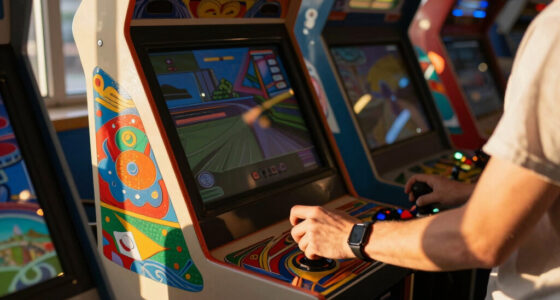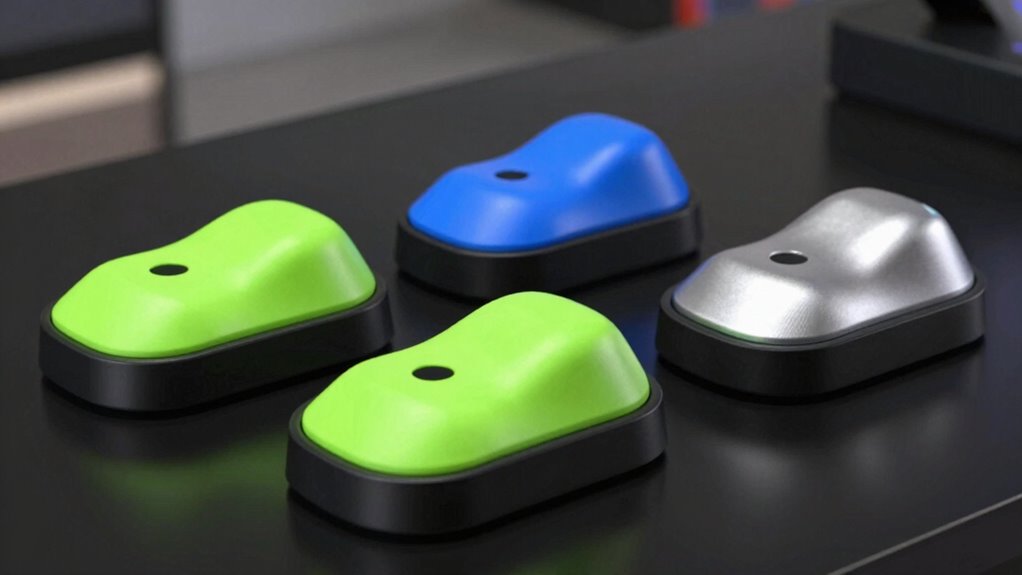
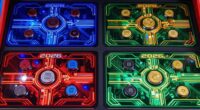
Choosing the right arcade trackball kit in 2026 involves balancing visual appeal, compatibility, ease of installation, and performance. For those seeking a vibrant, plug-and-play option, the ThunderStick LED Arcade Trackball stands out as a reliable upgrade for arcade cabinets. Meanwhile, the Tsticks GRS LED Trackball offers greater customization and versatility for DIY enthusiasts. If you want a straightforward, multi-platform solution, the ThunderStick and the USB Arcade Trackball Mouse serve different needs, but both have limitations in compatibility or features. This roundup aims to clarify these differences to help you pick the best kit for your setup.

Play games on Amazon Luna for your game nights, included with Prime
- A rotating selection of games, no download needed
- Play on TV, laptop or phone
- Fast, free delivery for your gear, too
Complete the kit


Key Takeaways
- The ThunderStick excels as a direct replacement for arcade cabinets with simple installation and broad platform support.
- The Tsticks GRS LED Trackball offers customization and versatility, ideal for DIY projects but may require technical skills.
- The USB Arcade Trackball Mouse combines ease of use with LED effects, but lacks detailed compatibility info.
- Durability varies, with impact-resistant polycarbonate options and basic plastic builds.
- Compatibility with specific arcade systems and ease of installation are key factors influencing choice.
| ThunderStick LED Arcade Trackball (TS-UTB01) |  | Best for Easy Arcade Upgrades | Compatibility: Arcade1Up Atari 12-in-1, Centipede, PC, Mac, Raspberry Pi | Interface: USB | Model: TS-UTB01 | VIEW ON AMAZON | See Our Full Breakdown |
| Tsticks GRS LED Trackball with Spinner for Arcade |  | Best for DIY Versatility | Type: Trackball with Spinner | Technology: Optical | LED Effects: Customizable | VIEW ON AMAZON | See Our Full Breakdown |
| 3-Inch Arcade Game LED Color Changing Trackball with USB and PS2 |  | Best for Visual Appeal & Compatibility | Size: 3 inches | Color Effects: LED color changing | Connectivity: USB, PS2 | VIEW ON AMAZON | See Our Full Breakdown |
| USB Arcade Trackball Mouse with LED Illumination and Mounting Kit |  | Best for Custom Control Setups | Connection: USB | Diameter: 4.5cm | Lighting: LED | VIEW ON AMAZON | See Our Full Breakdown |
| 3-Inch White Arcade Trackball (Suzo Happ Style) |  | Best for Durability & Compatibility | Size: 3 inches | Color: White | Material: Polycarbonate | VIEW ON AMAZON | See Our Full Breakdown |
| arcade trackball kit | Size | Compatibility |
|---|---|---|
| ThunderStick LED Arcade Trackb | Standard arcade size | Arcade1Up Atari 12-in-1, Centipede, PC, Mac, Raspberry Pi |
| Tsticks GRS LED Trackball with | Variable depending on mounting | Universal for DIY projects |
| 3-Inch Arcade Game LED Color C | 3 inches | — |
| USB Arcade Trackball Mouse wit | — | — |
| 3-Inch White Arcade Trackball | 3 inches | Suzo Happ accessories |
More Details on Our Top Picks
ThunderStick LED Arcade Trackball (TS-UTB01)
The ThunderStick LED Arcade Trackball is built as a drop-in replacement for popular arcade cabinets like Arcade1Up Atari 12-in-1 and Centipede, making it a straightforward upgrade for existing setups. Its compatibility with PC, Mac, and Raspberry Pi via USB broadens its appeal. It offers a robust industrial quality, ensuring durability during intense gameplay. While it doesn’t support some legacy units like A1UP Centipede, its ease of installation and multi-platform support make it a strong choice for arcade owners looking for an upgrade without fuss. The lack of detailed LED features in the description is a minor tradeoff considering its plug-and-play nature.
Pros:- Easy to install as a drop-in replacement
- Compatible with multiple platforms including arcade cabinets, PC, Mac, Raspberry Pi
- Provides an industrial-quality upgrade
- Broad support for popular arcade models
Cons:- Limited compatibility with some legacy units like A1UP Centipede
- Limited information on LED features
Best for: Arcade owners seeking a hassle-free, durable upgrade for their cabinets.
Not ideal for: Users with legacy or specific arcade system requirements, or those wanting extensive LED customization.
- Compatibility:Arcade1Up Atari 12-in-1, Centipede, PC, Mac, Raspberry Pi
- Interface:USB
- Model:TS-UTB01
- Size:Standard arcade size
- LED Features:Limited info
- Durability:Industrial quality
Our verdict“A reliable, straightforward upgrade for arcade cabinets and multi-platform support, with minor limitations on legacy system compatibility.”
Tsticks GRS LED Trackball with Spinner for Arcade
The Tsticks GRS LED Trackball stands out for its combination of a trackball and spinner, making it highly versatile for custom arcade projects. Its advanced optical technology offers smooth and precise tracking, essential for competitive gaming. The customizable LED effects allow personalization, which appeals to enthusiasts wanting a unique aesthetic. Its universal mounting compatible with 28mm holes makes it suitable for many DIY builds, but this flexibility comes with a caveat: installation may require some technical knowledge. Compatibility with specific arcade systems isn’t fully detailed, so this kit is ideal for those comfortable with technical adjustments.
Pros:- Combines spinner and trackball in one device for added versatility
- Advanced optical technology for smooth tracking
- Customizable LED effects for personalized visuals
- Universal mounting compatible with 28mm holes
Cons:- May require technical knowledge for installation
- Limited info on compatibility with specific arcade models
Best for: DIY arcade builders and enthusiasts seeking a customizable and versatile device.
Not ideal for: Users preferring plug-and-play solutions or those lacking technical experience with installation.
- Type:Trackball with Spinner
- Technology:Optical
- LED Effects:Customizable
- Mounting Compatibility:28mm holes
- Compatibility:Universal for DIY projects
- Size:Variable depending on mounting
Our verdict“A flexible, feature-rich choice for DIYers who want customization and performance, with some installation complexity.”
3-Inch Arcade Game LED Color Changing Trackball with USB and PS2
This 3-inch Arcade Game LED Color Changing Trackball brings vibrant LED effects to arcade setups, with dual USB and PS2 compatibility. Its visual effects make it especially appealing for aesthetic-focused projects, and its size makes it suitable for various arcade controllers. However, the limited product details—such as warranty, durability, or detailed performance metrics—mean this is better suited for casual or decorative applications rather than heavy-duty use. Its responsiveness is promising for arcade enthusiasts, but the lack of extensive specs leaves some questions open.
Pros:- Color-changing LED effects enhance visual appeal
- Compatible with both USB and PS2 devices
- Ideal for arcade gaming setups with visual flair
- Size fits standard arcade controls
Cons:- Limited product details on durability and warranty
- No info on tracking precision or lifespan
Best for: Arcade players seeking a visually striking, compatible trackball for casual use.
Not ideal for: Heavy-use or professional arcade setups requiring detailed durability info.
- Size:3 inches
- Color Effects:LED color changing
- Connectivity:USB, PS2
- Durability:Limited info
- Ideal Use:Casual arcade gaming
Our verdict“A visually captivating option best suited for casual arcade setups and aesthetic projects.”
USB Arcade Trackball Mouse with LED Illumination and Mounting Kit
The USB Arcade Trackball Mouse offers a familiar mouse-like operation with added LED illumination, making it accessible for those who want a simple, plug-and-play control device. Its metal mounting plate simplifies installation on control panels, and wiring for push buttons broadens customization options. However, details on tracking precision and compatibility are sparse, which could be limiting for serious arcade or emulation setups. This model makes sense for hobbyists who want a straightforward, illuminated trackball that functions like a standard mouse but needs additional setup for arcade-specific features.
Pros:- Easy to install with mounting kit
- LED illumination for visibility
- Operates as a standard 3-button mouse
- Includes wiring for push buttons
Cons:- Limited info on compatibility and tracking accuracy
- Requires additional setup for arcade use
Best for: Casual arcade builders or custom control panel makers seeking a simple, illuminated trackball.
Not ideal for: High-end arcade systems or users requiring detailed specifications and compatibility info.
- Connection:USB
- Diameter:4.5cm
- Lighting:LED
- Mounting:Metal mounting plate
- Includes:Bracket kit, wiring for push buttons
Our verdict“A practical choice for custom control panels that need a standard mouse operation with visual flair.”
3-Inch White Arcade Trackball (Suzo Happ Style)
The 3-inch White Arcade Trackball is built with impact-resistant polycarbonate, making it a durable option for intense arcade use. Its high lip design improves control, and compatibility with Suzo Happ accessories allows easy integration into standard arcade setups. While it lacks detailed information on mounting options or LED features, its robust construction makes it suitable for players who prioritize longevity and compatibility over flashy effects. This pick is less about customization and more about reliable performance in demanding environments.
Pros:- Impact-resistant polycarbonate construction
- Compatible with Suzo Happ accessories
- High lip design for better control
- Durable for heavy use
Cons:- Lacks detailed mounting options
- Limited color options and LED features
Best for: Arcade operators and enthusiasts seeking durable, compatible components for long-term use.
Not ideal for: Those wanting advanced lighting effects or a more aesthetic-focused design.
- Size:3 inches
- Color:White
- Material:Polycarbonate
- Compatibility:Suzo Happ accessories
- Design:High lip
Our verdict“A solid, durable choice for arcade setups emphasizing longevity and compatibility over visual effects.”

How We Picked
Our selection process focused on a mix of technical features, compatibility, ease of installation, and user versatility. We prioritized products that cater to both arcade enthusiasts and DIY builders, weighing the importance of visual effects, platform support, and durability. Limited product details or niche features meant some models were excluded, emphasizing items that balance performance and user-friendliness. Tradeoffs, such as installation complexity versus customization, helped us determine each product’s role in this lineup.
| arcade trackball kit | Compatibility |
|---|---|
| ThunderStick LED Arcade Trackb | Arcade1Up Atari 12-in-1, Centipede, PC, Mac, Raspberry Pi |
| Tsticks GRS LED Trackball with | Universal for DIY projects |
| 3-Inch Arcade Game LED Color C | — |
| USB Arcade Trackball Mouse wit | — |
| 3-Inch White Arcade Trackball | Suzo Happ accessories |
Factors to Consider When Choosing Arcade Trackball Kit
When selecting an arcade trackball kit, consider your main purpose: do you want aesthetics, ease of installation, or performance? Compatibility with your existing arcade cabinet or DIY project is key, as is durability if you plan heavy use. LED features add flair but can vary widely in quality. I recommend weighing installation complexity against customization options to find the best fit for your skill level and project needs.
Compatibility and Platform Support
Ensure the trackball kit supports your arcade system—whether it’s a prebuilt cabinet, PC, or Raspberry Pi. Drop-in replacements like the ThunderStick simplify upgrades, while DIY options like the Tsticks GRS provide more customization but might require technical skills. Compatibility with standard arcade mounting holes and connections is essential to avoid additional modifications.
Features and Visual Effects
LED lighting can significantly enhance the visual appeal of your arcade setup. Look for products with customizable effects if you want a personalized look, but keep in mind that more elaborate lighting often means higher complexity or cost. For casual or decorative uses, simpler LED options may suffice.
Durability and Build Quality
Durability matters if you expect heavy or frequent use. Polycarbonate and impact-resistant plastics generally last longer under stress. While some models emphasize premium materials, others focus more on compatibility and ease of installation. Balance your needs based on how often and aggressively your arcade will be used.
Ease of Installation
Some kits are designed as straightforward replacements requiring minimal effort, ideal for beginners. Others, like the Tsticks GRS, may need technical knowledge for mounting and wiring. Consider your comfort level and whether you want a plug-and-play solution versus a customizable DIY project.
Frequently Asked Questions
Are arcade trackball kits compatible with all arcade cabinets?
Not all arcade trackball kits are universally compatible. Many, like the ThunderStick, are designed as drop-in replacements for specific models such as Arcade1Up or Centipede cabinets. Others, especially DIY-oriented options, require custom mounting and wiring, making compatibility dependent on your project’s specifics. Always verify size, mounting hole dimensions, and connection types before purchasing.
What should I consider when choosing an LED arcade trackball?
LED features add visual flair but vary in quality and customization options. Consider whether the LED effects are programmable or static, the brightness, and the ease of changing effects. Also, check if the LED setup is compatible with your system’s power and control options, especially if you want synchronized lighting effects.
Is a USB connection better than PS2 for arcade trackballs?
USB connections are generally more versatile and easier to connect to modern PCs and arcade setups, offering plug-and-play simplicity. PS2 connections, while reliable, are becoming obsolete and may require adapters or special configurations. Your choice depends on your existing hardware and whether you prioritize ease of use or legacy support.
How important is durability in an arcade trackball kit?
Durability becomes critical if your arcade setup sees heavy or frequent use. Impact-resistant plastics or metal components extend the lifespan of the trackball, reducing the need for replacements. For casual or aesthetic projects, durability may be less of a concern, but for professional or high-traffic environments, investing in a sturdy model is wise.
Can I install a DIY trackball kit without technical skills?
While some kits are designed for easy installation, most DIY options like the Tsticks GRS require a certain level of technical knowledge, including wiring, mounting, and potentially software configuration. If you lack experience, consider starting with a plug-and-play model like the ThunderStick or a preassembled solution to avoid frustration and ensure proper operation.
Conclusion
If you prefer a straightforward upgrade with broad compatibility, the ThunderStick LED Arcade Trackball makes a compelling choice. For those interested in customization and DIY projects, the Tsticks GRS LED Trackball offers versatility, albeit with a steeper learning curve. Casual users or hobbyists focusing on aesthetics might lean toward the 3-inch LED color-changing trackball. Meanwhile, operators seeking longevity and durability should consider the Suzo Happ Style model. Your specific needs regarding ease, customization, or robustness will guide the best purchase for your arcade setup in 2026.
Fall Picks
fall essentials
As an affiliate, we earn on qualifying purchases.