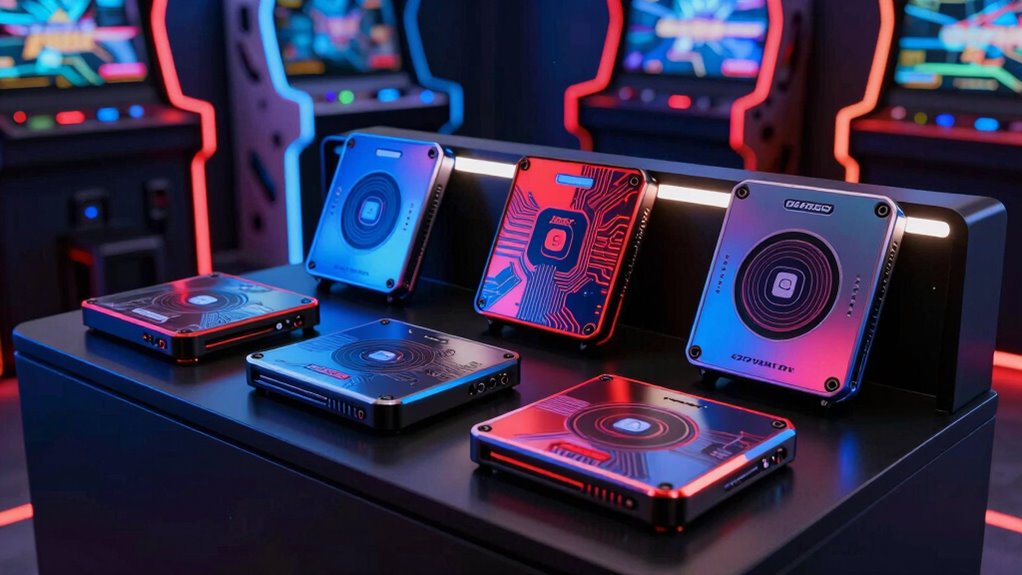

Choosing the right SSD for arcade emulation in 2026 depends heavily on your specific setup and gaming goals. If you’re looking for a portable, ready-to-go solution, the 512GB Batocera V43 USB SSD Lightgun Drive stands out with its extensive preloaded titles and lightgun support. For those with a dedicated AtGames console, the CoinOpsX 256GB Low Profile Flash Drive offers a straightforward, fast experience. Meanwhile, gamers seeking maximum library size and versatility may lean towards the 2TB Batocera V42 External SSD, which supports multiple systems and lightguns. Each option involves tradeoffs—portability versus capacity, compatibility versus ease of use—that I will help clarify.

Play games on Amazon Luna for your game nights, included with Prime
- A rotating selection of games, no download needed
- Play on TV, laptop or phone
- Fast, free delivery for your gear, too
Complete the kit


Key Takeaways
- The Batocera drives excel in flexibility and large game libraries, ideal for PC and portable setups.
- The CoinOpsX offers a fast, plug-and-play experience but is confined to AtGames devices.
- Lightgun support varies; the Batocera SSDs generally support most major models, while the USB drive specifically caters to lightgun enthusiasts.
- Capacity ranges from 256GB to 4TB, so choose based on your game library size and portability needs.
- Setup complexity varies; some drives require BIOS or software configuration, while others are truly plug-and-play.
| 512GB Batocera V43 USB SSD Lightgun Drive for PC |  | Best Portable Lightgun-Ready SSD for PC Emulation | Storage Capacity: 512GB | Compatibility: x64 PC, Mini PC, Laptop, Handheld | Preloaded Titles: 14,000+ | VIEW ON AMAZON | See Our Full Breakdown |
| CoinOpsX 256GB Low Profile Flash Drive with 7500+ Arcade Console Games for AtGames Legends Family Ultimate |  | Best Plug-and-Play Arcade Drive for AtGames Consoles | Storage Capacity: 256GB | Compatibility: AtGames Legends Family Ultimate | Number of Games: 7500+ | VIEW ON AMAZON | See Our Full Breakdown |
| 2TB Batocera V42 External SSD Drive for Retro-Gaming on PC and Handhelds |  | Most Capacious External SSD for Versatile Arcade and Retro Gaming | Storage Capacity: 2TB | System Compatibility: x64 PC, Mini PC, Laptop, Handheld | Preloaded Software: Batocera V42 | VIEW ON AMAZON | See Our Full Breakdown |
| Sonicon Preloaded RetroPie Emulation Station Emulator MicroSD Card with Retroarch Games for Raspberry Pi 3/3B+ |  | Best MicroSD Card for Raspberry Pi Retro Gaming | Memory Storage Capacity: 64 GB | Read Speed: 100 MB/s | Compatibility: Raspberry Pi 3/3B+ | VIEW ON AMAZON | See Our Full Breakdown |
| 4TB Retro Gaming Hard Drive with 20,000+ Games, Frontends & Emulators, Plug & Play for Windows 7/8/10/11 |  | Most Comprehensive External Drive for Windows Retro Gaming | Capacity: 4TB | Number of Games: 20,000+ | Included Titles: 3,300+ AAA and 3D games | VIEW ON AMAZON | See Our Full Breakdown |
| arcade ssd for emulation | Storage Capacity | Compatibility |
|---|---|---|
| 512GB Batocera V43 USB SSD Lig | 512GB | x64 PC, Mini PC, Laptop, Handheld |
| CoinOpsX 256GB Low Profile Fla | 256GB | AtGames Legends Family Ultimate |
| 2TB Batocera V42 External SSD | 2TB | — |
| Sonicon Preloaded RetroPie Emu | — | Raspberry Pi 3/3B+ |
| 4TB Retro Gaming Hard Drive wi | — | — |
More Details on Our Top Picks
512GB Batocera V43 USB SSD Lightgun Drive for PC
This drive stands out for its portability and extensive preloaded library of over 14,000 titles, including arcade and console games. Its support for multiple lightgun models makes it ideal for arcade purists who want a plug-and-play experience. Compared to larger capacity options, this SSD emphasizes ease of use and mobility, though it requires users to supply their own PC and lightguns, which might be a barrier for some. It’s perfect for gamers seeking a ready-made, portable arcade setup but less suited for those wanting a dedicated, all-in-one console solution.
Pros:- Preloaded with extensive game library and lightgun support
- Portable and easy to connect to various PC types
- Supports multiple lightgun models with plug-and-play setup
- Includes lifetime tech support
Cons:- Requires user to provide their own PC and lightguns
- Setup involves BIOS and controller configuration
- Limited to PC and lacks native console support
Best for: arcade enthusiasts who want a portable, ready-to-play setup with lightgun support
Not ideal for: users who prefer a dedicated gaming console or need a large, all-encompassing library on a single device
- Storage Capacity:512GB
- Compatibility:x64 PC, Mini PC, Laptop, Handheld
- Preloaded Titles:14,000+
- Supported Systems:40 systems including arcade and console
- Lightgun Support:Sinden, Retro-Shooter, Aimtrak, GunCon, others
- Drive Shape:Stick, Thumb, or 2.5 inch SSD
Our verdict“A flexible, portable option ideal for PC-based arcade emulation with lightgun support, but not a standalone gaming console.”
CoinOpsX 256GB Low Profile Flash Drive with 7500+ Arcade Console Games for AtGames Legends Family Ultimate
This drive offers a curated library of over 7,500 arcade titles, making it a solid choice for AtGames Legends console owners. Its low profile form factor and straightforward setup mean users can start gaming quickly, with clear instructions guiding the installation. However, its exclusive compatibility limits flexibility—it’s tailored specifically for AtGames systems, so users of PC or other consoles should look elsewhere. Compared with larger drives, it sacrifices capacity for ease of use within its niche ecosystem, making it ideal for casual arcade fans who own compatible hardware.
Pros:- Large library of arcade games
- Fastest drive on the market for arcade gaming
- Easy setup with step-by-step instructions
- Low profile, portable design
Cons:- Exclusively compatible with AtGames Legends products
- Limited to arcade game use only
- No support for non-AtGames hardware
Best for: AtGames Legends console owners seeking a quick, hassle-free arcade library
Not ideal for: users with PC or other console systems looking for broader compatibility
- Storage Capacity:256GB
- Compatibility:AtGames Legends Family Ultimate
- Number of Games:7500+
- Form Factor:Low Profile
Our verdict“A dedicated, high-speed arcade drive for AtGames users, offering quick setup and a substantial library but lacking cross-platform flexibility.”
2TB Batocera V42 External SSD Drive for Retro-Gaming on PC and Handhelds
This 2TB external SSD packs a massive library of over 30,000 titles, including arcade, console, and computer systems. Its support for all major lightguns makes it highly versatile for arcade-style emulation, especially for users with extensive game collections. Compared to smaller drives, this model emphasizes capacity and system compatibility, though it demands some setup and BIOS configuration. Its portability combined with high storage makes it suitable for dedicated retro gamers who want a comprehensive library on the go, but it’s less ideal for casual players who prioritize simplicity over large capacity.
Pros:- Huge library of over 30,000 titles
- Supports all major lightguns
- Preconfigured with upscaled graphics and multimedia features
- Portable and easy to connect
Cons:- Some setup and BIOS configuration required
- Not compatible with x86 PCs without BIOS adjustments
- Requires technical familiarity for optimal setup
Best for: avid retro gamers seeking maximum library size and lightgun versatility
Not ideal for: users who prefer plug-and-play simplicity or have limited space for large drives
- Storage Capacity:2TB
- System Compatibility:x64 PC, Mini PC, Laptop, Handheld
- Preloaded Software:Batocera V42
- Lightgun Support:Yes
Our verdict“A high-capacity, versatile external SSD suited for dedicated retro collectors and arcade enthusiasts, with some setup complexity.”
Sonicon Preloaded RetroPie Emulation Station Emulator MicroSD Card with Retroarch Games for Raspberry Pi 3/3B+
This microSD card transforms your Raspberry Pi 3 or 3B+ into a dedicated retro gaming console with RetroPie and Retroarch preloaded. It offers a library of 10 classic systems and supports multiple controllers, making it perfect for DIY retro projects. While it’s extremely easy to set up—plug and play—the limitation lies in its compatibility only with Raspberry Pi 3 models. It’s less suited for users seeking a portable or high-capacity solution, but ideal for hobbyists who want a customizable, small-scale emulation station.
Pros:- Preloaded with a large library of retro games
- Plug-and-play setup with no additional configuration
- Supports multiple controllers
- Compact and portable
Cons:- Limited to Raspberry Pi 3 and 3B+ models
- No dedicated customer support or warranty info
- Requires a compatible Raspberry Pi device
Best for: Raspberry Pi enthusiasts aiming for a simple, dedicated retro console
Not ideal for: users seeking large libraries or multi-system emulation on PC or other hardware
- Memory Storage Capacity:64 GB
- Read Speed:100 MB/s
- Compatibility:Raspberry Pi 3/3B+
- Media Speed:100 MB/s
- Item Weight:32 g
Our verdict“A straightforward, ready-to-use retro gaming microSD card for Raspberry Pi users, perfect for small projects but limited in scope.”
4TB Retro Gaming Hard Drive with 20,000+ Games, Frontends & Emulators, Plug & Play for Windows 7/8/10/11
This 4TB external hard drive is designed for users who want a vast library of retro and modern games on Windows. With over 20,000 titles including AAA games, it provides a diverse selection with easy switching across multiple frontends and emulators. The mechanical drive offers reliable performance, but its size and weight make it less portable, and it isn’t compatible with consoles. It’s best suited for dedicated PC gamers who prefer a large, curated library and straightforward setup, even if it sacrifices some portability and speed compared to SSDs.
Pros:- Massive library of over 20,000 curated titles
- Supports multiple systems and frontends
- Easy setup with plug-and-play operation
- Reliable, durable mechanical drive
Cons:- Requires Windows OS, not compatible with consoles
- Bulkier and less portable than SSD options
- Mechanical drive may be less durable for frequent transport
Best for: dedicated Windows gamers with extensive libraries seeking a large, ready-to-play drive
Not ideal for: users who need portability or are looking for a purely SSD-based solution
- Capacity:4TB
- Number of Games:20,000+
- Included Titles:3,300+ AAA and 3D games
- Connectivity:External hard drive, Windows compatible
Our verdict“A large-capacity, all-in-one retro game library for PC users who prioritize extensive collections and ease of use, with some tradeoffs in portability and speed.”
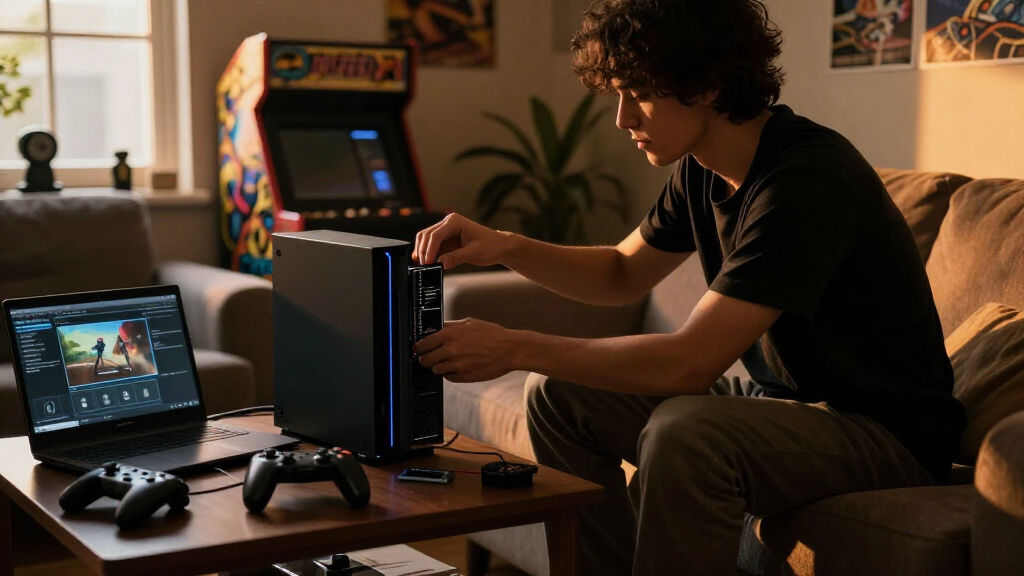
How We Picked
Our selection process focused on the core needs of arcade emulation enthusiasts: game library size, ease of setup, compatibility with common hardware, and support for lightguns and multimedia features. We prioritized drives with preloaded content to minimize setup time, while also considering portability for users who want gaming on the go. Compatibility was a key factor—drives that work seamlessly with multiple systems and controllers ranked higher. We balanced performance specs, user experience, and practical tradeoffs to identify options suitable for a range of budgets and technical skills.
| arcade ssd for emulation | Compatibility |
|---|---|
| 512GB Batocera V43 USB SSD Lig | x64 PC, Mini PC, Laptop, Handheld |
| CoinOpsX 256GB Low Profile Fla | AtGames Legends Family Ultimate |
| 2TB Batocera V42 External SSD | — |
| Sonicon Preloaded RetroPie Emu | Raspberry Pi 3/3B+ |
| 4TB Retro Gaming Hard Drive wi | — |
Factors to Consider When Choosing Arcade Ssd For Emulation
When selecting an arcade SSD for emulation, your main considerations should include library size, compatibility, portability, and ease of setup. The goal is to match your hardware environment—whether a portable PC setup, a dedicated console, or a Raspberry Pi—with a drive that offers enough games without overwhelming your system’s capabilities. Understanding these factors will help you choose a device that fits your gaming style and technical skills.
Capacity and Library Size
Determine how many titles you want readily available. Smaller drives around 256GB are suitable for casual gaming or limited libraries, while 1TB or larger provides extensive collections, ideal for dedicated retro enthusiasts. Think about your current game library and future expansion plans to avoid running out of space or paying for unused capacity.
Compatibility and Setup
Check whether the drive works with your hardware—PC, Raspberry Pi, or specific consoles. Drives like the Batocera and the 4TB hard drive may require BIOS or software setup, whereas plug-and-play options like the CoinOpsX are more straightforward. Compatibility constraints can influence your choice, especially if you prefer minimal setup or are comfortable with technical configurations.
Portability vs. Performance
Decide if you need a portable, lightweight drive or a larger, stationary storage device. SSDs offer faster load times and durability, making them better suited for portable setups, while larger mechanical drives provide capacity but are less convenient on the move. Your intended use case—on-the-go gaming or home setup—should drive this decision.
Additional Features
Consider extras like preloaded titles, support for lightguns, multimedia features, and user-friendly interfaces. These can significantly enhance your gaming experience, especially if you’re not interested in manual setup or BIOS tweaks. Select a drive that aligns with your comfort level and desired gameplay features.
Frequently Asked Questions
Can I use these SSDs with any PC or console?
Most of these drives are designed for specific compatibility. The Batocera SSDs and the 4TB external hard drive are intended for use with PCs, while the CoinOpsX is exclusive to AtGames systems. The MicroSD card works specifically with Raspberry Pi models. Always verify system compatibility before purchase to ensure seamless integration with your hardware.
Do I need technical skills to set up these drives?
The level of setup varies. Plug-and-play options like the CoinOpsX and the MicroSD card require minimal effort, typically just inserting and following simple instructions. Conversely, the Batocera SSDs may need BIOS adjustments or software configurations, which could be more challenging for users unfamiliar with system settings. Consider your comfort with technical tasks when choosing.
Are these drives suitable for lightgun gaming?
Yes, most Batocera SSDs support popular lightgun models like Aimtrak and GunCon, making them a good choice for arcade-style lightgun games. The 2TB Batocera also offers broad support for major lightgun types, enhancing arcade authenticity. However, the USB drive is specifically tailored for lightgun support, whereas some other options might require additional setup or compatibility checks.
Can I expand my game library later?
With drives like the 2TB Batocera or the 4TB hard drive, you can add more games via external storage or network sharing, provided your system supports it. However, preloaded drives have fixed libraries, so if you want ongoing expansion, choose models that allow easy content addition or larger capacities. Always consider your future needs when selecting a drive.
Are SSDs better than traditional HDDs for emulation?
In most cases, SSDs provide faster load times, quieter operation, and greater durability, especially for portable setups. While HDDs offer larger capacities at a lower cost, their slower speeds can impact gameplay responsiveness. For arcade emulation, where quick load times and reliability matter, SSDs generally deliver a better experience, albeit at a higher price point.
Conclusion
For gamers who want a portable, lightgun-ready setup, the 512GB Batocera V43 USB SSD is a strong choice. If you already own an AtGames console, the CoinOpsX 256GB Drive offers quick, dedicated access to a large arcade library. For those with extensive collections or seeking versatility across systems, the 2TB Batocera V42 External SSD provides maximum capacity and support for multiple lightguns. Finally, dedicated PC users looking for a vast library might prefer the 4TB Retro Hard Drive for its extensive game selection. Your decision should hinge on your hardware environment, desired capacity, and whether portability or ease of setup takes priority.
Fall Picks
fall essentials
As an affiliate, we earn on qualifying purchases.