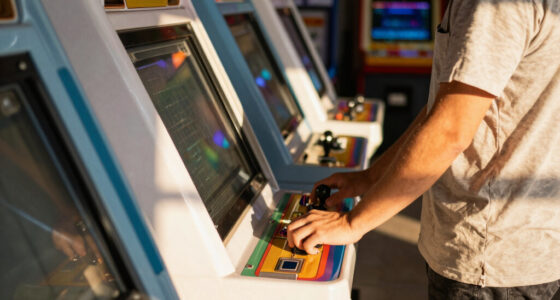
If you’re looking to build or buy an arcade cabinet powered by a Raspberry Pi, you’re facing a choice between DIY kits, prebuilt options, and various sizes. The best overall pick, LVL23 2 Player Upright Arcade Cabinet Kit, offers a balance of size and features for serious arcade fans. For those on a budget, the Sonicon Preloaded RetroPie MicroSD Card provides a plug-and-play emulation experience. Meanwhile, the Street Fighter Alpha 2 XT impresses with its authentic design and high-quality build. Each option involves tradeoffs around complexity, customization, and cost. Keep reading for a detailed comparison to find your ideal arcade cabinet with Raspberry Pi.
Listen free for 30 days with Audible
Thousands of audiobooks and originals — cancel anytime.
Start your free trialAs an affiliate, we earn on qualifying purchases.
Complete the kit


Key Takeaways
- The most versatile options balance size, build quality, and ease of assembly, with the LVL23 upright cabinet standing out for its adaptability.
- Preloaded SD cards like Sonicon simplify setup but limit customization; they suit beginners or those wanting quick results.
- DIY kits such as GRS Build-A-CADE offer the most customization but require technical skills and time investment.
- Prebuilt models like Street Fighter XT provide authenticity and robust construction, but often come at a premium price.
- Size matters: larger cabinets support bigger screens and more complex controls, but demand more space and higher budget.
| GRS Build-A-CADE 1:6 Scale Arcade Cabinet Kit for Raspberry Pi |  | Best for Beginners and DIY Enthusiasts | Screen: 4.3-inch IPS | Compatibility: Raspberry Pi 3 or 4 | Battery: Large capacity built-in | VIEW ON AMAZON | See Our Full Breakdown |
| Qenker 2-Player LED Arcade DIY Kit for USB MAME PC Game and Raspberry Pi |  | Best for Custom 2-Player Arcade Projects | Number of Players: 2 | LED Arcade Buttons: 20 | USB Encoders: 2 Zero Delay | VIEW ON AMAZON | See Our Full Breakdown |
| LVL23 2 Player Bartop Arcade Cabinet Kit for 19″ to 23″ Screens |  | Best for Compact Home Use with Custom Controls | Interior Width: 20.75″ | Exterior Width: 21.75″ | Exterior Height: 21″ | VIEW ON AMAZON | See Our Full Breakdown |
| Street Fighter Alpha 2 XT – Home Arcade Machine |  | Best for Authentic 90s Arcade Experience | Scale: 9/10 | Number of Games: 15+ | Hardware: Raspberry Pi 5 | VIEW ON AMAZON | See Our Full Breakdown |
| LVL32J 2 Player Upright Arcade Cabinet Kit for 32″ Screen |  | Best for Large Screen and Customization | Screen Size Compatibility: Up to 32 inches | Mounting Panel: VESA | Includes: Marquee bracket, screws, pre-routed indents | VIEW ON AMAZON | See Our Full Breakdown |
| Sonicon Preloaded RetroPie Batocera Emulator MicroSD Card for Raspberry Pi 5 (128GB, 28+ Systems, 12,000+ Games) |  | Best for Instant Retro Gaming Experience | Capacity: 128GB | Systems Included: 28+ | Games: 12,000+ | VIEW ON AMAZON | See Our Full Breakdown |
| Hikig 2 Player LED Arcade Buttons and Joysticks DIY Kit – Red & Blue |  | Best for Custom Arcade Builds and DIY Enthusiasts | Number of Players: 2 | Controller Type: Joystick | Power Source: USB Cable | VIEW ON AMAZON | See Our Full Breakdown |
| Ultimate Arcade Fightstick USB Dual Joystick 2 Player Game Controller for Raspberry Pi |  | Best for Authentic Arcade Feel with Preloaded Classics | Compatibility: Raspberry Pi 3B+ | Storage: 32GB Micro SD Card | Games Preloaded: Over 100 | VIEW ON AMAZON | See Our Full Breakdown |
| Street Fighter II: The World Warrior XT – Home Arcade Machine |  | Best for Authentic 90s Arcade Experience at Home | Number of Players: Multiplayer | Controller Type: Joystick | Screen Size: 19.5 inches | VIEW ON AMAZON | See Our Full Breakdown |
| LVL23 2 Player Bartop Arcade Cabinet Kit for 19″ to 23″ Screens (HAPP or SANWA) | | Best for Custom DIY Arcade Projects with Flexibility | Interior Width: 20.75″ | Exterior Width: 21.75″ | Exterior Height: 21″ | VIEW ON AMAZON | See Our Full Breakdown |
More Details on Our Top Picks
GRS Build-A-CADE 1:6 Scale Arcade Cabinet Kit for Raspberry Pi
This kit shines for new builders seeking an approachable way to create a custom arcade experience. Its detailed assembly instructions and high-quality materials make it easier for novices to complete without frustration, especially compared to more complex kits like the LVL32J. However, the 1:6 scale limits the overall immersion and might not satisfy those wanting a full-sized arcade. Support for HDMI output allows connecting to larger screens, adding versatility. The main tradeoff is that it doesn’t include a Raspberry Pi, meaning you’ll need to purchase one separately, which could complicate setup for some users.
Pros:- Easy to assemble with detailed instructions
- High-quality materials and precise molding
- Supports HDMI output for larger screens
- Rich controller accessories included
Cons:- Does not include Raspberry Pi
- Limited to 1:6 scale size, reducing immersion
Best for: Beginners and hobbyists wanting a manageable, detailed build with room for customization
Not ideal for: Experienced builders seeking a large, fully immersive arcade cabinet or all-in-one ready-to-play unit
- Screen:4.3-inch IPS
- Compatibility:Raspberry Pi 3 or 4
- Battery:Large capacity built-in
- Includes:Assembly instructions, controller accessories
Our verdict“This kit is perfect for newcomers eager to build their own compact, customizable arcade cabinet with minimal hassle.”
Qenker 2-Player LED Arcade DIY Kit for USB MAME PC Game and Raspberry Pi
This kit offers a robust foundation for creating a dual-player arcade setup, especially appealing if you want quick responsiveness thanks to zero delay USB encoders. Compared to the Street Fighter Alpha 2 XT, which is a ready-made home arcade, the Qenker kit emphasizes customization and DIY assembly, making it ideal for those who prefer hands-on building. Its high-quality heat-resistant plastic ensures durability, but its reliance on USB connections means additional configuration may be needed for optimal compatibility. The lack of detailed compatibility info can be a concern for users aiming for a plug-and-play experience.
Pros:- High-quality, heat-resistant plastic
- Zero delay USB encoders for responsiveness
- Easy to install and customize
- Supports two players simultaneously
Cons:- Limited to USB connection, potential setup complexity
- Lack of detailed compatibility information
Best for: Experienced DIYers interested in building a responsive, two-player arcade with Raspberry Pi or PC
Not ideal for: Beginners or users seeking an all-in-one ready-to-play arcade cabinet without extra setup
- Number of Players:2
- LED Arcade Buttons:20
- USB Encoders:2 Zero Delay
- Color:Blue & Red
- Material:Heat resistant plastic
Our verdict“This kit suits experienced builders wanting a flexible, high-performance two-player arcade platform with Raspberry Pi or PC integration.”
LVL23 2 Player Bartop Arcade Cabinet Kit for 19″ to 23″ Screens
This kit is tailored for users wanting a space-efficient arcade with flexibility in control styling, compatible with 19 to 23-inch screens. It’s more versatile than the Street Fighter Alpha 2 XT, which comes preloaded with specific games, because it allows customization of controls and screen choice. The absence of joystick and button holes in the blank version could be a drawback for those seeking a ready-to-use, fully equipped cabinet. Its compact size makes it perfect for smaller rooms, but it requires additional components like the monitor and electronics, making the overall setup more involved.
Pros:- Compatible with multiple joystick/button styles
- Compact size ideal for home use
- Flexible screen size support
- Pre-drilled mounting options
Cons:- No joystick or button holes in the blank model
- Requires additional components for complete setup
- Assembly can be complex for newcomers
Best for: Home arcade enthusiasts who want a customizable, space-saving cabinet for smaller screens
Not ideal for: Beginners or those looking for a complete plug-and-play arcade with all components included
- Interior Width:20.75″
- Exterior Width:21.75″
- Exterior Height:21″
- Exterior Depth:18″
- Screen Compatibility:19″ to 23″
Our verdict“This kit is a great choice for DIYers seeking a customizable, space-conscious arcade cabinet for smaller screens.”
Street Fighter Alpha 2 XT – Home Arcade Machine
This arcade machine offers a nostalgic experience with a 9/10 scale cabinet that mimics classic arcade setups, powered by a Raspberry Pi 5 for smooth gameplay. It’s ideal for fans of original arcade layouts, standing out against the LVL23 kit by providing a ready-to-play, themed experience. The inclusion of over 15 Capcom titles makes it perfect for immediate enjoyment, although it’s limited to preloaded games, which may disappoint users seeking extensive customization or additional titles. Its size, while authentic, may be unsuitable for small spaces, and some setup for online features could be necessary.
Pros:- Authentic arcade-style controls
- Includes over 15 classic Capcom games
- Powered by Raspberry Pi 5 for performance
- Easy to assemble for instant fun
Cons:- Limited to preloaded games
- Size may be large for small spaces
- Additional setup needed for online features
Best for: Retro gaming fans wanting a themed arcade with authentic controls and preloaded classics
Not ideal for: Users who prefer a customizable or larger-scale arcade for extensive game libraries
- Scale:9/10
- Number of Games:15+
- Hardware:Raspberry Pi 5
- Control:Joystick and buttons
- Connectivity:HDMI Out
Our verdict“This pick is best for retro enthusiasts seeking a ready-made, authentic arcade experience with classic games.”
LVL32J 2 Player Upright Arcade Cabinet Kit for 32″ Screen
This oversized cabinet targets users wanting a full-sized experience with a 32-inch monitor, featuring pre-drilled mounting holes and mounting options for speakers, joysticks, and buttons. Compared to smaller kits like the GRS Build-A-CADE, it offers a larger display and more space for custom control setups, though it demands more complex assembly. The lack of included monitor or electronics means additional investment, which could be a barrier for beginners. Its VESA compatibility makes mounting straightforward but requires familiarity with electronics and carpentry for full setup.
Pros:- Compatible with 32-inch monitors or TVs
- Pre-drilled for easy assembly
- Includes mounting options for speakers and controls
- VESA compatible for flexible monitor mounting
Cons:- No included monitor or electronics
- Assembly can be complex for novices
- Requires additional components and setup expertise
Best for: Advanced hobbyists or small business owners seeking a large, customizable arcade for dedicated spaces
Not ideal for: Beginners or those seeking an all-in-one solution, since it requires extra components and assembly effort
- Screen Size Compatibility:Up to 32 inches
- Mounting Panel:VESA
- Includes:Marquee bracket, screws, pre-routed indents
- Joystick Type:HAPP Joysticks
- Button Size:28mm
- Speaker Mounting:Pre-drilled holes for two 4-inch speakers
Our verdict“This kit suits experienced builders aiming for a large, customizable arcade with a high-end display setup.”
Sonicon Preloaded RetroPie Batocera Emulator MicroSD Card for Raspberry Pi 5 (128GB, 28+ Systems, 12,000+ Games)
This preloaded 128GB MicroSD card is a game-changer for anyone wanting a ready-to-go arcade setup with Raspberry Pi 5. Compared with DIY solutions like the Hikig kit, it offers a massive library of over 12,000 games spanning 28+ systems, making it ideal for players who prioritize variety and convenience. The plug-and-play design minimizes setup time, but it’s exclusive to Raspberry Pi 5, which could limit flexibility for those with older hardware. While it’s perfect for retro gaming enthusiasts who want instant access, tech-savvy users might find initial configuration or updates slightly challenging.
Pros:- Preloaded with over 12,000 games across 28+ systems
- Plug-and-play setup simplifies installation
- Supports multiple controllers and media formats
Cons:- Only compatible with Raspberry Pi 5, limiting hardware flexibility
- Requires some technical knowledge for initial setup or updates
Best for: Retro gaming fans who want a hassle-free, all-in-one solution with extensive game options.
Not ideal for: Casual players seeking a multi-purpose arcade cabinet or users with non-Raspberry Pi 5 systems.
- Capacity:128GB
- Systems Included:28+
- Games:12,000+
- Compatibility:Raspberry Pi 5
- Supported Controllers:SFC Retropad, Xbox, PlayStation
- Media Support:Full media support
Our verdict“This card is best suited for dedicated retro gamers who want quick, comprehensive gaming without DIY hassle.”
Hikig 2 Player LED Arcade Buttons and Joysticks DIY Kit – Red & Blue
This kit provides two full-sized joysticks and 20 LED buttons, making it a compelling choice for creating personalized arcade machines compatible with Raspberry Pi and MAME. Unlike the more assembled options like the Ultimate Fightstick, it offers flexibility for custom layouts and control schemes, but requires some technical skill to assemble. Its durable materials ensure longevity for frequent use, yet the absence of detailed instructions or software means DIYers should be comfortable with electronics. It’s ideal for those who want to craft a unique arcade experience, but not for absolute beginners or those seeking a plug-and-play setup.
Pros:- Includes 2 joysticks and 20 LED buttons for versatile configurations
- Compatible with Raspberry Pi, Windows, and MAME systems
- High-quality plastic and metal for durability
Cons:- Limited to 2-player configurations, not expandable easily
- Assembly requires some technical knowledge and patience
- No included software or comprehensive instructions
Best for: DIY arcade builders and electronics hobbyists aiming for a customized setup with Raspberry Pi.
Not ideal for: Users looking for ready-made or plug-and-play arcade cabinets, or those unfamiliar with electronics assembly.
- Number of Players:2
- Controller Type:Joystick
- Power Source:USB Cable
- Hardware Interface:USB 2.0, USB 3.0
- Material:Plastic, Metal
- Size:21 cm x 14 cm x 10.5 cm
Our verdict“This kit is excellent for experienced DIYers wanting a flexible, durable arcade control setup for Raspberry Pi projects.”
Ultimate Arcade Fightstick USB Dual Joystick 2 Player Game Controller for Raspberry Pi
This dual fightstick delivers a genuine arcade experience with large, responsive buttons and dual joysticks, making it ideal for multiplayer sessions on Raspberry Pi. Compared to the simpler control kits, its preloaded library of over 100 classic titles allows immediate gameplay, while the open design facilitates easy upgrades and customization. It’s specifically tailored for Raspberry Pi 3B+, which limits compatibility, and the setup may require some technical familiarity. Still, for players seeking an authentic arcade fight experience with minimal hassle, this product hits the mark, though it’s less suitable for casual or single-player use.
Pros:- Authentic arcade-style controls with large, responsive buttons
- Preloaded with over 100 games for instant play
- Easy to customize and upgrade
Cons:- Limited to Raspberry Pi 3B+ compatibility
- Requires some technical setup for optimal functioning
- Preloaded games are fixed, no easy way to add new titles
Best for: Players who want an authentic arcade fightstick with preloaded games and multiplayer support on Raspberry Pi.
Not ideal for: Users seeking a more versatile or multi-platform control solution, or those without Raspberry Pi 3B+.
- Compatibility:Raspberry Pi 3B+
- Storage:32GB Micro SD Card
- Games Preloaded:Over 100
- Controller Type:Arcade Fightstick
- Number of Players:2
- Features:Dual joysticks, customizable
Our verdict“This fightstick works best for dedicated players wanting a true arcade feel with classic games on Raspberry Pi 3B+.”
Street Fighter II: The World Warrior XT – Home Arcade Machine
This scaled-down arcade cabinet captures the vibe of 90s arcades with authentic controls and over 15 Capcom titles, powered by Raspberry Pi 5. Its 19.5-inch screen and full-size joystick and buttons provide a genuine feel comparable to larger arcade machines like the Ultimate Fightstick, but in a more compact, stylish package. While setup is straightforward, the machine’s size makes it less suited for small spaces, and its indoor-only design limits placement options. For nostalgic players craving a real arcade atmosphere, this product offers a compelling blend of style and performance, though it sacrifices portability and outdoor use.
Pros:- Authentic arcade-style controls with responsive joystick and buttons
- Includes over 15 classic Capcom games for nostalgic gameplay
- Powered by Raspberry Pi 5 for smooth performance with HDMI output
Cons:- Bulky for very small rooms or limited spaces
- Requires assembly before use
- Limited to indoor use only
Best for: Retro enthusiasts seeking a compact, authentic arcade experience within their home, especially those with space for a 19.5-inch display.
Not ideal for: Small spaces or outdoor environments; casual players preferring handheld or mobile gaming solutions.
- Number of Players:Multiplayer
- Controller Type:Joystick
- Screen Size:19.5 inches
- Form Factor:Full Size
- Platform for Display:Linux
- Operation Mode:Manual
Our verdict“This home arcade machine is perfect for nostalgic players wanting a compact, authentic arcade experience at home.”
LVL23 2 Player Bartop Arcade Cabinet Kit for 19″ to 23″ Screens (HAPP or SANWA)
This DIY kit offers a robust foundation for building a custom arcade cabinet suitable for 19″ to 23″ screens, including pre-cut MDF parts and mounting options for HAPP or Sanwa controls. Unlike plug-and-play solutions, it provides flexibility for customization but requires additional components like monitor, wiring, and power supply, making it less ideal for those seeking an all-in-one setup. The included instructions and pre-drilled parts ease assembly, but beginners without DIY experience may find it challenging. It’s best for creative builders wanting full control over their arcade design, but unsuitable for those preferring ready-made or minimal-assembly options.
Pros:- Pre-cut, pre-drilled MDF parts for easier assembly
- Flexible control options with HAPP or Sanwa components
- Adjustable monitor positioning and multiple mounting features
Cons:- Requires additional parts like monitor, wiring, and power supply
- Assembly can be complex for those without prior DIY experience
- No included electronics or control components
Best for: DIY enthusiasts and experienced hobbyists ready to customize their own arcade cabinet with Raspberry Pi integration.
Not ideal for: Beginners or users who want a complete, ready-to-use arcade cabinet without additional parts or extensive assembly.
- Interior Width:20.75″
- Exterior Width:21.75″
- Exterior Height:21″
- Exterior Depth:18″
- Screen Compatibility:19″ to 23″
- Control Options:HAPP or Sanwa
Our verdict“This kit is best suited for experienced DIYers seeking a customizable arcade cabinet frame for Raspberry Pi projects.”
How We Picked
These products were evaluated based on build quality, compatibility with Raspberry Pi, ease of assembly, size options, and value for money. We prioritized setups that cater to different skill levels—from complete beginners to experienced DIY enthusiasts—and considered how well each product balances customization with simplicity. Our rankings reflect overall performance, user convenience, and design authenticity, helping readers identify the best options for various needs and budgets.Factors to Consider When Choosing Arcade Cabinet With Raspberry Pi
Choosing the right arcade cabinet with Raspberry Pi depends on several key factors. Beyond just price, consider how much space you have, your technical skill level, and whether you prefer a ready-to-use machine or a DIY project. Understanding these elements ensures you pick a setup that truly fits your gaming style and commitment level.Size and Screen Compatibility
Size impacts your gaming experience and space requirements. Smaller bartop cabinets are ideal for limited spaces and casual use, while upright or larger cabinets support bigger screens and more authentic arcade feels. Check the maximum supported screen size and ensure your chosen cabinet can accommodate your preferred display to avoid compatibility issues.
Build Quality and Materials
Robust construction ensures longevity, especially if you plan to use your arcade regularly. DIY kits often use MDF or wood, which are durable but may require assembly skills. Prebuilt models tend to have polished finishes and sturdy frames, but at a higher cost. Balance your budget with your desire for a durable, high-quality build.
Ease of Assembly and Customization
Beginners should look for kits with clear instructions and minimal parts, like preloaded SD cards or plug-and-play options. Experienced builders might prefer open-frame kits or components that allow extensive customization of controls, artwork, and layout. Consider how much effort you’re willing to invest versus your desire for a personalized arcade experience.
Control Options and Compatibility
Controls are central to gameplay. Look for kits that include quality joysticks and buttons, or options to upgrade. Check compatibility with Raspberry Pi models and whether the controls support your preferred emulators or games. Some kits offer dual-player setups, which are great for multiplayer gaming but may add complexity or cost.
Budget and Value
Prices vary widely, from affordable DIY kits to premium, prebuilt cabinets. Determine your budget upfront and weigh the features you get for that price. Sometimes, investing a bit more yields better build quality or additional features like authentic artwork or larger screens. Avoid sacrificing essential features for a lower price if it compromises your gaming experience.
Frequently Asked Questions
Can I customize the controls on a Raspberry Pi arcade cabinet?
Yes. Most kits and prebuilt cabinets allow control customization, including swapping out joysticks and buttons for higher quality or different styles. With Raspberry Pi compatibility, you can configure controls via software, enabling you to tailor the feel and layout to your preferences. This flexibility is one of the key advantages of building or buying an arcade cabinet with Raspberry Pi.
What’s easier for a beginner: a DIY kit or a prebuilt arcade cabinet?
For newcomers, prebuilt cabinets or plug-and-play SD cards are typically easier to set up, requiring less technical skill. DIY kits offer more customization but involve assembly, wiring, and software configuration, which can be daunting at first. If you’re just starting out, choosing a preassembled or preloaded solution minimizes frustration and accelerates your gaming setup.
Will a Raspberry Pi arcade cabinet support modern games or only classic arcade titles?
Most Raspberry Pi setups excel at emulating classic arcade games and early console titles, thanks to platforms like RetroPie or Batocera. However, they have limitations with more demanding, modern 3D games. If you want to play newer titles, you may need a more powerful single-board computer or dedicated gaming PC. For nostalgic gaming and emulation, Raspberry Pi remains an excellent choice.
How much space do I need for a full-sized arcade cabinet?
Full-sized upright cabinets typically require a space of at least 3 to 4 feet wide and 6 to 7 feet tall, depending on the model. Bartop or smaller models are more compact, fitting comfortably on desks or in small rooms. Always measure your available space before purchasing, and consider leaving room for accessibility and ventilation.
Are replacement parts and upgrades readily available?
Yes, especially for popular models and standard control components like joysticks and buttons. Many kits and prebuilt cabinets use common parts compatible with existing hardware stores or online retailers. Upgrading controls or replacing worn-out components is generally straightforward, making maintenance and customization easier over time.
Conclusion
For those seeking a hassle-free experience with high build quality, the Street Fighter Alpha 2 XT makes an excellent choice for dedicated arcade fans. Beginners or casual gamers will appreciate the simplicity of preloaded SD cards like the Sonicon RetroPie MicroSD. Budget-conscious buyers should consider DIY kits like the GRS Build-A-CADE for customization at a lower cost, while serious hobbyists might prioritize the LVL23 Upright Cabinet for its size and flexibility. Ultimately, your choice depends on your technical comfort, space, and whether you prefer a quick setup or a fully personalized arcade experience.
NFL season / tailgating Picks
team gear
As an affiliate, we earn on qualifying purchases.