Choosing the right 32-inch arcade monitor depends heavily on what you plan to do with it. For high-speed gaming, the Sceptre 32-inch 2K QHD Gaming Monitor stands out with its 210Hz refresh rate and rapid response time, perfect for competitive players. Meanwhile, the Samsung Odyssey G5 offers a blend of immersive visuals and fast performance, making it ideal for serious gamers. For dedicated arcade setups, the Arcade Game LED Monitor provides compatibility with classic systems like Jamma and MAME, while the ViewSonic VS3225 offers a versatile, eye-friendly QHD display suited for multi-purpose use. Each of these options balances performance, compatibility, and price differently, and understanding these differences will help you choose the best fit for your gaming or arcade needs.

Play games on Amazon Luna for your game nights, included with Prime
- A rotating selection of games, no download needed
- Play on TV, laptop or phone
- Fast, free delivery for your gear, too
Complete the kit


Key Takeaways
- High refresh rates (up to 210Hz) benefit competitive gaming and fast-paced action.
- Arcade-specific monitors prioritize compatibility with classic systems over high resolution or refresh rate.
- QHD IPS panels offer a good balance for multimedia and multitasking, but may lack high-end gaming features.
- Premium features like G-Sync, HDR10, and ergonomic stands increase costs but enhance immersion and comfort.
- Size and desk space are critical — larger monitors demand more room, especially for multi-monitor setups.
| Sceptre 32-inch 2K QHD Gaming Monitor with 210Hz Refresh Rate, 1ms Response, USB Type-C, HDMI, DisplayPort, Built-in Speakers, Black |  | Best Overall for High-Performance Gaming | Screen Size: 32 inches | Resolution: 2560 x 1440 (QHD) | Refresh Rate: 210Hz | VIEW ON AMAZON | See Our Full Breakdown |
| 32-inch Arcade Game LED Monitor for Jamma, MAME, and Cocktail Game Cabinets |  | Best Arcade System Compatibility | Size: 32 inches | Compatibility: Jamma, MAME | Type: LED Monitor | VIEW ON AMAZON | See Our Full Breakdown |
| ViewSonic VS3225-2K 32 Inch QHD IPS Computer Monitor, 75Hz |  | Best for Versatile and Eye-Friendly Use | Size: 32 inches | Resolution: 2560 x 1440 (QHD) | Refresh Rate: 75Hz | VIEW ON AMAZON | See Our Full Breakdown |
| Samsung 32” Odyssey G5 (G50F) Series QHD Gaming Monitor |  | Best Premium Gaming Experience | Screen Size: 32 inches | Resolution: 2560 x 1440 (QHD) | Refresh Rate: 180Hz | VIEW ON AMAZON | See Our Full Breakdown |
| inch arcade monitor | Resolution | Refresh Rate | Screen Size | Response Time |
|---|---|---|---|---|
| Sceptre 32-inch 2K QHD Gaming | 2560 x 1440 (QHD) | 210Hz | 32 inches | 1ms |
| 32-inch Arcade Game LED Monito | — | — | — | — |
| ViewSonic VS3225-2K 32 Inch QH | 2560 x 1440 (QHD) | 75Hz | — | — |
| Samsung 32” Odyssey G5 | 2560 x 1440 (QHD) | 180Hz | 32 inches | 1ms (GtG) |
More Details on Our Top Picks
Sceptre 32-inch 2K QHD Gaming Monitor with 210Hz Refresh Rate, 1ms Response, USB Type-C, HDMI, DisplayPort, Built-in Speakers, Black
This monitor shines in competitive gaming environments thanks to its 210Hz refresh rate and 1ms response time. It offers vibrant visuals with 115% sRGB coverage, which makes colors pop — a plus for multimedia enthusiasts. The multiple connectivity options, including USB Type-C, HDMI, and DisplayPort, make it flexible for various setups. However, its size and premium features mean it demands ample desk space and a higher price. Compared to other options, it balances speed and quality but might be overkill for casual users or those seeking simpler displays.
Pros:- Extremely high 210Hz refresh rate perfect for fast-paced gameplay
- Rapid 1ms response minimizes motion blur
- Multiple connectivity options including USB Type-C
- Vibrant colors with 115% sRGB coverage and built-in speakers
Cons:- Size demands more desk space
- Higher cost due to premium features
- Limited adjustable stand details
Best for: Serious gamers who need fast response and high refresh rates
Not ideal for: Budget buyers or those with limited space
- Screen Size:32 inches
- Resolution:2560 x 1440 (QHD)
- Refresh Rate:210Hz
- Response Time:1ms
- Color Gamut:115% sRGB
- Connectivity:2 HDMI, 1 DisplayPort, 1 USB Type-C
Our verdict“A top-tier choice for gamers seeking speed, responsiveness, and versatility in a 32-inch size.”
32-inch Arcade Game LED Monitor for Jamma, MAME, and Cocktail Game Cabinets
This model is designed specifically for arcade and industrial applications, emphasizing compatibility with classic systems like Jamma and MAME. Its LED display delivers bright, clear visuals suited for arcade environments. However, it lacks detailed specs, making it less appealing for users who need high resolution or gaming responsiveness. It’s a straightforward choice for arcade owners or hobbyists who prioritize system compatibility over visual finesse or modern features.
Pros:- Compatible with popular arcade systems
- Bright LED display suitable for arcade environments
- Ideal for industrial and gaming cabinets
Cons:- Limited technical specifications
- No customer reviews available
- No advanced features like high refresh rate or HDR
Best for: Arcade enthusiasts and arcade cabinet builders
Not ideal for: Multimedia use or high-end gaming
- Size:32 inches
- Compatibility:Jamma, MAME
- Type:LED Monitor
Our verdict“A practical pick for arcade setups focused on system compatibility rather than high-resolution visuals.”
ViewSonic VS3225-2K 32 Inch QHD IPS Computer Monitor, 75Hz
This ViewSonic model offers a 2560×1440 QHD IPS panel with wide viewing angles and a 75Hz refresh rate, making it suitable for multi-purpose use from work to casual gaming. Its eye care features like Flicker-Free and Blue Light Filter enhance comfort during prolonged use. While it’s not designed for high-end gaming, its extended connectivity—including Daisy Chain support—and sleek, frameless design make it a flexible choice for those who want a balanced monitor with good image quality and reduced eye strain.
Pros:- High-resolution QHD display with wide viewing angles
- Eye care technologies reduce fatigue
- Multiple connectivity options including Daisy Chain
- Sleek, frameless design for modern setups
Cons:- Limited to 75Hz, not suitable for high-end gaming
- No built-in speakers
- Requires multiple cables for multi-monitor setup
Best for: Multitaskers and multimedia users seeking comfort
Not ideal for: Competitive gamers needing ultra-fast response times
- Size:32 inches
- Resolution:2560 x 1440 (QHD)
- Refresh Rate:75Hz
- Panel Type:IPS
- Features:Flicker-Free, Blue Light Filter, AMD FreeSync
- Connectivity:HDMI, DisplayPort
Our verdict“A well-rounded display ideal for extended work sessions and multimedia use, with some compromises on gaming performance.”
Samsung 32” Odyssey G5 (G50F) Series QHD Gaming Monitor
The Odyssey G5 G50F offers a high-quality 2560×1440 QHD display with a fast IPS panel, delivering vivid visuals with wide 178° viewing angles. Its 180Hz refresh rate and 1ms GtG response time make it a solid choice for gamers who demand both speed and clarity. G-Sync compatibility and HDR10 support add to the immersive gaming experience. The ergonomic stand allows for customizable comfort, though the price tag is higher, reflecting its premium features. Compared with the Sceptre, it emphasizes visual fidelity and comfort but at a greater cost.
Pros:- Vivid QHD visuals with wide viewing angles
- Fast 180Hz refresh rate and 1ms response time
- G-Sync and HDR10 support for immersive gameplay
- Ergonomic stand with height adjustment, pivots, tilts, swivels
Cons:- No built-in speakers
- Higher price point
- Limited to 32-inch size, less flexibility for desk space
Best for: Dedicated gamers seeking high performance and comfort
Not ideal for: Budget-conscious buyers or casual users
- Screen Size:32 inches
- Resolution:2560 x 1440 (QHD)
- Refresh Rate:180Hz
- Response Time:1ms (GtG)
- Panel Type:IPS
- G-Sync Compatibility:Yes
Our verdict“This monitor caters to gamers who prioritize visual quality and smooth gameplay in a premium package.”
How We Picked
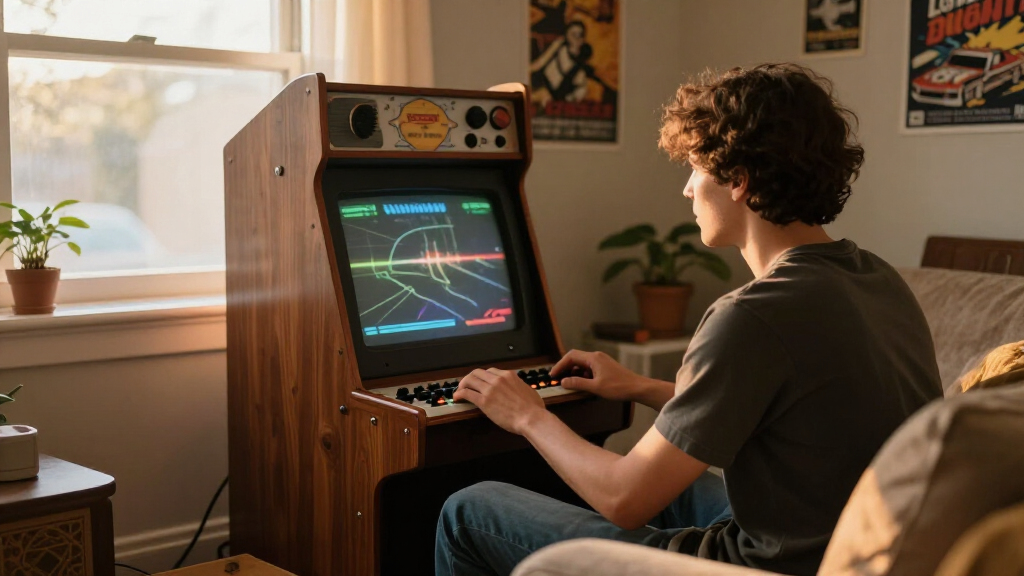
Our selection process focused on models that are specifically 32 inches, combining performance, compatibility, and value. I prioritized monitors with high refresh rates and fast response times for gaming, while also including options suited for arcade systems and multimedia use. Each product was chosen based on real-world relevance—such as connectivity options, design, and special features—plus balanced tradeoffs like price and size. We aimed to present a range of options from budget-friendly to premium, ensuring there’s a suitable pick for different types of buyers.
Factors to Consider When Choosing 32 Inch Arcade Monitor
When selecting a 32-inch arcade monitor, consider what features matter most for your use case. Gamers should prioritize high refresh rates and quick response times, while arcade enthusiasts need system compatibility and durability. For multi-purpose or multimedia use, resolution, eye care, and connectivity options become more important. Size and desk space also influence the choice, especially if you plan multi-monitor setups or have limited room. Balancing these factors will help you find a monitor that best fits your gaming style or arcade setup.Performance and Gaming Features
High refresh rates (above 100Hz) and fast response times (1-2ms) are critical for competitive gaming, reducing motion blur and input lag. If you’re into high-speed shooters or racing games, these specs directly impact your experience. G-Sync and FreeSync compatibility further smooth out gameplay, especially if your GPU supports them. However, these premium features often come at a higher price and may not be necessary for casual or multi-purpose use.
Display Quality and Resolution
Most 32-inch monitors in this category feature QHD (2560×1440) resolution, balancing sharp visuals with manageable hardware demands. IPS panels provide better color accuracy and viewing angles, especially valuable for multimedia and creative work. For arcade systems, resolution may be less critical than compatibility and brightness, but for gaming and multitasking, a clear, vibrant display enhances the overall experience.
Connectivity and Compatibility
Multiple ports like HDMI, DisplayPort, and USB Type-C ensure flexibility for different setups. Arcade monitors focus on system compatibility, so checking for Jamma or MAME support is key if you’re building or maintaining vintage cabinets. For modern gaming or desktop use, features like Daisy Chain support and adjustable stands add convenience and ergonomics, improving long-term comfort and multi-monitor arrangements.
Size, Space, and Ergonomics
While 32 inches is a popular size, consider your available desk space and whether you prefer a curved or flat display. Monitors with adjustable stands or ergonomic features can reduce fatigue during extended use. Larger monitors demand more room but provide immersive visuals, especially in gaming or multimedia scenarios. Evaluate your setup carefully to avoid overcrowding or uncomfortable viewing angles.
Frequently Asked Questions
What is the ideal refresh rate for a 32-inch arcade monitor?
The ideal refresh rate depends on your primary use. For fast-paced gaming, a refresh rate of at least 120Hz to 210Hz provides smoother motion and reduces blur. For arcade systems or casual use, lower rates like 75Hz may suffice, but higher rates significantly improve responsiveness for competitive gaming.
Are 32-inch monitors suitable for multi-monitor setups?
Yes, 32-inch monitors can work well in multi-monitor configurations, especially if they have features like Daisy Chain support or adjustable stands. However, they require ample desk space and may be visually overwhelming if paired with similarly large screens. For multitasking, wider field of view and high resolution help maintain clarity and reduce eye strain.
Is an IPS panel necessary in a gaming monitor?
While not strictly necessary, IPS panels offer better color accuracy and wider viewing angles, which can enhance the gaming experience, especially for story-driven or visually rich titles. TN panels may be faster but often sacrifice color quality, whereas VA panels provide deeper blacks but narrower viewing angles. For most gamers seeking a balance, IPS is a preferred choice.
How important are connectivity options on a 32-inch arcade monitor?
Connectivity options are vital for compatibility with your devices. HDMI and DisplayPort are standard for modern PCs and consoles, while USB Type-C adds flexibility for newer laptops and peripherals. Arcade-specific monitors may prioritize system compatibility over advanced ports, so aligning the monitor’s ports with your setup ensures seamless operation and future-proofing.
Should I prioritize resolution or refresh rate in a 32-inch monitor?
It depends on your primary use. For competitive gaming, a high refresh rate (above 120Hz) is more beneficial for responsiveness. For multimedia, editing, or general use, resolution and color accuracy might take precedence. Many models strike a balance, offering QHD resolution with decent refresh rates, making them suitable for a wide range of activities.
Conclusion
For gamers seeking ultra-fast response times and high refresh rates, the Sceptre 32-inch 2K QHD Gaming Monitor or the Samsung Odyssey G5 are ideal. Arcade owners or hobbyists should consider the Arcade Game LED Monitor for system compatibility, despite limited specs. If comfort, versatility, and eye care are priorities, the ViewSonic VS3225-2K offers a balanced solution. Your choice should align with your specific use case, space, and budget to ensure satisfaction in your 2026 setup.
Fall Picks
fall essentials
As an affiliate, we earn on qualifying purchases.