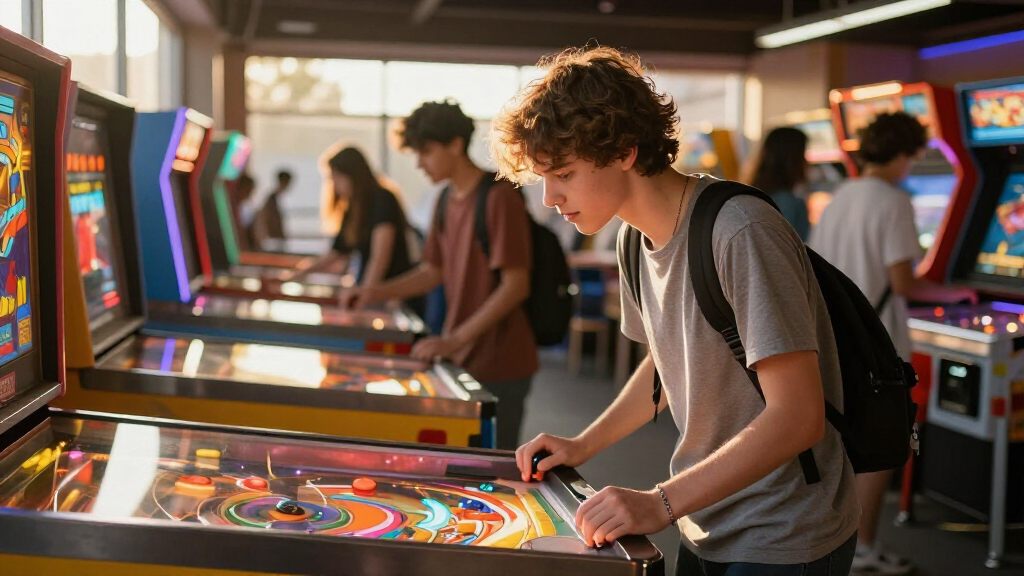

Pinball has quietly become one of the best ways to sneak physics and engineering concepts into playtime, and the current market splits into two camps: build-it-yourself STEM kits like the Thames & Kosmos Pinball Machine Maker, and ready-to-play electronic tabletop machines like the TMNT Desktop Pinball Machine. My top overall pick is the Thames & Kosmos kit, because it teaches the most per dollar — students literally construct the flippers, ramps, and bumpers they play on. For younger students or tighter budgets, the Smartivity Mini Pinball DIY kit delivers similar learning value at a lower price, while the TMNT Desktop Machine is the better choice when you want instant fun with zero assembly. The core tradeoff throughout this category is learning depth versus play readiness, plus table size versus desk space. Keep reading for the full breakdown.

Play games on Amazon Luna for your game nights, included with Prime
- A rotating selection of games, no download needed
- Play on TV, laptop or phone
- Fast, free delivery for your gear, too
Complete the kit


Key Takeaways
- DIY STEM kits (Thames & Kosmos, Smartivity) scored highest for classroom value because building the machine is where the physics learning happens — the finished game is a bonus, not the point.
- Licensed electronic machines (TMNT, Minecraft) cost more per feature than unbranded equivalents like the Kidoozie Electronic Arcade Pinball, and the license rarely improves gameplay.
- The Schylling Space Race is the only truly portable option with no batteries required, making it the safest pick for students under 6 — but it offers almost no physics depth.
- Vibrating bumpers on the Merchant Ambassador Retro Arcade add genuine tactile feedback that cheap electronic tables lack, though the sound effects get loud fast in shared spaces.
- The New Era floor-standing model is the only option sized for standing play, which suits group settings, but it demands the most storage space by far.
| Teenage Mutant Ninja Turtles Desktop Pinball Machine |  | Best for Franchise Fans | Players: 1 | Form Factor: Tabletop / desktop | Operation: Manual (no batteries) | VIEW LATEST PRICE | See Our Full Breakdown |
| Smartivity Mini Pinball Machine DIY STEM Toy for Kids 6-12 Years |  | Best Budget STEM Build | Brand: Smartivity | Age Range: 6 to 14 years | Model Number: SMRT1295 | VIEW LATEST PRICE | See Our Full Breakdown |
| Merchant Ambassador Retro Arcade Electronic Pinball |  | Best Overall | Brand: Merchant Ambassador | Model Number: GA2001_FR | Players: 1 at a time | VIEW LATEST PRICE | See Our Full Breakdown |
| Kidoozie Electronic Arcade Pinball |  | Best Value Electronic Pick | Brand: Kidoozie | Age Range: 6+ | Players: 1 | VIEW LATEST PRICE | See Our Full Breakdown |
| Thames & Kosmos Pinball Machine Maker STEM Experiment Kit |  | Best Premium STEM Learning | Brand: Thames & Kosmos | Age Range: Kids (8+ recommended) | Educational Objective: Critical thinking, physics, mechanical engineering | VIEW LATEST PRICE | See Our Full Breakdown |
| Minecraft: Arcade Pinball – Overworld Edition – Electronic Tabletop Game |  | Best Themed Pick | Design: Minecraft Overworld theme | Features: Vibrating bumpers, LED scoreboard, flashing lights, electronic scoring | Players: 2-player challenge | VIEW LATEST PRICE | See Our Full Breakdown |
| New Era Pinball Game Black – Interactive Tabletop or Floor Arcade Pinball Machine for Kids & Adults |  | Best for Mixed Ages | Dimensions: 21″ L x 10″ W x 4″ H | Lights: 6 blinking LED lights | Sound Effects: 8 unique sounds | VIEW LATEST PRICE | See Our Full Breakdown |
| Schylling Space Race Pinball Game – Portable Retro Toy for Ages 3 and Up |  | Best for Youngest Students | Brand: Schylling | Model Number: SRPB | Material: Metal, Plastic | VIEW LATEST PRICE | See Our Full Breakdown |
| interactive pinball game for student | Age Range | Brand | Power | Players |
|---|---|---|---|---|
| Teenage Mutant Ninja Turtles D | — | — | — | 1 |
| Smartivity Mini Pinball Machin | 6 to 14 years | Smartivity | None — fully mechanical | — |
| Merchant Ambassador Retro Arca | 6+ | Merchant Ambassador | 3 AA batteries (not included) | 1 at a time |
| Kidoozie Electronic Arcade Pin | 6+ | Kidoozie | 3 AA batteries (not included) | 1 |
| Thames & Kosmos Pinball Machin | Kids (8+ recommended) | Thames & Kosmos | None — fully mechanical | — |
| Minecraft: Arcade Pinball | 6+ | — | Electronic (battery operated) | 2-player challenge |
| New Era Pinball Game Black | Kids and adults | — | — | — |
| Schylling Space Race Pinball G | 3+ | Schylling | — | — |
More Details on Our Top Picks
Teenage Mutant Ninja Turtles Desktop Pinball Machine
For students who already love the Turtles, this licensed desktop pinball machine turns brand enthusiasm into motivation to play. Unlike the Smartivity Mini Pinball, which requires building before playing, this one works straight out of the box — a real advantage for younger kids or classrooms where assembly time isn’t available. The lightweight 394 g body moves easily between desk, dorm, and playroom. That portability comes at a cost, though: the playfield is small and mechanically simple, so students used to the Merchant Ambassador Retro Arcade with its electronic scoring and sound will find this quieter and less dynamic. Still, the durable plastic build handles frequent handling well, and the manual flippers teach genuine hand-eye coordination without batteries. This pick makes the most sense for fans who value theme over tech.
Pros:- Official TMNT design that motivates fans to keep playing
- No batteries needed — fully manual operation
- Compact and light enough for desks, backpacks, and travel
- Durable plastic construction survives frequent student use
Cons:- Single-player only, so it doesn’t work for group classroom competition
- Small playfield limits shot variety and long-term challenge
Best for: Elementary and middle school students who are Ninja Turtles fans and want a no-setup desk game
Not ideal for: Students who want electronic scoring, lights, and sound — this is purely mechanical and single-player
- Players:1
- Form Factor:Tabletop / desktop
- Operation:Manual (no batteries)
- Weight:394 g
- Theme:Teenage Mutant Ninja Turtles
- Material:Plastic
- Usage:Indoor
Our verdict“Buy this for the Turtle-obsessed student in your life; skip it if theme matters less than electronic features.”
Smartivity Mini Pinball Machine DIY STEM Toy for Kids 6-12 Years
What sets this apart from every electronic option here is that the build IS the lesson. Students assemble the machine from eco-friendly wooden parts, then play with zero batteries — gravity and momentum do all the work. Compared with the Thames & Kosmos Pinball Machine Maker, which leans on reconfigurable experimentation, Smartivity keeps things simpler and far more portable, making it the stronger choice for travel, quiet classroom corners, or screen-free homes. The tradeoff is real: assembly takes patience, and kids on the younger end of the 6–12 range may need adult help. Once built, gameplay is purely mechanical — no sounds or lights like the Kidoozie Electronic Arcade Pinball — so the excitement comes from construction and physics, not sensory feedback. For budget-conscious buyers, this option stands out for delivering genuine STEM value at a low price.
Pros:- Teaches physics concepts like gravity and momentum through hands-on building
- Battery-free, screen-free wooden construction
- Pocket-sized and travel-friendly once assembled
- Eco-friendly materials with no ongoing power cost
Cons:- Assembly can frustrate younger children without adult assistance
- Purely mechanical play lacks the lights and sounds that keep some kids engaged
Best for: Parents and teachers wanting an affordable, screen-free STEM project for kids aged 6–12
Not ideal for: Students who want instant arcade action — the assembly step and lack of electronics will disappoint
- Brand:Smartivity
- Age Range:6 to 14 years
- Model Number:SMRT1295
- Power:None — fully mechanical
- Material:Eco-friendly wood
- Category:Toys & Games — STEM building kit
- Assembly:Required (DIY)
Our verdict“The smart pick if you want a build-it-yourself STEM activity under budget, provided your student enjoys construction as much as play.”
Merchant Ambassador Retro Arcade Electronic Pinball
This is the pick that best answers the question in the title: an interactive pinball game for students that feels like a real arcade in a tabletop format. The vibrating bumpers, LED lights, sound effects, and electronic score counter give it the sensory feedback the TMNT and Smartivity machines simply don’t have, and the scoring system makes it genuinely competitive for classroom high-score challenges. Compared with the Kidoozie Electronic Arcade Pinball, which shares many of the same features, the Merchant Ambassador’s retro arcade styling and bumper vibration feel more authentic — though user reviews suggest build quality can vary between units, so it’s worth buying from a retailer with easy returns. The need for 3 AA batteries (not included) is an ongoing cost to factor in. Overall, this model balances excitement, accessibility for ages 6+, and play value better than anything else in this lineup.
Pros:- Vibrating bumpers and LED lights create authentic arcade feel
- Electronic score counter enables real high-score competition
- Sound effects add excitement the mechanical options lack
- Accessible to players aged 6 and up, including adults
Cons:- Requires 3 AA batteries that aren’t included, adding ongoing cost
- Build quality reported as inconsistent across units
- One player at a time limits group play
Best for: Families and classrooms wanting the most arcade-authentic tabletop experience for kids 6 and up
Not ideal for: Buyers who want a durable keepsake or multi-player machine — single-player and mixed durability reports make it less ideal
- Brand:Merchant Ambassador
- Model Number:GA2001_FR
- Players:1 at a time
- Age Range:6+
- Power:3 AA batteries (not included)
- Features:Vibrating bumpers, LED lights, sound effects, electronic score counter
- Includes:Pinball table, 4 feet, steel ball, sticker sheet
Our verdict“The strongest all-around choice for students who want real arcade excitement at a tabletop price — just budget for batteries and buy with return protection.”
Kidoozie Electronic Arcade Pinball
If the Merchant Ambassador is the arcade star, the Kidoozie is its practical sibling: same core formula of vibrating bumpers, flashing LEDs, arcade sounds, and an electronic score counter, typically at a friendlier price point. That makes it the smarter buy when you’re outfitting multiple kids or want a gift that won’t sting if it gets heavy use. The flipper-button operation is simple enough that a six-year-old can start playing in minutes, and it holds attention better than the manual TMNT machine. The compromises mirror its rival: one player at a time, and 3 AA batteries are not included. Gameplay depth is also limited — students seeking long-term challenge may outgrow it. But for straightforward, reliable electronic pinball at a value price, this model makes more sense than paying extra for the Merchant Ambassador’s styling.
Pros:- Delivers lights, sounds, and electronic scoring at a lower price than premium electronic rivals
- Simple flipper buttons that young children can operate immediately
- Suitable for both children and adults
- Compact tabletop footprint fits most desks and shelves
Cons:- Batteries (3 AA) not included, creating a hidden cost
- Gameplay variety is limited and can be outgrown quickly
- Single-player only
Best for: Budget-conscious buyers and gift-givers who want electronic pinball features without the premium price
Not ideal for: Households that dislike battery-powered toys or want multi-player gameplay — this is single-player and battery-dependent
- Brand:Kidoozie
- Age Range:6+
- Players:1
- Power:3 AA batteries (not included)
- Features:Vibrating bumpers, flashing LEDs, arcade sounds, electronic score counter
- Includes:Electronic base, metal ball, 4 feet, sticker sheet, instructions
Our verdict“The best bang-for-buck electronic option for students, ideal when you want arcade features without arcade pricing.”
Thames & Kosmos Pinball Machine Maker STEM Experiment Kit
Where the Smartivity kit teaches physics through a single build, this Thames & Kosmos kit goes further: students design and redesign their own playfield with repositionable obstacles, learning engineering iteration rather than just assembly. The use of edible gumballs as pinballs adds a playful twist that makes the roughly 45 included gumballs part of the fun — and part of the mess. Compared with every electronic option here, there are no lights or sounds; the payoff instead is creative problem-solving and critical thinking, which is why it earns the premium learning slot. That premium brings responsibilities: gumballs need proper storage to avoid attracting pests, younger kids need supervision, and some parts demand careful handling. This model is better suited to a deliberate STEM session than a quick desk game, but for a student who loves building and experimenting, nothing else in this lineup offers comparable depth.
Pros:- Reconfigurable playfield supports endless design experiments, not just one build
- Hands-on lessons in physics, mechanical engineering, and critical thinking
- Gumball pinballs add a fun, memorable interactive element
- Builds fine motor skills alongside creative problem-solving
Cons:- Gumballs can be messy and attract pests if not stored carefully
- Requires adult supervision for younger children
- Some parts are fragile and need gentle handling
Best for: Students aged 8+ who enjoy open-ended building projects and parents prioritizing genuine engineering education
Not ideal for: Quick-play households — the setup, supervision needs, and gumball mess make casual play impractical
- Brand:Thames & Kosmos
- Age Range:Kids (8+ recommended)
- Educational Objective:Critical thinking, physics, mechanical engineering
- Play Balls:~45 edible gumballs included
- Power:None — fully mechanical
- Customization:Repositionable obstacles and parts
Our verdict“The deepest educational pick here — choose it for the student who wants to engineer a pinball machine, not just play one.”
Minecraft: Arcade Pinball – Overworld Edition – Electronic Tabletop Game
Most themed pinball toys lean on stickers and call it a day, but this one builds the Minecraft Overworld identity into the actual play experience. The vibrating bumpers, flashing lights, and electronic scoring give it more sensory feedback than the Schylling Space Race, which is fully mechanical, and the two-player challenge mode makes it better suited to classroom rivalries or sibling matchups than the single-player Merchant Ambassador Retro Arcade unit. Compared with the Smartivity DIY kit, this skips the building phase entirely — a plus for students who want to play immediately rather than assemble first. The tradeoff is that a recognizable theme can work against it: a student who isn’t into Minecraft may find the graphics distracting rather than motivating, and the tabletop footprint limits how dynamic the shots feel.
Pros:- Immersive Minecraft-themed graphics and authentic sound effects that motivate fans
- Electronic scoring with a LED scoreboard removes score-keeping disputes
- Two-player challenge mode encourages social, competitive play
- Compact size sets up on a desk or classroom table in seconds
Cons:- The licensed theme narrows its appeal to Minecraft fans specifically
- Vibrating bumpers and electronics require more care and battery maintenance than mechanical options
- Younger students may need time to learn the flippers and scoring rules
Best for: Elementary and middle school students who are already Minecraft fans and will stay engaged because the theme rewards them
Not ideal for: Older students wanting realistic pinball physics — the compact size and toy-grade bumpers won’t satisfy anyone expecting arcade depth
- Design:Minecraft Overworld theme
- Features:Vibrating bumpers, LED scoreboard, flashing lights, electronic scoring
- Players:2-player challenge
- Age Range:6+
- Size:Compact and portable
- Power:Electronic (battery operated)
Our verdict“If the student in your life plays Minecraft, this themed package delivers more engagement per dollar than generic alternatives — but skip it if the license means nothing to them.”
New Era Pinball Game Black – Interactive Tabletop or Floor Arcade Pinball Machine for Kids & Adults
What separates this model is its flexible play footprint — at 21 inches long, it works as a tabletop unit for older students or a floor game for younger kids, something the smaller Merchant Ambassador Retro Arcade and the pocket-sized Schylling Space Race simply can’t offer. The 6 blinking LED lights and 8 distinct sound effects create a livelier arcade atmosphere than most compact competitors, and the age-agnostic design makes it a safe pick for families or classrooms where skill levels vary widely. The honest tradeoff: the 3-ball game limit shortens each round, which keeps matches snappy but frustrates players who want longer sessions. And while it’s bigger than most entries here, that still puts it far below a real cabinet — dedicated arcade fans will notice the difference in shot variety.
Pros:- Works on both tabletop and floor, adapting to different spaces and ages
- 6 LED lights and 8 sound effects deliver genuine arcade energy
- Encourages hand-eye coordination and focus, giving it educational value for students
- Large enough at 21 inches for satisfying play without dominating a room
Cons:- Still requires clear floor or table space that smaller units don’t demand
- 3 balls per game limits session length
- Too small for serious pinball enthusiasts expecting varied shots
Best for: Families and mixed-age classrooms where kids, teens, and adults all want to play the same game together
Not ideal for: Players who want extended sessions — the 3-ball limit and simple table layout cut rounds short
- Dimensions:21″ L x 10″ W x 4″ H
- Lights:6 blinking LED lights
- Sound Effects:8 unique sounds
- Play Options:Tabletop or floor
- Age Range:Kids and adults
- Balls per Game:3
Our verdict“This is the pick when one machine needs to entertain a range of ages at once — just accept that rounds run short by design.”
Schylling Space Race Pinball Game – Portable Retro Toy for Ages 3 and Up
Every other pick in this lineup starts at age 6, which makes the Schylling Space Race the only real option for preschool and kindergarten-aged children. Its strongest selling point is what it lacks: no batteries, no electronics, no setup — just metal balls, a launch lever, and sturdy retro construction that survives being tossed in a backpack. Compared with the Minecraft Arcade Pinball, it trades flashing lights and electronic scoring for reliability and a 10-inch travel footprint, and that simplicity is the point. It’s also the cheapest way to test whether a young child even enjoys pinball before committing to an electronic unit. The catch is limited depth — no scoring system beyond what players track themselves, and older students will outgrow it quickly. Think of it as a first pinball experience, not a lasting one.
Pros:- Rated for ages 3 and up — the youngest entry point in this lineup
- No batteries required, so it always works and never needs maintenance
- Sturdy metal-and-plastic construction handles rough handling and travel
- Genuinely portable at 10 inches for car rides, waiting rooms, and classrooms
Cons:- No electronic scoring or feedback, so gameplay stays very basic
- Manual lever operation can frustrate the youngest children it’s rated for
- Older kids will lose interest quickly due to simple, repetitive play
Best for: Parents and teachers of children ages 3-6 who want screen-free, battery-free entertainment for travel or quiet time
Not ideal for: Students over about age 8 — the lack of scoring, lights, or difficulty progression won’t hold their interest
- Brand:Schylling
- Model Number:SRPB
- Material:Metal, Plastic
- Size:10 inches tall
- Age Range:3+
- Batteries Required:No
- Design:Retro space race theme
Our verdict“Buy this as an inexpensive, durable first pinball toy for the preschool set — everyone older should step up to an electronic option.”

How We Picked
I ranked these eight products on four factors that matter most for students: educational value, play experience, build quality, and value for money. Educational value weighed whether a product teaches anything beyond reflexes — DIY kits that explain momentum, angles, and spring mechanics scored higher than pure arcade toys. Play experience covered flipper responsiveness, ball physics realism, and whether the game stays fun after the first week. Build quality included durability under classroom-style handling and how well each machine survives being moved between desks.
Age fit also shaped the ranking. A product brilliant for a 10-year-old can frustrate a 6-year-old, so I factored manufacturer age ranges against actual complexity. Finally, price-to-learning ratio separated the leaders: a kit that costs a little more but teaches mechanical engineering principles beat a cheaper toy with flashing lights and shallow gameplay. That logic is why STEM kits dominate the top spots and novelty tables fill supporting roles.
| interactive pinball game for student | Brand |
|---|---|
| Teenage Mutant Ninja Turtles D | — |
| Smartivity Mini Pinball Machin | Smartivity |
| Merchant Ambassador Retro Arca | Merchant Ambassador |
| Kidoozie Electronic Arcade Pin | Kidoozie |
| Thames & Kosmos Pinball Machin | Thames & Kosmos |
| Minecraft: Arcade Pinball | — |
| New Era Pinball Game Black | — |
| Schylling Space Race Pinball G | Schylling |
Factors to Consider When Choosing Interactive Pinball Game For Students
Before picking a specific model, it helps to understand what actually separates a meaningful pinball purchase from a toy that ends up in a drawer within a month. These are the factors I weighed most heavily.Build-It Yourself Versus Ready-to-Play
The single biggest decision is whether the student assembles the machine or just plays it. DIY kits like Thames & Kosmos and Smartivity turn the build process into a lesson on levers, springs, and projectile motion — the play session becomes a demonstration of physics the student just constructed. Electronic tables flip that equation: they deliver immediate gratification and realistic arcade feel, but the learning stops at hand-eye coordination. A common mistake is buying a DIY kit for a student who has no patience for assembly, which leads to a half-built box and disappointment. If the goal is a classroom or homeschool activity, lean DIY. If it’s a reward or free-time toy, go electronic.
Age Range and Motor Skill Fit
Manufacturer age ratings are a starting point, not a guarantee. The Schylling Space Race works from age 3 because it uses simple pull-launch mechanics with no flippers to time, while kits rated for 6–12 often assume reading comprehension and fine motor control that younger kids lack. Electronic machines with fast ball speeds can frustrate students under 8 even when the box says otherwise. My advice: match the mechanism to the child, not the sticker. Younger students need slower ball travel and forgiving flipper gaps; older students get bored without real challenge curves and scoring systems.
Table Size and Classroom Practicality
Size determines where a game can actually live. Desktop models fit a standard student desk, while floor-standing units like the New Era need dedicated floor space and storage planning — a real issue in shared classrooms. Portability also matters if the game travels between home and school; battery-free mechanical games win here since there’s nothing to charge or replace. Measure the intended surface before buying, and remember that pinball needs clearance behind the table for comfortable flipper access. Undersized tables also shrink the gameplay: on very short playfields, the ball returns almost instantly, which limits strategy.
Sound, Lights, and Shared Spaces
Electronic pinball machines are loud, and most have no volume control or headphone option. In a classroom, library, or shared bedroom, that becomes a daily friction point. Some models let you disable sound entirely, which salvages them for group settings, but many tie sound effects to game modes that stop working without them. Lights are less disruptive but drain batteries quickly — factor in rechargeable AAs if you choose an electronic model. Mechanical games like the Smartivity kit sidestep the problem completely, which is one quiet reason they rank so highly for school use.
Durability and Repairability
Classroom pinball takes abuse, and the two product types fail differently. Cardboard-and-wood DIY kits can crack at joints but are often repairable with glue or spare parts, and rebuilding is itself educational. Electronic tables usually survive impacts better but become paperweights when a solenoid or sensor fails, with few manufacturers offering parts. Check the warranty and whether replacement parts exist before spending over $50. For younger students, favor solid-state mechanical designs with fewer breakable electronic components.
Licensed Characters Versus Generic Play
Licenses like TMNT and Minecraft add $10–$20 to the price without changing how the game plays. Sometimes that premium is worth it — a reluctant learner will engage with a Minecraft-branded table they’d ignore otherwise. But if the student already loves pinball for its own sake, unbranded models offer the same or better gameplay for less, as the Kidoozie demonstrates against the licensed alternatives. Be honest about who the license is for: motivation or marketing. My general rule is to pay for licenses only when engagement is the primary barrier to learning.
Frequently Asked Questions
Are DIY pinball kits actually educational, or just toys?
The better kits are genuinely educational, and the distinction comes down to what the instructions teach. The Thames & Kosmos kit includes a full experiment manual that has students adjust ramp angles, spring tensions, and bumper placement, then observe how ball trajectory changes — that’s real physics experimentation, not decoration. Smartivity takes a lighter approach with illustrated build steps that still expose kids to linkages and elastic potential energy. A pure assembly toy with no explanatory content would deserve skepticism, but the top kits in this lineup treat the build as the lesson. For classroom use, check whether the kit includes a workbook or experiment prompts, since that’s what elevates it from craft project to curriculum supplement.
Which option is best for a classroom with multiple students sharing one game?
For shared classroom use, durability and turn-taking speed matter more than features. The New Era floor-standing model works well because several students can watch and cheer while one plays, and its size makes it a natural station activity. Electronic desktop machines also support quick rotations since games end fast and scores create friendly competition. DIY kits are better as small-group builds than as shared play machines — have three or four students construct one together over a few sessions. Avoid fragile mechanical games in high-traffic classrooms, and choose models where the ball can’t be easily lost, since replacement balls disappear fast in group settings.
What’s a reasonable age for electronic pinball with flippers?
Most students handle two-flipper electronic tables comfortably around age 7 or 8, once they can time a moving object and track multiple stimuli at once. The rated 6+ on machines like the Merchant Ambassador is achievable, but expect frustration at the low end unless an adult plays alongside. Under 6, mechanical launch-only games like the Schylling Space Race are the better fit, because there’s no timing failure — every pull scores something. If a younger student is determined to have flippers, look for tables with slower ball speeds or wider flipper gaps. Watching how a child handles timing-based video games is a decent preview of how they’ll handle real flippers.
Do these machines need batteries, and how long do they last?
It splits cleanly down the lineup: electronic models (TMNT, Kidoozie, Merchant Ambassador, Minecraft) run on AA or AAA batteries, typically three to six, while mechanical builds (Smartivity, Schylling, Thames & Kosmos) need none. Battery life on electronic tables varies with light and sound settings, but heavy classroom use drains a set in roughly two to four weeks. If you buy electronic, invest in rechargeable AAs and a charger — the math pays off within a semester. Some budget machines have notoriously tight battery compartments, so check that detail in reviews before purchasing. The New Era model sits in between, using batteries only for its electronic scoring features.
Can a pinball game actually help with STEM learning, or is that marketing?
Pinball is one of the more honest STEM claims in toys, because the machine itself is a physics apparatus — momentum transfer at bumpers, elastic potential in the plunger, and angle-of-reflection off slingshots are all visible and adjustable. The catch is that a student only learns from it when something prompts observation, which is why kits with experiment manuals outperform pure arcade machines educationally. Playing an electronic table does build intuitions about trajectory and timing, but without guidance those stay implicit. Parents and teachers get the most value by asking students to predict outcomes before shots or modify variables on DIY builds. Treat the marketing claim as a floor, not a ceiling — the learning scales with how adults engage with the play.
Conclusion
The right pick depends entirely on who’s playing and why. For best overall, the Thames & Kosmos Pinball Machine Maker wins because it combines genuine physics curriculum with a playable result — the strongest learning-per-dollar in the lineup. The Smartivity Mini Pinball kit takes best value, delivering the DIY experience at a budget price that works for gifting or multi-student purchases. For beginners and younger students, the Schylling Space Race is nearly risk-free: inexpensive, battery-free, and impossible to outgrow quickly at ages 3–6.
If you want the premium arcade experience, the TMNT Desktop Pinball Machine offers licensed polish and full electronic gameplay for students who want fun first. The Kidoozie Electronic Arcade covers the mid-range electronic niche at a lower price than licensed rivals. For specific needs: the Merchant Ambassador Retro Arcade for tactile vibrating bumpers, the Minecraft Overworld Edition for reluctant learners motivated by the brand, and the New Era floor model for group settings with floor space to spare. Match the mechanism to the student, and you won’t go wrong.
Columbus Day / Indigenous Peoples' Day Picks
long weekend sales
As an affiliate, we earn on qualifying purchases.