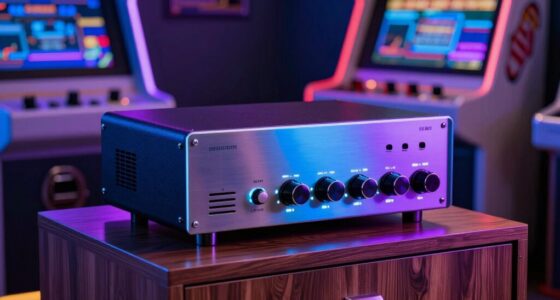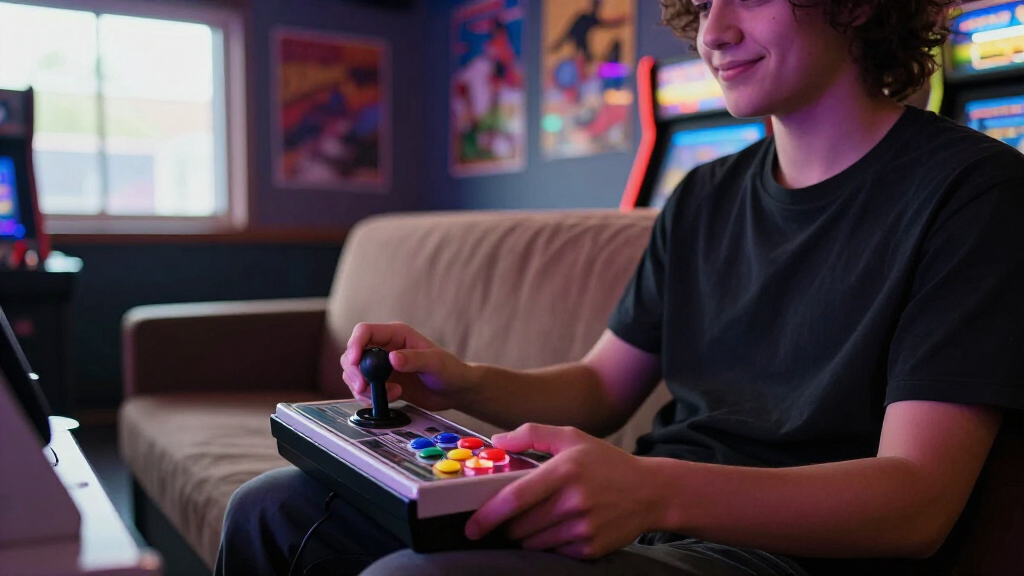
If you’re shopping for arcade game controllers, your real choice is between three formats: ready-to-play fight sticks, compact travel sticks, and DIY kits that turn a Raspberry Pi or PC into a full arcade cabinet. For most buyers, the 8Bitdo Arcade Fight Stick is the best overall pick thanks to its premium Sanwa-style feel, hot-swap faceplates, and clean Switch and Windows support. Budget-conscious builders should look at the Qenker 2-Player LED DIY Kit, which delivers two complete players’ worth of parts for less than one mid-range stick, while couch and tournament players get strong value from the MAYFLASH F300‘s cross-platform flexibility. The main tradeoffs come down to platform compatibility, button and joystick quality, and whether you want to play today or build first. Read on for the full breakdown.

Play games on Amazon Luna for your game nights, included with Prime
- A rotating selection of games, no download needed
- Play on TV, laptop or phone
- Fast, free delivery for your gear, too
Complete the kit



Key Takeaways
- Platform compatibility was the biggest differentiator: the MAYFLASH F300 and 8Bitdo stick cover consoles and PC out of the box, while all three DIY kits are limited to PC, Steam Deck, and Raspberry Pi setups.
- DIY kits dominated on price per player — the Qenser-style two-player kits cost less than a single entry-level fight stick, but demand solder-free assembly time and a case to mount into.
- The 8Bitdo was the only stick offering hot-swappable components and swappable faceplates, which explains its premium ranking despite supporting fewer platforms than the MAYFLASH.
- The HORI Fighting Stick Mini is the only true portable option, but its smaller buttons and non-replaceable parts make it a secondary controller rather than a primary one.
- The Reyann Zero Delay encoder ranked last as a standalone purchase because it’s a component, not a controller — it only makes sense bundled with buttons and joysticks in a custom build.
| MAYFLASH F300 Arcade Fight Stick Joystick |  | Best Overall | Compatibility: Switch, PS4, PS3, Xbox Series S/X, Xbox One, Xbox 360, macOS, Windows, Steam Deck, Android | Customization: Supports Sanwa Denshi buttons and joystick | PS5 Support: Via Magic-S Ultimate adapter or MagicBoots-S5 converter | VIEW LATEST PRICE | See Our Full Breakdown |
| 8Bitdo Arcade Fight Stick for Switch & Windows |  | Best Premium Pick | Compatibility: Nintendo Switch and Windows | Connections: Bluetooth, 2.4G receiver, wired USB-C | Customization: Customizable button mapping and macros | VIEW LATEST PRICE | See Our Full Breakdown |
| Qenker 2-Player LED Arcade DIY Kit |  | Best Value for Two Players | Number of Players: 2 | Joysticks: 2 | LED Arcade Buttons: 20 | VIEW LATEST PRICE | See Our Full Breakdown |
| EG STARTS Arcade Buttons 1 Player DIY Kit |  | Best Single-Player Starter Kit | Players Supported: 1 | Joystick Mounting Hole: 24mm | Button Mounting Hole: 30mm | VIEW LATEST PRICE | See Our Full Breakdown |
| Hikig 2 Player LED Arcade Buttons and Joysticks DIY Kit |  | Best Budget Dual Kit | Number of Players: 2 | Joysticks: 2 | LED Arcade Buttons: 20 | VIEW LATEST PRICE | See Our Full Breakdown |
| HORI Fighting Stick Mini for PS5, PS4, and PC | 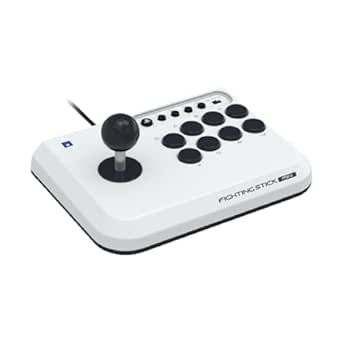 | Best Portable Fight Stick | Compatible Devices: PC, PlayStation 4, PlayStation 5 | Controller Type: Arcade fight stick (joystick) | Connectivity: Wired USB | VIEW LATEST PRICE | See Our Full Breakdown |
| Reyann Zero Delay Arcade USB Encoder for PC and Raspberry Pi |  | Best for Custom Arcade Cabinet Builds | Compatibility: PC, Raspberry Pi 1/2/3 | Supported Controls: All joystick and push button types with 4.8mm terminals | Input Delay: Zero delay | VIEW LATEST PRICE | See Our Full Breakdown |
| arcade game controller | Compatibility |
|---|---|
| MAYFLASH F300 Arcade Fight Sti | Switch, PS4, PS3, Xbox Series S/X, Xbox One, Xbox 360, macOS, Windows, Steam Deck, Android |
| 8Bitdo Arcade Fight Stick for | Nintendo Switch and Windows |
| Qenker 2-Player LED Arcade DIY | Windows MAME, Raspberry Pi |
| EG STARTS Arcade Buttons 1 Pla | Windows, PC games, MAME, Raspberry Pi |
| Hikig 2 Player LED Arcade Butt | Windows, MAME, Raspberry Pi |
| HORI Fighting Stick Mini for P | — |
| Reyann Zero Delay Arcade USB E | PC, Raspberry Pi 1/2/3 |
More Details on Our Top Picks
MAYFLASH F300 Arcade Fight Stick Joystick
Of every option in this lineup, the MAYFLASH F300 is the one I’d point most buyers toward first, because it solves the problem the others don’t even attempt: cross-platform compatibility. It works across Switch, PlayStation, Xbox, Steam Deck, and PC out of the box, while the 8Bitdo Arcade Fight Stick covers only Switch and Windows. Compared with DIY kits like the Qenker 2-Player Kit, the F300 requires zero assembly — it’s ready the moment you plug it in. The real long-term value is Sanwa Denshi upgrade support, meaning tournament-grade parts fit without case modification. The tradeoffs are real, though: PS5 support demands a separate adapter, and the stock buttons feel noticeably softer than genuine Sanwa parts, so enthusiasts will want to budget for a mod. Casual players may find the modding scene overwhelming.
Pros:- Works with nearly every modern console plus Steam Deck out of the box
- Supports drop-in Sanwa Denshi joystick and button upgrades
- Turbo functions with adjustable speed settings
- No assembly required unlike DIY alternatives
Cons:- Requires a separate adapter or converter for PS5
- Stock buttons and joystick fall short of tournament-grade feel until modded
Best for: Multi-console owners and aspiring fight game players who want one stick that works everywhere and can grow with them via Sanwa upgrades
Not ideal for: Console-locked casual gamers and anyone unwilling to buy extra adapters for PS5 or swap parts for premium feel
- Compatibility:Switch, PS4, PS3, Xbox Series S/X, Xbox One, Xbox 360, macOS, Windows, Steam Deck, Android
- Customization:Supports Sanwa Denshi buttons and joystick
- PS5 Support:Via Magic-S Ultimate adapter or MagicBoots-S5 converter
- PC Modes:XINPUT and DINPUT
- Special Features:Turbo functions with adjustable speed
Our verdict“The most versatile pick here for players who want a single stick that spans consoles, PCs, and future upgrades.”
8Bitdo Arcade Fight Stick for Switch & Windows
The 8Bitdo Arcade Fight Stick stands out for flexibility that goes beyond wired play: Bluetooth, 2.4G, and USB-C connections mean you can play cable-free on a Switch docked across the room. Compared with the MAYFLASH F300, it trades broad console coverage for deeper refinement on two platforms — customizable button mapping, macro support, and a universal mounting plate for Sanwa sticks make it the more polished modding base for Nintendo-focused players. The dynamic button layout adapts to different fighting games without manual remapping on the console side. That said, the limited platform list is a genuine constraint: Xbox and PlayStation owners get nothing here. Advanced customization also involves firmware and app-based setup that less technical players may find fiddly, and the premium price stings if you only play occasionally.
Pros:- Three connection options including wireless Bluetooth and 2.4G
- Customizable button mapping and macro support
- Universal mounting plate accepts Sanwa arcade sticks
- Dynamic button layout adapts per game
Cons:- Limited to Switch and Windows only
- Advanced customization requires app and firmware setup that may frustrate beginners
Best for: Nintendo Switch and PC fighting game enthusiasts who want wireless play and a premium modding platform
Not ideal for: Xbox or PlayStation players, and casual users who won’t use mapping or macro features to justify the price
- Compatibility:Nintendo Switch and Windows
- Connections:Bluetooth, 2.4G receiver, wired USB-C
- Customization:Customizable button mapping and macros
- Layout:Dynamic button layout
- Modding Support:Universal mounting plate for Sanwa arcade sticks
Our verdict“The refined choice for Switch and PC players who value wireless freedom and serious moddability over platform breadth.”
Qenker 2-Player LED Arcade DIY Kit
For anyone building a cabinet or control panel project, the Qenker 2-Player DIY Kit delivers the most complete package per dollar in this lineup. Two joysticks, 20 LED buttons, and two zero delay USB encoders arrive together, so there’s no piecemeal sourcing the way there is with the single-player EG STARTS kit. Compared with the Hikig 2-Player Kit, the Qenker’s advantage is documentation — Hikig ships without detailed instructions, which matters when you’re wiring two encoders for the first time. The zero delay boards keep input lag low enough for MAME and retro emulators, which is why these encoders are the community standard alongside the standalone Reyann encoder. The catch is that this is a components kit, not a controller: you supply the enclosure, drilling, and wiring effort. Choose the MAYFLASH F300 instead if you want to play tonight rather than this weekend.
Pros:- Complete two-player setup with joysticks, 20 LED buttons, and encoders included
- Zero delay encoders deliver responsive retro gaming input
- Compatible with Windows MAME and Raspberry Pi
- Best cost per player among kits in this lineup
Cons:- Requires technical knowledge and your own enclosure for assembly
- Only blue and red button colors included
Best for: Retro gaming hobbyists building a two-player MAME cabinet or bartop who want everything in one affordable box
Not ideal for: Players who want a ready-to-use controller, or first-time builders uncomfortable with wiring and panel fabrication
- Number of Players:2
- Joysticks:2
- LED Arcade Buttons:20
- USB Encoders:2 zero delay encoders
- Compatibility:Windows MAME, Raspberry Pi
- Material:Heat-resistant plastic
- Colors:Blue and Red
Our verdict“The smartest value for cabinet builders who need two full control sets without buying parts separately.”
EG STARTS Arcade Buttons 1 Player DIY Kit
The EG STARTS 1-Player Kit earns its place as the low-commitment entry into DIY arcade building. Where the Qenker kit assumes you’re building for two players, this one is sized for a single control panel, desktop stick, or mini bartop — half the wiring, half the complexity, and a lower price to match. Component quality is where it pulls ahead of cheaper no-name kits: a rated 1,000,000-cycle button life means the switches won’t go mushy after a few months of button-mashing, and the LED buttons run cleanly on 5V from the encoder. It pairs naturally with the Reyann zero delay encoder ecosystem if you expand later. The main constraints are structural: the 24mm joystick and 30mm button mounting holes must be drilled precisely, and if you ever want a second player, you’ll be buying a whole second kit rather than upgrading.
Pros:- Durable components rated for 1,000,000 cycles
- Complete single-player kit with encoder, cables, joystick, and LED buttons
- Vibrant 5V LED lighting without extra power supplies
- Compatible with Windows, Raspberry Pi, and MAME setups
Cons:- Requires exact 24mm and 30mm mounting holes, limiting enclosure choices
- Single-player only, so scaling up means buying another kit
Best for: First-time builders making a single-player desktop arcade stick or small control panel for PC and Raspberry Pi
Not ideal for: Anyone planning two-player setups — a dual kit like the Qenker is cheaper per player — or those without tools to drill precise mounting holes
- Players Supported:1
- Joystick Mounting Hole:24mm
- Button Mounting Hole:30mm
- LED Voltage:5V
- Button Cycle Life:1,000,000 cycles
- Compatibility:Windows, PC games, MAME, Raspberry Pi
- Includes:USB encoder, USB cable, wires, LED buttons, joystick
Our verdict“A dependable, low-risk starting point for solo arcade projects before committing to a full two-player build.”
Hikig 2 Player LED Arcade Buttons and Joysticks DIY Kit
The Hikig 2-Player Kit undercuts rivals on price while matching the core formula: two joysticks, 20 LED buttons, and zero delay encoding for MAME and Raspberry Pi. The materials hold their own too — high-temperature resistant plastic survives the soldering-iron moments that melt cheaper kits. Compared with the Qenker 2-Player Kit, the hardware is nearly interchangeable, but Hikig omits detailed instructions, so this is the better pick only if you already know your way around encoder wiring or are following an online cabinet guide. Against the EG STARTS single-player kit, it doubles your player count for less than double the cost, which is why it lands here as the budget dual option. Expect to supply your own enclosure and do your own troubleshooting — at this price, the savings come from shifting the work onto you.
Pros:- Lowest-cost two-player setup in this lineup
- High-temperature resistant plastic parts
- Zero delay encoding keeps inputs responsive
- Compatible with Windows, MAME, and Raspberry Pi
Cons:- No detailed instructions included, so assembly assumes prior knowledge
- Only red and blue button colors supplied
- Quality control can be inconsistent at this price point
Best for: Cost-conscious builders with some wiring experience who want two-player controls for a Raspberry Pi arcade cabinet
Not ideal for: Complete beginners who need step-by-step instructions, or anyone wanting a polished plug-and-play fight stick
- Number of Players:2
- Joysticks:2
- LED Arcade Buttons:20
- Compatibility:Windows, MAME, Raspberry Pi
- Material:High-temperature resistant plastic
- Encoding:Zero delay encoder with USB connectivity
- Colors:Red and Blue
Our verdict“The cheapest route to a working two-player cabinet, provided you bring your own know-how and enclosure.”
HORI Fighting Stick Mini for PS5, PS4, and PC
This HORI Fighting Stick Mini earns its spot as the most travel-friendly option in this lineup. Weighing just 467 g and measuring under 9 inches wide, it slips into a backpack in a way that full-size sticks like the MAYFLASH F300 simply cannot match. Compared with the DIY encoder kits from Reyann and EG STARTS, this is a plug-and-play product — there is nothing to wire, solder, or configure, which makes it the fastest route from box to gameplay. The 8-button layout covers modern fighting game inputs, and the rubberized feet keep the unit planted during aggressive play. The tradeoffs are real, though: the compact chassis cramps larger hands, there is no touch pad for PS5 menus, and the wired-only connection tethers you to the console. For casual fighting game fans and travelers, those compromises are acceptable.
Pros:- Genuinely portable at 467 g — the lightest ready-to-play option here
- Officially licensed for PS5, PS4, and PC with no setup required
- Full 8-button layout handles modern fighting game inputs
- Rubberized feet keep the stick stable on desks and laps
Cons:- No touch pad, which limits PS5 menu navigation
- Wired USB only — no wireless option at any range
- Compact size is uncomfortable for larger hands during long sessions
Best for: Fighting game players who commute, travel, or attend casual tournaments and want a licensed PS5-compatible stick without bulk
Not ideal for: Competitive players with large hands or those needing a touch pad and wireless freedom — the small footprint and wired connection will frustrate serious sessions
- Compatible Devices:PC, PlayStation 4, PlayStation 5
- Controller Type:Arcade fight stick (joystick)
- Connectivity:Wired USB
- Button Quantity:8 buttons
- Licensing:Officially licensed by Sony
- Weight:467 g
- Dimensions:5.91 x 8.27 x 3.43 inches
Our verdict“Buy this if you want arcade controls that travel as easily as a pad; skip it if you play long competitive sessions at a desk.”
Reyann Zero Delay Arcade USB Encoder for PC and Raspberry Pi
The Reyann Zero Delay encoder is the brains of a build-your-own arcade machine, not a controller you can play out of the box. That distinction matters when comparing it to the Qenker 2-Player LED Kit or the Hikig 2 Player Kit, both of which bundle buttons and joysticks alongside the encoder. Here, you supply your own components — which is exactly the point. If you already own a favorite joystick and push buttons with 4.8mm terminals, this board lets you reuse them instead of paying for parts you do not need. The zero delay claim translates to inputs registering the instant you press, a genuine advantage for rhythm and fighting games versus cheaper unbranded encoders. The catch: this demands wiring knowledge, a power source, and patience. Compared with the plug-and-play HORI Fighting Stick Mini, it is a completely different product category for makers, not casual players.
Pros:- Zero delay input registration for responsive arcade gameplay
- Accepts any joystick or push button with standard 4.8mm terminals
- Works with both PC and Raspberry Pi 1/2/3 for flexible cabinet projects
- Lets builders reuse quality components instead of repurchasing kits
Cons:- No buttons or joystick included — this is a board only
- Requires technical assembly knowledge and wiring work
- Not compatible with consoles; strictly PC and Raspberry Pi
Best for: DIY builders constructing a Raspberry Pi retro arcade cabinet who already own or want to hand-pick their own joystick and buttons
Not ideal for: Anyone who wants to play today without assembly — no buttons, joystick, or housing are included, and wiring experience is expected
- Compatibility:PC, Raspberry Pi 1/2/3
- Supported Controls:All joystick and push button types with 4.8mm terminals
- Input Delay:Zero delay
- Primary Use:DIY arcade game machine builds
- Connection:USB
- Included Components:Encoder board only — no buttons or joystick
Our verdict“This is the right pick for makers who want full control over their cabinet’s parts — everyone else should buy a complete kit or a finished stick.”
How We Picked
I evaluated these seven products against the criteria that actually decide an arcade controller purchase: input quality (button travel, joystick precision, diagonal responsiveness for fighting game inputs), platform compatibility (console vs. PC-only support, and whether it works with a Steam Deck or Raspberry Pi), and build readiness — whether you can plug in and play or need tools, a case, and an hour of assembly. I also weighed versatility, meaning moddability and whether parts can be replaced or upgraded later, since serious fighting game players tend to swap in premium Sanwa or Seimitsu parts within a year.
The ranking reflects a simple logic: products that serve the most buyers with the fewest compromises rank higher. Plug-and-play sticks with broad compatibility sit at the top, kit-based builds fill the value tier for makers, and single components like the Reyann encoder rank lower because they only serve one part of a build. Price was judged relative to what each product delivers — a cheap encoder isn’t a better value than a pricier stick if it can’t function on its own.
| arcade game controller | Compatibility |
|---|---|
| MAYFLASH F300 Arcade Fight Sti | Switch, PS4, PS3, Xbox Series S/X, Xbox One, Xbox 360, macOS, Windows, Steam Deck, Android |
| 8Bitdo Arcade Fight Stick for | Nintendo Switch and Windows |
| Qenker 2-Player LED Arcade DIY | Windows MAME, Raspberry Pi |
| EG STARTS Arcade Buttons 1 Pla | Windows, PC games, MAME, Raspberry Pi |
| Hikig 2 Player LED Arcade Butt | Windows, MAME, Raspberry Pi |
| HORI Fighting Stick Mini for P | — |
| Reyann Zero Delay Arcade USB E | PC, Raspberry Pi 1/2/3 |
Factors to Consider When Choosing Arcade Game Controllers
Before picking a specific model, it helps to understand the broader landscape of arcade controllers — the category splits into finished sticks and component kits, and the wrong choice wastes money no matter how good the product is.Fight Stick vs. DIY Kit: Match the Format to Your Patience
The single biggest decision comes before any brand comparison. A prebuilt fight stick like the MAYFLASH or 8Bitdo works within minutes of unboxing, includes a case, and carries a warranty — you pay for that convenience. A DIY kit from Qenker, EG STARTS, or Hikig gives you joysticks, buttons, and wiring at a fraction of the per-player cost, but you still need to supply or build an enclosure, drill precise mounting holes, and troubleshoot wiring if something doesn’t register. Buyers frequently underestimate this step: a kit without a case is a pile of parts, not a controller. If you want to play fighting games this weekend, buy a finished stick. If you’re building a bartop cabinet or retro pie console, a kit is the only sensible route.
Platform Compatibility Is Where Cheap Sticks Fail
Not every controller that plugs into USB actually works everywhere, and this is the most common disappointment in the category. Console manufacturers license or lock input protocols, so a stick that works flawlessly on PC may be dead on a PlayStation or Switch. The MAYFLASH F300 earns its reputation almost entirely on this point — it toggles between console modes and supports older systems like the Xbox 360 and PS3 that other sticks abandon. Console-native options like the HORI Mini carry official licensing, which guarantees compatibility but usually at the cost of moddability. Before buying, list every device you’ll actually use — including a Steam Deck, which handles most PC-native sticks well — and eliminate anything that misses a platform you need.
Button and Joystick Quality Determines Longevity
The gap between a satisfying arcade feel and a mushy, cheap one comes down to switch type and joystick mechanism. Entry-level sticks use clone buttons with stiffer springs and shorter lifespans, while models with Sanwa-compatible mounting let you upgrade later for modest cost. If a stick doesn’t allow part swaps, its feel is permanent — that’s a real drawback for the HORI Mini and most compact sticks. Joystick style matters too: Japanese-style ball tops with square gates suit fighting game quarter-circle inputs, while bat-top sticks feel more familiar to American arcade fans. Check whether the gate restrictor is replaceable, because serious players almost always end up adjusting it.
Size, Weight, and Lap vs. Desk Use
Where you play should shape what you buy. Full-size sticks weigh enough to stay planted during aggressive inputs, which matters if the controller sits on your lap — a light stick that slides around will ruin combos. The HORI Mini exists specifically for the opposite scenario: travel, small desks, and younger players who find full-size panels unwieldy. DIY kit builds land wherever your enclosure lands, which is both their strength and their weakness — you control the ergonomics, but you also own the mistakes. Measure your play space and think about whether the controller needs to fit in a bag before defaulting to the biggest panel.
Real Cost of Ownership Beyond the Sticker Price
The listed price rarely tells the whole story. A DIY kit’s low price excludes the enclosure, mounting hardware, and your time; add those up and a two-player build approaches entry-level stick territory, though it still wins on players-per-dollar. A cheap prebuilt stick may need button upgrades within months, pushing its true cost above a mid-range model with quality parts from day one. LED lighting, common on the Qenker and Hikig kits, adds visual appeal but also draws power and adds wiring complexity that can fail. Budget for the controller you’ll still like in a year, not just the cheapest box on the shelf today.
Multiplayer Plans Change the Math Entirely
Single-player buyers can judge each product on feel alone, but anyone building for two players faces a different equation. Two separate fight sticks cost double and occupy more surface area, while a two-player kit panel keeps both players on one board — closer to the authentic cabinet experience and cheaper overall. The tradeoff is that shared-panel builds lock you into fixed button layouts and make solo play awkward. Retro-focused households building a MAME or Raspberry Pi station almost always prefer the shared panel; competitive fighting game players, who need standard layouts and personal spacing, should stick with individual controllers.
Frequently Asked Questions
Can I use a DIY arcade kit with a modern console like PS5 or Switch?
Almost never — the kits in this roundup, including the Qenker, Hikig, and EG STARTS sets, connect through USB encoders that register as generic PC input devices. Modern consoles require licensed authentication chips, which these encoders lack, so they’ll be ignored when plugged into a PS5, Switch, or Xbox. If your setup centers on a Raspberry Pi, retro pie build, Windows PC, or Steam Deck, the kits work beautifully. Console players should buy a licensed stick like the HORI Mini for PlayStation or the 8Bitdo for Switch instead of attempting adapter workarounds, which are unreliable at best.
Is the MAYFLASH F300 good enough for serious fighting games, or should I pay more?
The F300 sits in a sensible middle ground: it’s fully playable out of the box and, more importantly, built to be upgraded with genuine Sanwa buttons and joystick later, which is how most owners use it. Its stock parts are serviceable clones that competitive players will eventually outgrow, especially for precise diagonal inputs. Compared with paying double for a tournament-grade stick, the upgrade path makes it the smarter entry into serious play — you spread the cost over time. If you’re entering offline tournaments regularly, though, a pre-modded premium stick saves you the screwdriver work.
What else do I need to buy besides a DIY arcade kit?
Plan on an enclosure of some kind, because kits ship as loose components: joysticks, buttons, wiring harnesses, and the USB encoder board. Common solutions include a pre-cut control panel, a plastic project box, a wooden bartop you drill yourself, or even a full-size cabinet shell. You’ll also want a drill with a hole saw for the button cutouts (typically 24–30mm), and possibly a soldering iron if you choose non-quick-connect wiring. Buyers who skip planning the enclosure are the ones who end up with parts sitting in a drawer, so settle that decision before ordering the kit.
Are LED buttons worth the extra cost on DIY kits?
LED buttons deliver a genuine cabinet aesthetic that plain buttons can’t match, and on kits like the Qenker the premium is modest. The downsides are practical rather than visual: they draw extra power from the USB connection, add wiring that must be routed correctly or half your panel goes dark, and complicate troubleshooting when a button stops responding. For a display-piece bartop or a kids’ retro station, the effect justifies the hassle. For a pure function-over-form MAME setup, standard buttons are cheaper and one less thing that can fail.
Is a small stick like the HORI Fighting Stick Mini actually usable, or just a novelty?
It’s genuinely usable, provided your expectations match its purpose. The Mini works well for casual fighters, retro collections, and travel — its licensed PS5/PS4 support and tiny footprint make it the easiest stick to toss in a bag. What it can’t do is replace a full-size stick for extended play: the smaller buttons and shorter spacing fatigue hands faster, and the non-moddable build means the stock feel is what you keep forever. Treat it as a secondary or starter controller, not a primary one, and it earns its place in the lineup.
Conclusion
Matching the right arcade controller to the right buyer closes this comparison out cleanly. For best overall, the 8Bitdo Arcade Fight Stick wins on feel, moddability, and polish for Switch and Windows players. The best value goes to the MAYFLASH F300, whose cross-platform support and upgrade path deliver more usable versatility per dollar than anything else here. For builders and makers, the Qenker 2-Player LED Kit is the standout, with the Hikig kit as its close alternate and the EG STARTS single-player kit for solo cabinets. The best choice for beginners and travelers is the HORI Fighting Stick Mini, while the Reyann Zero Delay encoder only makes sense as a component inside a custom build. Skip anything that doesn’t support your platforms, and the right pick from this list will last through years of quarters rolled and combos landed.
Evergreen bestsellers Picks
bestsellers
As an affiliate, we earn on qualifying purchases.