For most players building a classic-style setup, the 8Bitdo Arcade Stick is the best overall pick because it is a ready-to-use controller for Switch and Windows, while the Sanwa JLF-TP-8YT is a standout replacement joystick for a custom cabinet. The EG STARTS 2-Player DIY Kit suits builders who want a complete two-player control layout, and the My Arcade Pac-Man handheld offers a compact, self-contained way to play. The main tradeoffs are plug-and-play convenience versus DIY flexibility, and authentic cabinet controls versus portable or computer-style joysticks. Read on for the full breakdown of which retro arcade joystick fits your setup, skill level, and preferred games.

Play games on Amazon Luna for your game nights, included with Prime
- A rotating selection of games, no download needed
- Play on TV, laptop or phone
- Fast, free delivery for your gear, too
Complete the kit

Key Takeaways
- The 8Bitdo Arcade Stick is the clearest all-around choice for players who want a complete controller rather than parts to wire into a cabinet.
- Sanwa and Qanba parts serve different build goals: the Sanwa JLF is a familiar replacement-style stick, while the Qanba Gravity Silent is aimed at quieter mechanical operation.
- EG STARTS and Qenker kits favor cabinet builders; player count, included encoders, and wiring needs matter more than decorative details when planning a full control panel.
- Switchable 4/8-way operation is useful for mixed game libraries, but buyers should confirm how the switch works and whether the panel layout suits the games they play.
- The My Arcade handhelds and Speedlink Competition PRO EXTRA are not direct substitutes for cabinet parts: they prioritize portability or a distinct USB joystick format over a standard arcade-panel build.
| EG STARTS 2-Player Arcade Joystick and Button DIY Kit |  | Best Complete Two-Player DIY Kit | Players: 2 | Joysticks: 2 eight-way joysticks with bat-top handles | Buttons: 18, including 1P and 2P start buttons | VIEW LATEST PRICE | See Our Full Breakdown |
| Sanwa JLF-TP-8YT Arcade Joystick with Red Ball Top |  | Best for Adjustable Cabinet Controls | Model: JLF-TP-8YT | Operation: Switchable 4-way and 8-way | Handle: Red ball top | VIEW LATEST PRICE | See Our Full Breakdown |
| My Arcade Pac-Man Joystick Player Handheld Arcade Game |  | Best for Standalone Pac-Man Play | Game: Pac-Man, officially licensed | Game modes: Classic and speed-up | Players: 1 | VIEW LATEST PRICE | See Our Full Breakdown |
| Speedlink Competition PRO EXTRA USB Joystick, Anniversary Edition |  | Best Retro Desktop USB Stick | Model: SL-650212-BKRD | Connection: USB | Compatibility: Windows 7 or later; Android devices with an OTG adapter | VIEW LATEST PRICE | See Our Full Breakdown |
| EG STARTS American-Style Arcade Joystick, 8-Way, Black |  | Best Single-Stick Replacement | Operation: Switchable 8-way | Handle: Elliptical | Base material: Plastic | VIEW LATEST PRICE | See Our Full Breakdown |
| LED Arcade Joystick with Colorful Illumination, Switchable 4/8-Way Operation |  | Best for Illuminated Custom Builds | Operation: Switchable 4-way or 8-way | Illumination: Colorful LED with CPU-controlled color changes | Ball top: Transparent, removable; 3.9 cm diameter | VIEW LATEST PRICE | See Our Full Breakdown |
| Qanba Gravity Silent Mechanical Arcade Joystick (JOV8S) |  | Best for PC Players Seeking Quiet, Responsive Input | Model: JOV8S | Compatible platform: PC | Connectivity: USB | VIEW LATEST PRICE | See Our Full Breakdown |
| EG STARTS 4-Player Arcade Buttons and Joystick DIY Kit |  | Best for Four-Player Cabinet Builds | Player configuration: Four-player DIY kit | Button quantity: 40 | Joystick modes: 4-way and 8-way | VIEW LATEST PRICE | See Our Full Breakdown |
| My Arcade Ms. Pac-Man Joystick Player with 3.5-Inch Screen |  | Best for Portable Ms. Pac-Man Play | Game: Ms. Pac-Man | Screen: 3.5-inch color LCD | Players: 1 | VIEW LATEST PRICE | See Our Full Breakdown |
| 8Bitdo Arcade Stick for Nintendo Switch and Windows |  | Best for Wireless Versatility and Customization | Compatible devices: Nintendo Switch and personal computer | Connectivity: Bluetooth, 2.4 GHz receiver, and wired USB-C | Button quantity: 16 | VIEW LATEST PRICE | See Our Full Breakdown |
| Qenker 2-Player LED Arcade DIY Kit with Joysticks, Buttons, and USB Encoders |  | Best for Two-Player DIY Builds | Brand: Qenker | Model: QK-PC-LED-DIY-BLU-RED | Included controls: 2 joysticks and 20 LED buttons | VIEW LATEST PRICE | See Our Full Breakdown |
| EG STARTS Arcade Joystick with Pink Ball Top, 5-Pin Cable, 4/8-Way Switchable |  | Best for a Simple Switchable Joystick Replacement | Brand: EG STARTS | Model: JXGF-5Pin-Stick | Joystick modes: 4-way and 8-way | VIEW LATEST PRICE | See Our Full Breakdown |
| retro arcade joystick | Weight |
|---|---|
| EG STARTS 2-Player Arcade Joys | 3.5 pounds |
| Sanwa JLF-TP-8YT Arcade Joysti | 5.6 ounces |
| My Arcade Pac-Man Joystick Pla | 14.08 ounces |
| Speedlink Competition PRO EXTR | 100 g |
| EG STARTS American-Style Arcad | 5.6 ounces |
| LED Arcade Joystick with Color | — |
| Qanba Gravity Silent Mechanica | — |
| EG STARTS 4-Player Arcade Butt | 2100 g |
| My Arcade Ms. Pac-Man Joystick | 16 ounces |
| 8Bitdo Arcade Stick for Ninten | 4.6 pounds |
| Qenker 2-Player LED Arcade DIY | 1.02 kg |
| EG STARTS Arcade Joystick with | 220 g |
More Details on Our Top Picks
EG STARTS 2-Player Arcade Joystick and Button DIY Kit
For a two-player cabinet build, this kit is more self-contained than the EG STARTS American-Style Arcade Joystick: it supplies two eight-way sticks, two USB encoder boards, and 18 buttons, including start buttons. The zero-delay USB interface and stated Windows plug-and-play support reduce setup friction for a PC-based MAME project, while auto-fire adds an option for games that benefit from repeated input. Its switches are rated for 10,000,000 cycles, a useful durability specification for frequently played controls. The tradeoff is that this is a panel-building kit, not a ready-to-play desktop joystick: the panel needs standard 1-1/8-inch mounting holes. Windows is the only specified operating-system support, so buyers using other systems should check compatibility before committing.
Pros:- Includes two eight-way joysticks, two USB encoders, and 18 buttons for a two-player panel.
- Zero-delay USB interface is specified for Windows plug-and-play use.
- Auto-fire mode adds a control option for compatible games.
- Microswitches are rated for up to 10,000,000 cycles.
Cons:- Requires a control panel with standard 1-1/8-inch mounting holes.
- Compatibility is specified for Windows, with other operating systems unstated.
- Requires cabinet or panel assembly rather than providing a ready-to-use arcade stick.
Best for: DIY builders making a two-player Windows arcade cabinet or MAME control panel who want sticks, buttons, and encoders in one kit.
Not ideal for: Players seeking a finished tabletop joystick, or builders who cannot cut 1-1/8-inch holes or need confirmed non-Windows support.
- Players:2
- Joysticks:2 eight-way joysticks with bat-top handles
- Buttons:18, including 1P and 2P start buttons
- Connection:USB via two zero-delay encoder boards
- Compatibility:Windows PC
- Mounting hole size:1-1/8 inches
- Additional feature:Auto-fire mode
- Microswitch life:Rated up to 10,000,000 cycles
- Weight:3.5 pounds
Our verdict“Choose this kit for a Windows-based two-player cabinet build; skip it if you want a complete desktop controller instead of components to install.”
Sanwa JLF-TP-8YT Arcade Joystick with Red Ball Top
The Sanwa JLF-TP-8YT is a single replacement joystick, not a bundle like the EG STARTS two-player kit, so it suits builders who want to choose their own buttons and wiring. Its key advantage is the switchable 4-way and 8-way operation: four-way mode can suit classic games built around cardinal directions, while eight-way mode covers diagonal input. A spring-centered return gives the stick a clear return-to-center action. The red ball top also gives a cabinet a familiar arcade look, though the product data does not establish broader compatibility or included encoders. Fit is a real constraint: it is specified for panels up to 5 mm thick and indoor use. Choose it for a compatible cabinet panel, not as a complete USB controller.
Pros:- Switches between 4-way and 8-way operation for different game control needs.
- Spring-centered return brings the stick back to neutral.
- Designed for arcade cabinets and home control panels.
- Red ball top provides a classic arcade-style appearance.
Cons:- Panel thickness is limited to 5 mm.
- Sold as one joystick, without buttons or USB encoder boards.
- Specified for indoor use.
Best for: Arcade cabinet owners replacing one stick who want switchable four-way and eight-way control and already have a compatible panel.
Not ideal for: DIY builders needing a complete control kit, or anyone with a panel thicker than 5 mm or seeking a standalone USB joystick.
- Model:JLF-TP-8YT
- Operation:Switchable 4-way and 8-way
- Handle:Red ball top
- Return action:Spring-centered
- Maximum panel thickness:5 mm
- Recommended use:Arcade game machine cabinet
- Pieces:1
- Weight:5.6 ounces
Our verdict“Pick the Sanwa for a compatible cabinet that needs one adaptable replacement stick, not for a full DIY control-panel bundle.”
My Arcade Pac-Man Joystick Player Handheld Arcade Game
Unlike the Sanwa JLF-TP-8YT or the EG STARTS DIY kit, this is a complete Pac-Man game device, not a joystick for connecting to a cabinet or PC. Its built-in stick controls officially licensed Pac-Man on a 3.5-inch color LCD, with classic and speed-up modes for a choice between familiar pacing and a faster challenge. Adjustable brightness, speaker volume, and a headphone jack make it more self-contained for solo play than the roundup’s component sticks. The tradeoff is narrow purpose: it is a one-player Pac-Man unit, not a general-purpose controller or a multi-game cabinet input. It also needs four AA batteries, so buyers should account for battery supply; USB Type-C is listed as a charging interface, but the power details still specify AA batteries.
Pros:- Includes officially licensed Pac-Man gameplay with classic and speed-up modes.
- 3.5-inch color LCD has adjustable brightness.
- Built-in speaker includes volume control, with a headphone jack for private play.
- Integrated controls and display make it a self-contained game device.
Cons:- Limited to one player and Pac-Man gameplay.
- Requires four AA batteries according to the product specifications.
- Not a general-purpose joystick for a cabinet, PC, or console.
Best for: Pac-Man fans who want a dedicated, portable single-player game with an integrated joystick, screen, and audio controls.
Not ideal for: Cabinet builders, multiplayer households, or players seeking a general-purpose joystick for a PC or console library.
- Game:Pac-Man, officially licensed
- Game modes:Classic and speed-up
- Players:1
- Display:3.5-inch color LCD
- Audio:Built-in speaker with volume control and 3.5 mm headphone jack
- Power:Battery powered; requires 4 AA batteries
- Charging interface:USB Type-C
- Weight:14.08 ounces
Our verdict“Choose this for dedicated solo Pac-Man play; choose a buildable joystick kit instead if your goal is a broader retro arcade setup.”
Speedlink Competition PRO EXTRA USB Joystick, Anniversary Edition
The Speedlink Competition PRO EXTRA is the lineup’s clearest choice for a ready-to-connect desktop joystick. Unlike the EG STARTS American-Style stick, which is intended for installation in a controller, this model connects by USB and needs no driver installation on the stated Windows systems. Its clicky micro switches, four fire buttons, and rapid-fire mode give it a distinctly old-school feel, while the included 20 retro games for download add a software extra. Windows 7 or later is specified, and Android use requires an OTG adapter; that is broader stated device support than the Sanwa cabinet component offers, but it still depends on wired USB. This compact retro design is better suited to casual desktop play than to a custom two-player cabinet build, where the EG STARTS kit provides more installation components.
Pros:- USB connection and no-driver setup are specified for Windows 7 or later.
- Clicky micro switches give inputs a distinct arcade-style feel.
- Four fire buttons and rapid-fire mode expand its control options.
- Includes 20 retro games for download.
Cons:- Wired USB connection rules out wireless play.
- Android use requires a separate OTG adapter.
- Desktop joystick format is less suited to a custom cabinet build than a component kit.
Best for: Retro-computing fans who want a compact, wired USB joystick with clicky controls for compatible Windows games.
Not ideal for: Cabinet builders needing separate mountable components, or players who require wireless play or Android connection without an OTG adapter.
- Model:SL-650212-BKRD
- Connection:USB
- Compatibility:Windows 7 or later; Android devices with an OTG adapter
- Controls:16 buttons listed; four fire buttons
- Switches:Micro switches
- Additional feature:Rapid-fire mode
- Included games:20 retro games for download
- Weight:100 g
Our verdict“Choose the Speedlink for simple, wired desktop retro play; choose a DIY kit if you are building a cabinet rather than buying a finished stick.”
EG STARTS American-Style Arcade Joystick, 8-Way, Black
This EG STARTS model makes the most sense as a single replacement stick for a wooden or metal arcade controller. Its switchable eight-way operation gives builders a directional-control option for games that use diagonals, while the elliptical black handle sets it apart visually from the red ball-top Sanwa JLF-TP-8YT. The base is plastic, and a replaceable switch can make individual maintenance easier than replacing an entire control assembly. Unlike the two-player EG STARTS kit, though, this package is one joystick rather than a set of sticks, buttons, and encoders. It also requires installation in a compatible controller, so it is not a plug-in desktop arcade stick. The supplied data lists PC and Windows compatibility as well as selected consoles, but the terminal measurement is unclear, making wiring details worth checking before purchase.
Pros:- Switchable eight-way operation supports directional input including diagonals.
- Designed for installation in wooden or metal controllers.
- Replaceable switch allows individual switch replacement.
- Elliptical black handle offers a different grip and look from the Sanwa ball-top stick.
Cons:- Requires installation in a compatible controller.
- Package contains one joystick, not buttons or an encoder kit.
- Terminal measurement in the product data is unclear, so wiring fit should be verified.
Best for: Cabinet owners replacing one joystick who prefer an elliptical handle and can confirm the mounting and wiring fit for their controller.
Not ideal for: Beginners seeking a ready-to-play USB stick, or builders who need a complete two-player set with buttons and encoders.
- Operation:Switchable 8-way
- Handle:Elliptical
- Base material:Plastic
- Terminal:2-pin, 4.8 mm (187 in title; measurement wording is unclear)
- Listed compatibility:PC, Windows, Xbox 360, Xbox 360 E, and PlayStation 3 CECH-4012C
- Connection:USB listed
- Package quantity:1
- Weight:5.6 ounces
Our verdict“Choose this as a single installed replacement when its wiring and panel fit are confirmed; skip it if you need a complete or ready-to-play controller.”
LED Arcade Joystick with Colorful Illumination, Switchable 4/8-Way Operation
This joystick is a strong fit for a custom retro cabinet where the control itself should add visual flair. Its transparent, color-changing LED ball top gives a build a look the EG STARTS American-Style Arcade Joystick does not aim for, while the switchable 4/8-way operation lets you adapt the control for different game styles. A smooth spring return and sensitive movement are useful for responsive play, and the listed fit for wood and metal panels gives DIY builders some flexibility. The tradeoff is that this is a component, not a ready-to-play USB arcade stick: installation is required, and the lighting needs a separate 12 V supply. Choose it for a cabinet project, not for quick plug-and-play gaming.
Pros:- Switches between 4-way and 8-way operation for different game types.
- Transparent ball top has colorful, automatically changing LED illumination.
- Smooth spring return and sensitive movement support responsive control.
- Designed for installation in wood and metal control panels.
Cons:- Requires user installation in a control panel.
- LED illumination needs a 12 V power supply.
- Listed USB and Windows details do not make it a standalone arcade controller.
Best for: DIY cabinet builders who want a switchable joystick with illuminated styling and can handle panel installation and separate 12 V power.
Not ideal for: Players seeking a complete controller they can connect and use immediately, or builders who do not want to arrange separate power for the LEDs.
- Operation:Switchable 4-way or 8-way
- Illumination:Colorful LED with CPU-controlled color changes
- Ball top:Transparent, removable; 3.9 cm diameter
- Construction:Plastic and metal
- Microswitch:5-pin
- Power supply voltage:12 V
- Dimensions:Approx. 9.8 × 6.5 × 11 cm
Our verdict“Choose this joystick for a custom cabinet where adjustable direction modes and illuminated controls matter more than plug-and-play simplicity.”
Qanba Gravity Silent Mechanical Arcade Joystick (JOV8S)
The Qanba Gravity JOV8S suits PC players who want a responsive arcade-style control without building a cabinet around a bare joystick. Its mechanical shaft switches are designed for quick input and durability, while the ergonomic design makes it a more self-contained choice than the EG STARTS 4-Player Arcade Buttons and Joystick DIY Kit, which calls for project assembly. Its grey finish is restrained rather than showy, so it fits a practical desktop setup better than an illuminated cabinet build. The main limitation is platform clarity: PC is the specified compatibility, with no other system listed. The product data also gives limited detail about its overall control layout, so buyers wanting the broader customization of the 8Bitdo Arcade Stick should compare those options before choosing.
Pros:- Mechanical shaft switches are designed for responsive input.
- USB connectivity provides a straightforward PC connection.
- Ergonomic design suits desktop play.
- More ready-to-connect than a DIY control kit such as the EG STARTS 4-Player set.
Cons:- Compatibility is specified for PC only.
- Product details provide limited information about the full control layout.
- Does not offer the listed multi-connection options or software customization of the 8Bitdo Arcade Stick.
Best for: PC arcade-game players who want a USB-connected, ergonomic joystick with mechanical shaft switches and no cabinet installation.
Not ideal for: Console players or buyers who need confirmed compatibility beyond PC, or DIY builders shopping for separate panel-mounted controls.
- Model:JOV8S
- Compatible platform:PC
- Connectivity:USB
- Switch type:Mechanical shaft switches
- Button quantity:12
- Color:Custom grey
- Dimensions:5.7 × 3.8 × 2.95 inches
Our verdict“Pick the Qanba for PC-focused play when responsive mechanical input matters more than broad platform support or extensive customization.”
EG STARTS 4-Player Arcade Buttons and Joystick DIY Kit
For a retro arcade project designed around a group, this EG STARTS kit is the clear fit: it includes controls and USB encoders for a four-player DIY setup, rather than one finished desktop stick. Its joysticks support 4-way and 8-way operation, and the 5 V LED buttons add visibility to a cabinet without relying on the separate 12 V lighting arrangement listed for the LED Arcade Joystick. Windows and Raspberry Pi are identified as project platforms, making this a practical starting point for a home MAME build. The catch is the work involved: assembly is part of the deal, and the corded power requirement limits where the finished setup can go. Compared with the two-player EG STARTS kit, this is aimed at larger builds, not compact or simple installations.
Pros:- Designed for four-player arcade projects.
- Includes USB encoders for PC controls.
- Joysticks support both 4-way and 8-way operation.
- LED buttons use 5 V and the controls are made from heat-resistant plastic.
Cons:- Requires assembly and wiring as part of a DIY project.
- Corded power limits portability.
- A four-player control set takes more space and planning than a single arcade stick.
Best for: DIY builders creating a four-player MAME or JAMMA-style arcade setup for Windows or Raspberry Pi.
Not ideal for: Buyers who want one ready-to-play arcade stick, have limited room, or do not want to assemble and wire a multi-player cabinet.
- Player configuration:Four-player DIY kit
- Button quantity:40
- Joystick modes:4-way and 8-way
- Button lighting:5 V LED
- Connectivity:USB encoders
- Compatible platforms:PC, Windows, and Raspberry Pi
- Material:Heat-resistant plastic
- Weight:2100 g
Our verdict“Choose this kit when you are building a full four-player cabinet and want the controls and USB encoders in one project-oriented set.”
My Arcade Ms. Pac-Man Joystick Player with 3.5-Inch Screen
This is less a general-purpose arcade joystick than a portable Ms. Pac-Man game built around joystick controls. The 3.5-inch color LCD, built-in speaker, adjustable brightness, and headphone jack make it a self-contained option for playing away from a cabinet or desktop. Its classic and speed-up modes give it a focused variation that the My Arcade Pac-Man Joystick Player does not promise in the supplied details. That focus is also its limit: it is a single-player Ms. Pac-Man device, not a configurable controller for a broader retro library. The small screen suits portability but cannot match a full cabinet display, and neither four AA batteries nor a USB-C cable is included. Pick it for this specific game and portable format, not as a substitute for a versatile arcade stick like the 8Bitdo.
Pros:- Portable unit combines the game, screen, and joystick controls.
- Includes classic and speed-up game modes.
- Adjustable screen brightness and speaker volume help adapt play to the setting.
- 3.5 mm headphone jack supports private listening.
Cons:- The 3.5-inch display is small compared with a cabinet or full-size screen.
- Limited to one player and the Ms. Pac-Man game.
- Four AA batteries and a USB-C cable are not included.
Best for: Ms. Pac-Man fans who want a compact, self-contained handheld with joystick controls, adjustable screen brightness, and private-listening support.
Not ideal for: Players seeking a multi-game arcade controller, multiplayer cabinet controls, or a larger display; power accessories must also be supplied separately.
- Game:Ms. Pac-Man
- Screen:3.5-inch color LCD
- Players:1
- Game modes:Classic and speed-up
- Audio:Built-in speaker with volume control; 3.5 mm headphone jack
- Power:4 AA batteries or USB-C cable; sold separately
- Dimensions:4 × 6.8 × 7.6 inches
- Weight:16 ounces
Our verdict“Choose this handheld for portable Ms. Pac-Man sessions, but skip it if you need a general-purpose retro arcade controller.”
8Bitdo Arcade Stick for Nintendo Switch and Windows
The 8Bitdo is the most adaptable ready-to-play option in this group for buyers splitting time between Nintendo Switch and Windows. Bluetooth, a 2.4 GHz receiver, and wired USB-C give it more connection choices than the USB-only Qanba Gravity JOV8S, while Ultimate Software supports button mapping and macros for a more tailored layout. Its universal mounting plate supports Sanwa arcade sticks, giving upgrade-minded players a hardware path that a portable unit such as the My Arcade Ms. Pac-Man cannot offer. Those conveniences come with tradeoffs: it is a 4.6-pound, battery-powered stick, and its stated platform support is limited to Switch and Windows. Buyers who want cabinet components rather than a finished controller should choose the EG STARTS DIY kit instead.
Pros:- Connects through Bluetooth, a 2.4 GHz receiver, or wired USB-C.
- Ultimate Software supports customizable button mapping and macros.
- Universal mounting plate supports Sanwa arcade sticks.
- Dedicated compartment stores the 2.4 GHz receiver.
Cons:- Battery-powered operation requires a power source.
- Compatibility is specified for Nintendo Switch and Windows.
- At 4.6 pounds, it is less suited to buyers seeking a light handheld arcade option.
Best for: Nintendo Switch and Windows players who want wireless or wired play, software-based button customization, and the option to mount a Sanwa stick.
Not ideal for: Players using platforms other than Switch or Windows, or cabinet builders who need separate controls and encoders rather than a finished arcade stick.
- Compatible devices:Nintendo Switch and personal computer
- Connectivity:Bluetooth, 2.4 GHz receiver, and wired USB-C
- Button quantity:16
- Software:8Bitdo Ultimate Software for button mapping and macros
- Mounting plate:Universal plate supports Sanwa arcade sticks
- Power source:Battery powered
- Weight:4.6 pounds
- Dimensions:11.93 × 4.37 × 7.99 inches
Our verdict“Choose the 8Bitdo if you want a customizable, multi-connection arcade stick for Switch and Windows rather than a cabinet DIY kit.”
Qenker 2-Player LED Arcade DIY Kit with Joysticks, Buttons, and USB Encoders
This kit is the more complete choice for builders making a two-player retro arcade control panel: it supplies two 8-way joysticks, 20 LED buttons, wiring, and a USB encoder for each player. That makes it a better fit for a custom MAME cabinet than the EG STARTS Arcade Joystick with Pink Ball Top, which is a single joystick rather than a full shared build. Support for Windows, Linux, macOS, Android, and Raspberry Pi also gives the project room to grow across platforms. The tradeoff is that this is a parts kit, not a ready-to-play controller: the buttons need 30 mm mounting holes despite their 28 mm size, and joystick installation and ball-top tightening call for care. Choose it for a wired, illuminated build; skip it if you want plug-and-play gaming.
Pros:- Includes two joysticks, 20 buttons, two USB encoders, and the associated wiring for a two-player build.
- Blue and red LED buttons add illumination to a custom arcade panel.
- Compatible with Windows, Linux, macOS, Android, and Raspberry Pi.
- Zero-delay USB encoders simplify connecting the controls to a supported system.
Cons:- The 28 mm buttons require 30 mm mounting holes, so panel planning and drilling must match the specified opening.
- Joystick installation and ball-top tightening require care during assembly.
- It is a DIY parts kit rather than a finished, ready-to-use joystick controller.
Best for: DIY arcade cabinet builders who want controls and wiring for two players, LED buttons, and compatibility with Raspberry Pi or desktop systems.
Not ideal for: Buyers seeking a finished controller or a simple joystick replacement, since this kit requires panel preparation, assembly, and careful installation.
- Brand:Qenker
- Model:QK-PC-LED-DIY-BLU-RED
- Included controls:2 joysticks and 20 LED buttons
- Joystick type:5-pin, 8-way
- Button size / mounting hole:28 mm buttons; 30 mm mounting holes required
- Connectivity:USB; 2 zero-delay USB encoders and 2 USB cables included
- Compatible systems:Windows, Linux, macOS, Android, Raspberry Pi
- Color:Blue and red
- Weight:1.02 kg
Our verdict“Choose this kit for a two-player illuminated DIY cabinet, but pick a standalone stick if you want gaming without assembly.”
EG STARTS Arcade Joystick with Pink Ball Top, 5-Pin Cable, 4/8-Way Switchable
This EG STARTS stick suits a buyer who needs a single arcade joystick for a repair or compact DIY setup, rather than a complete controller. Its selectable 4-way and 8-way operation lets you match the stick to different game styles; the 4-way setting can suit classic directional games, while 8-way is the default. Compared with the Qenker two-player kit, it takes less commitment in parts and avoids buying a full set of buttons and encoders, but it cannot build out a two-player panel on its own. The removable pink ball top is a distinctive visual choice, not a neutral replacement, and the supplied 5-pin cable is for a wired installation. The listing specifies Windows compatibility, so buyers planning another platform should confirm fit before choosing it.
Pros:- Selectable 4-way and 8-way modes provide flexibility for different retro game controls.
- Includes a 5-pin cable for a compatible wired setup.
- Removable pink ball top allows access to the top fitting or a change of ball top.
- Lightweight at 220 g for a single replacement joystick.
Cons:- The pink ball top may not suit a traditional or color-matched cabinet build.
- A corded 5-pin connection is less convenient than a standalone wireless controller.
- The product details specify Windows compatibility, while other system support is not stated.
Best for: Arcade cabinet owners replacing one joystick who want selectable 4-way or 8-way operation and are comfortable with a wired 5-pin connection.
Not ideal for: Builders assembling a complete two-player controller, or buyers who want a neutral-colored stick or broad platform compatibility stated in the product details.
- Brand:EG STARTS
- Model:JXGF-5Pin-Stick
- Joystick modes:4-way and 8-way
- Default mode:8-way
- Connector:5-pin
- Included items:Joystick, pink ball top, 5-pin cable
- Compatible device:Windows
- Color:Pink
- Weight:220 g
Our verdict“Pick this stick for a one-joystick repair with switchable gate modes, not for a complete arcade controller build.”
How We Picked
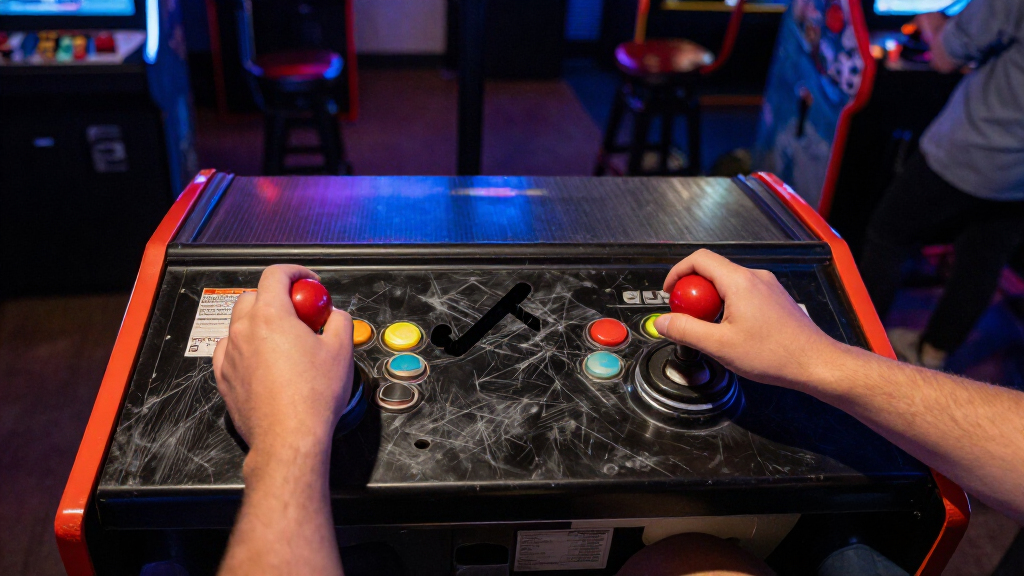
I ranked these retro arcade joysticks by the job they do, rather than treating a replacement part, a DIY panel kit, a handheld game, and a finished controller as interchangeable. I weighed control style and game fit, connection or wiring requirements, player count, setup effort, and the usefulness of the listed features for classic arcade play. I also considered whether an option makes sense as a standalone purchase or only as part of a larger build.
Ready-to-play versatility earns the highest placement for buyers who want the fewest setup hurdles, while specialist parts and multi-player kits rank well for builders with a clear project in mind. Compact handhelds have a distinct role but are less flexible as general-purpose controls; unusual formats and incomplete compatibility details call for extra checking before purchase. The ranking reflects those differences, not a claim that every product suits the same games or setup.
Factors to Consider When Choosing Retro Arcade Joysticks
Before choosing, decide whether you need a complete controller, a replacement part, or a cabinet kit. Those categories can share arcade styling but differ in wiring, compatibility, space, and setup work. These checks help prevent buying a joystick that cannot connect to your system or does not suit the games you want to play.
Match the joystick to your setup
Start by identifying what the product actually connects to: a console or computer, a USB encoder, or a cabinet control panel. A finished USB stick can be convenient for supported systems, while a bare joystick generally needs a compatible panel and wiring. DIY kits may include encoders and buttons, but you still need to check how they connect to your chosen device and whether any configuration is required. Avoid assuming that USB in a product name means it works with every console or emulator. If you already own a cabinet, verify mounting dimensions and connector style before ordering parts. This check can matter more than a familiar arcade brand name.
Choose 4-way or 8-way around your game library
Directional gates affect how the stick registers movement, so the right choice depends on the games you play most. Four-way control can help with games built around cardinal directions, while eight-way control supports diagonal input used by many action and fighting games. A switchable design offers flexibility, but only if the switching method is accessible and the mechanism matches your build. Buyers often focus on the word “switchable” without checking whether the control can be changed after installation. If your library is mixed, think about how often you will change modes and whether you want to open the panel to do so. For a single-purpose cabinet, a fixed configuration may be simpler.
Plan player count and panel space before buying a kit
A two-player kit and a four-player kit differ in more than the number of included controls: they call for a larger panel, more wiring, and enough room for comfortable hand placement. Sketch the control layout before buying, including button spacing and the distance between players. A compact panel can become uncomfortable when controls are crowded, while an oversized layout may not fit the cabinet you have. Check whether the kit includes the encoders and cables needed for your intended setup, then note any parts you still need to source. More included controls are useful only if your games and available space can make use of them. For a first build, a smaller layout can keep both the project and troubleshooting manageable.
Think about noise, feel, and the people nearby
Mechanical sound and operating feel are part of the playing experience, but they also affect where and when you can play. A quieter joystick may suit shared rooms or late sessions better than a more audible, traditional-feeling setup. “Silent” does not automatically mean the same feel as a standard arcade part, so consider whether noise reduction or a particular response matters more to you. If possible, look for clear information on the switch type and construction rather than relying on appearance. A premium mechanism may make sense for frequent play, while occasional casual use may not justify a more specialized part. Also remember that button noise can remain even when the joystick itself is quiet.
Separate arcade controls from handheld game systems
A handheld joystick game bundles the screen and game into one portable unit; it is not a substitute for a controller that operates your own arcade software. That tradeoff can be appealing for quick play, travel, or a gift, but it limits game selection and screen size compared with a connected setup. Similarly, a computer-style USB joystick may deliver a different grip and control layout from a cabinet-mounted ball-top stick. Decide whether your priority is a self-contained game, a familiar arcade panel, or broader system compatibility. Check the included display size and game format if portability is part of the appeal. This distinction helps prevent comparing products that solve different problems.
Budget for the whole build, not just the joystick
For a DIY project, the joystick is only one part of the final setup. You may also need a mounting panel, buttons, an encoder, cables, a cabinet or enclosure, and tools suited to the installation. A kit that includes more components can reduce sourcing work, but it may still leave compatibility or assembly tasks for you. Before choosing a replacement stick, confirm that its mounting pattern and connector can work with your existing hardware. Buyers can also mistake decorative lighting for a performance feature; illumination affects appearance, not whether a control fits a game or system. Compare the complete parts list and the work involved, not just the number of items in the box.
Frequently Asked Questions
Should I buy a complete arcade stick or a DIY joystick kit?
Choose a complete arcade stick if you want a controller you can connect to a supported system without building a panel. A DIY kit makes more sense when you already have a cabinet project or want to choose the layout, buttons, and control parts yourself. The kit route can require wiring, mounting, and compatibility checks that a ready-made stick avoids. Before ordering, confirm whether the kit includes an encoder and the cables your system needs. If you do not already have an enclosure or panel plan, a complete controller is usually the simpler starting point.
Will a replacement arcade joystick work with any cabinet?
No. Cabinets and control panels can differ in mounting dimensions, connector types, and wiring layouts. Check the joystick’s mounting pattern and connections against your existing hardware before buying, and confirm that the panel has enough clearance below the surface. A replacement part may need an adapter or additional wiring even when it is described as an arcade joystick. If you are unsure, identify the existing joystick model and compare its installation details with the new part. This is especially helpful when replacing one component rather than rebuilding the whole control panel.
Is a switchable 4/8-way joystick a good choice for classic games?
It can be a good fit when your game library mixes titles that favor four-direction movement with games that use diagonals. The benefit depends on how the mode is changed and whether that process is convenient for your setup. Check whether the selector is accessible once the joystick is installed; some designs may require opening the panel. If you mostly play one type of game, a fixed gate may be easier to live with. Also confirm that the games or emulator settings recognize the directional input as expected.
Can a My Arcade handheld replace a USB arcade stick?
No, they serve different purposes. A My Arcade handheld combines its own screen and game with a compact control, while a USB arcade stick is intended to control compatible software on another device. The handheld can be convenient when you want a self-contained option, but it does not provide the same flexibility for choosing games or connecting to a computer or console. Check the specific model’s screen and included game format before deciding. For a larger library on an external display, choose a compatible controller instead.
What should I check before buying a multi-player arcade kit?
Confirm the player count, panel dimensions, included buttons, encoder quantity, and cable requirements. Then plan the spacing so each player can reach the controls without crowding the next person. A four-player kit can be a poor fit for a small cabinet even if it includes more parts than a two-player set. Check system compatibility too, since the encoder is the link between the controls and your computer or other device. Finally, account for the enclosure and installation work; a parts kit does not necessarily provide a ready-to-play machine.
Conclusion
For a best overall ready-to-use option, I recommend the 8Bitdo Arcade Stick for players whose setup supports it. The EG STARTS 2-Player DIY Kit is my best value-style pick for cabinet builders who want a multi-control starting point, while the Qanba Gravity Silent is the best premium-oriented choice for buyers prioritizing quieter mechanical operation. Beginners who want a straightforward standalone experience can start with the 8Bitdo; beginners committed to a build should choose a smaller kit and verify every connection before assembly. For specific needs, pick the Sanwa JLF for a replacement-part project, a switchable 4/8-way model for mixed game types, or a My Arcade handheld for portable, self-contained play. Match the product to your setup first, then choose the control style and extras that matter to you.