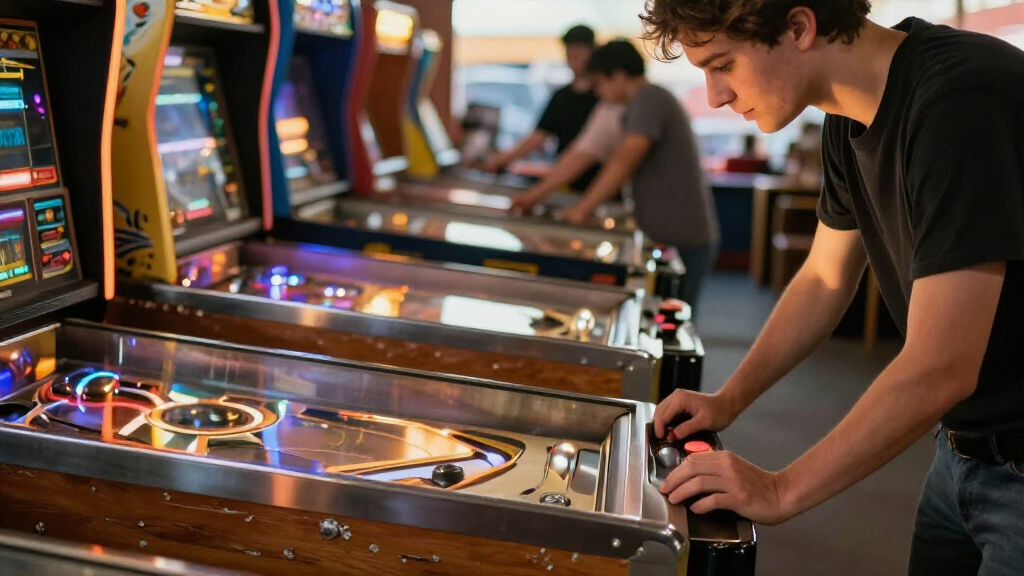

Use this guide to start a game on a standard arcade-style pinball machine, launch the ball, operate the flippers, and read the score. It is for beginners who have not played before or want a quick refresher. You will need only the machine and a few minutes to learn the controls.

Play games on Amazon Luna for your game nights, included with Prime
- A rotating selection of games, no download needed
- Play on TV, laptop or phone
- Fast, free delivery for your gear, too

Alice Goes to Wonderland Pinball with LED Lighting
- ✔ Play style: Mechanical pinball
- ✔ Controls and playfield: Real flippers, bumpers, and spinners
- ✔ Special modes: Multiball

Legends Pinball Micro Arcade Machine Console
- ✔ Built-in games: 50 licensed pinball tables
- ✔ Playfield display: 15.6-inch HD LCD
- ✔ Backglass display: 8-inch LCD

Merchant Ambassador Retro Arcade Electronic Pinball Machine Tabletop Game
- ✔ Format: Tabletop electronic pinball game
- ✔ Dimensions: 17.13 × 13.39 × 3.74 inches
- ✔ Weight: 1.66 kg
Difficulty: Beginner | Time: 5-10 minutes to learn the basics; a full game often takes 5-15 minutes
What You’ll Need
Tools & Materials:
- An operating pinball machine
- Coins, a token, or a card if the machine charges for play
Knowledge:
- No prior pinball experience is needed
- Know how to follow the machine’s on-screen or cabinet instructions
Check the machine’s posted price and rules before paying. Pinball layouts and button placement vary, so use the labels on the cabinet when they differ from the general directions here. Keep drinks and loose items away from the playfield.
Alice Goes to Wonderland Pinball with LED Lighting
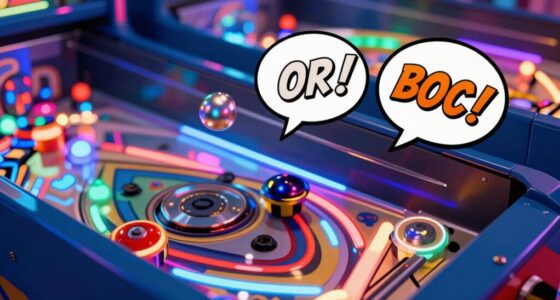
If the point of an arcade-style pinball machine is to shoot a physical ball with responsive flippers, Alice Goes to Wonderland is the most direct fit in this group. Its real flippers, bumpers, and spinners support skill-based shots, while multiball adds the hectic moments that distinguish a pinball session from a simple electronic tabletop game. Compared with the Legends Micro, it puts mechanical play at the center instead of presenting pinball on an LCD. That makes it our overall pick for players who want the classic cabinet experience at home.The Wonderland theme gives the playfield a clear identity, with challenges tied to Alice, the Mad Hatter, the Cheshire Cat, and the White Rabbit. Custom artwork and LED lighting also make the cabinet a display piece as well as a game. The product is described as compact for a home pinball cabinet, but no exact dimensions are provided, so we would confirm its footprint before planning a room around it. Its single themed game also offers less built-in variety than the Legends’ 50 tables, and buyers should not assume unlisted features such as Wi-Fi high scores from the description alone. Choose it for physical control and cabinet presence; skip it if game-library breadth or verified connectivity is your main priority.
Pros:
- Real mechanical flippers, bumpers, and spinners
- Multiball and skill-based shots
- Custom Wonderland artwork and LED lighting
- Cabinet designed for home game spaces
Cons:
- One Wonderland-themed game rather than a broad built-in library
- Exact cabinet dimensions are not provided in the supplied details
- Less suitable for buyers seeking a simple tabletop setup
Best for: Players and households who want mechanical flippers, bumpers, spinners, and multiball in a themed home cabinet.
Not ideal for: Buyers who need several built-in tables, exact published cabinet dimensions, or a small battery-powered tabletop game.
Bottom line: We recommend Alice for the most traditional mechanical pinball feel in this comparison, provided its cabinet footprint suits your room.
“We recommend Alice for the most traditional mechanical pinball feel in this comparison, provided its cabinet footprint suits your room.”
Legends Pinball Micro Arcade Machine Console
For players who would rather switch among many tables than own one themed mechanical game, the Legends Pinball Micro is the variety pick. Its 15.6-inch HD LCD playfield displays 50 built-in licensed pinball games, including Zaccaria tables and titles such as Space Invaders, Bubble Bobble, and Arkanoid. That breadth is a sharp contrast with Alice’s single Wonderland setting: the Legends can serve different tastes without adding more cabinets. It also includes an 8-inch LCD backglass, stereo speakers, haptic feedback, and a nudge sensor to build a more arcade-like presentation around the screen.The main compromise is fundamental: the ball and playfield are represented digitally, so this is not the same physical experience as Alice’s mechanical flippers and bumpers. It is also not as compact or simple as the battery-powered Merchant Ambassador tabletop unit. At 23.6 by 22.64 by 12.36 inches and 24.3 pounds, it needs a stable indoor surface and corded power. Wi-Fi or Ethernet connectivity supports ArcadeNet features, updates, multiplayer, and downloadable content, while HDMI and Bluetooth add connection options. This model suits buyers who value a large selection and online features; those seeking the tactile behavior of a physical ball should choose Alice instead.
Pros:
- 50 built-in licensed pinball games
- 15.6-inch HD playfield and 8-inch backglass screens
- Haptic feedback and a nudge sensor
- Wi-Fi or Ethernet, HDMI, and Bluetooth connectivity
Cons:
- Digital screen play differs from a mechanical pinball cabinet
- Requires corded power and a substantial stable surface
- More setup and connectivity features than a casual tabletop game needs
Best for: Pinball fans who want many digital tables, multiplayer and online features, and a dedicated tabletop gaming setup.
Not ideal for: Players who prioritize a real mechanical ball-and-flipper experience or want a light, battery-powered game for children.
Bottom line: We favor the Legends Micro when table variety and digital features matter more than physical playfield action.
“We favor the Legends Micro when table variety and digital features matter more than physical playfield action.”
Merchant Ambassador Retro Arcade Electronic Pinball Machine Tabletop Game
The Merchant Ambassador Retro Arcade shrinks pinball into a tabletop game aimed at quick, approachable sessions. Launch a steel ball, keep it in play, and compete for a high score; the machine tracks points and detects when the ball drains. Vibrating bumpers, flashing LEDs, and arcade sounds add sensory feedback that a plain tabletop toy would lack. It is also the only option in this comparison described for ages six and up and powered by three AA batteries, giving it a straightforward family-play role.That convenience comes with a clear ceiling. At roughly 17.13 by 13.39 inches across and 3.74 inches high, this is much smaller than the Legends Micro and far removed from Alice’s home cabinet. The listing calls it a one-player game, so it is best understood as taking turns rather than offering simultaneous multiplayer. Its automated action and compact playfield cannot match the physical control of Alice’s real flippers or the breadth of the Legends’ 50 digital tables. Choose this one for simple, space-conscious play and arcade lights and sound; skip it if you want a serious pinball cabinet or a large selection of games.
Pros:
- Compact tabletop dimensions
- Vibrating bumpers, LED lights, and arcade sound effects
- Automatic scoring and drain detection
- Battery-powered and recommended for ages six and up
Cons:
- Small play area is less immersive than either home cabinet option
- One-player listing makes this a turn-taking game
- Requires three AA batteries, which are not included
Best for: Families and casual players looking for an easy-to-place tabletop game with lights, sounds, scoring, and turn-taking.
Not ideal for: Pinball enthusiasts seeking realistic flipper control, a full cabinet, or multiple built-in tables.
Bottom line: We see this as the approachable casual choice, not a substitute for mechanical cabinet pinball or a digital table library.
“We see this as the approachable casual choice, not a substitute for mechanical cabinet pinball or a digital table library.”
As an Amazon Associate we earn from qualifying purchases.
Before You Start
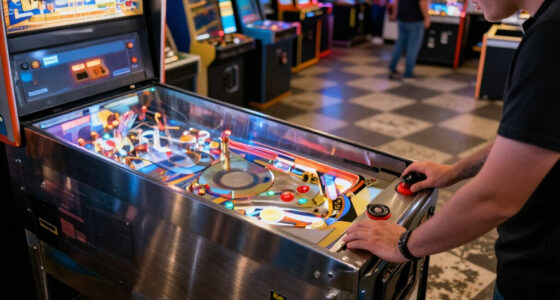
Stand in front of the machine where you can reach both flipper buttons without leaning across the glass. Most machines have one button on each side of the cabinet and a plunger or launch button on the right. Some newer machines use buttons for both flippers and launching. Do not lift, shake, or strike the cabinet; forceful movement can damage it or trigger a tilt that ends the ball.
Step-by-Step Instructions
Step 1: Read the cabinet instructions
Read the instruction card on the playfield glass or cabinet. Identify the price, start button, launch control, flipper controls, and any special rules shown. Check whether the machine offers a practice or free-play mode.
Tip: The instruction card also explains how to earn extra balls or activate special features. You can learn those rules after your first ball.
Check: You can identify how to pay, start a game, launch the ball, and operate the flippers.
Step 2: Pay and start the game
Insert the required coins or tokens, or use the payment method shown on the machine. Press the start button once the credit display updates. If the game asks you to choose a number of players, select one for your first game.
Tip: Avoid pressing start repeatedly. On many machines, extra presses add players or start another game after the current one.
Check: The display shows an active game or player number, and the machine is ready for the first ball.
Step 3: Launch the ball
Locate the ball in the shooter lane, the narrow channel along the side of the playfield. Pull the spring-loaded plunger fully back and release it smoothly, or press the labeled launch button. Watch where the ball enters the playfield so you can prepare to use the flippers.
Tip: Use a firm, controlled launch. Some games reward a particular launch strength, but a steady release is a good starting point.
Check: The ball leaves the shooter lane and rolls onto the main playfield.
Step 4: Operate the flippers
Press the left button to raise the left flipper and the right button to raise the right flipper. Track the ball as it moves and tap the button on the side of the flipper that can reach it. Release the button after the ball moves away so the flipper returns to its resting position.
Tip: Pressing both buttons at once can be useful when the ball is near the center, but repeated button mashing makes it harder to time a shot. Watch the ball, not the lights or score display.
Check: The flippers respond to their buttons, and you can direct at least some incoming balls back into the playfield.
Step 5: Aim shots and keep track of the ball
Use brief, well-timed button presses to send the ball toward ramps, targets, or lanes. Notice which features light up or appear on the display, then aim for them when the ball reaches a flipper. Keep your eyes on the ball as it rebounds from bumpers and obstacles.
Tip: You do not need to memorize every rule. Aiming for lit targets and keeping the ball away from the center drain are useful goals on many games.
Check: The score changes when the ball hits scoring features, and you can see where the ball is headed after each rebound.
Step 6: Respond when a ball drains
Check the display when the ball falls through the center or an outlane to see how many balls remain. Wait for the next ball to load, then launch it when the machine indicates it is ready. Continue until the game ends or awards an extra ball.
Tip: A drain is a normal part of pinball. Keep your hands on the buttons and avoid striking or lifting the cabinet to save the ball.
Check: The machine serves the next ball when one remains, or displays the final score after the last ball.
Step 7: Finish the game and check your score
Wait for the machine to show the end-of-game screen or high-score table after the final ball. Read your score and check whether the game offers initials entry or another start. Enter initials only if the machine prompts you and you want your score recorded.
Tip: If you are finished, leave the controls clear for the next player and do not press start unless you intend to begin another paid game.
Check: The final score is visible, and the game has returned to its ready state or high-score screen.
Common Mistakes to Avoid
- Pressing the flipper buttons continuously instead of timing them to the ball. — Follow the ball and press the button as it approaches a flipper. Release when the ball moves away so you can react to the next shot.
- Pressing start more than once and accidentally adding players or credits to another game. — Read the display and press start only when the machine asks for it or when you are ready to begin.
- Pulling the plunger too sharply or holding it back after release. — Pull it back smoothly, release cleanly, and let it return on its own.
- Shaking or hitting the cabinet to influence the ball. — Keep the machine stationary. Forceful movement can trigger tilt detection, end the ball, or damage the cabinet.
Troubleshooting
Problem: The machine does not start after payment.
Solution:
Check whether the credit display changed and whether the machine requires a separate start press. Follow any payment prompts on the screen. If it accepted payment but remains unresponsive, ask venue staff rather than inserting more money.
Problem: The ball does not launch.
Solution:
Check whether the game is waiting for a start or launch command and confirm that a ball is visible in the shooter lane. Use the labeled launch button if the plunger does not move the ball. Contact staff if the ball is stuck or the machine does not respond.
Problem: A flipper does not move when you press its button.
Solution:
Release both buttons and check whether the machine has tilted, the ball has drained, or the game has paused. If the game is active and the flipper still fails to respond, stop playing and tell venue staff.
Problem: The display shows TILT and the flippers stop working.
Solution:
Stop moving the cabinet and wait for the ball to drain or for the game to advance. Tilt detection disables scoring or flippers on many machines. Continue with the next ball if the game provides one.
What Success Looks Like
You have completed a game when you can start it, launch each served ball, use the flippers to return and aim shots, and read the final score. The display should show the end-of-game result or high-score screen. The ball should remain on the playfield only while the game is active; draining the final ball and seeing the final score is a normal finish.
Next Steps
For another game, try one specific goal, such as hitting a lit target or reaching a ramp, and notice how the score changes. Review the instruction card to learn the machine’s extra-ball and bonus rules. When you finish, leave the machine ready for the next player and tell venue staff about any stuck ball or faulty control.
Frequently Asked Questions
Which buttons control the flippers?
Most machines use the left and right cabinet buttons for the matching flippers. Check the cabinet labels because some designs place controls differently or add extra buttons.
How do I launch the ball?
Use the spring-loaded plunger beside the shooter lane or press the labeled launch button. Follow the machine’s instructions if it has a different launch control.
What does a tilt warning mean?
The machine detected movement of the cabinet and may disable the flippers or scoring for that ball. Stop moving the machine and continue when the next ball is served.
Do I need to catch or hold the ball?
No. Beginners can keep the ball moving with timed flipper presses. Some games allow a player to hold a flipper and trap the ball, but the technique and timing depend on the machine.
What should I do if the ball gets stuck?
Do not reach under the glass or shake the cabinet forcefully. Stop playing and ask venue staff to inspect the machine.