
Cooling fans help protect your arcade hardware by dissipating heat from your components, preventing overheating that can cause failures. They maintain ideal temperatures for CPUs, graphics cards, and lighting systems, ensuring everything runs smoothly and reliably. Proper placement, quality, and regular maintenance of fans extend your hardware’s lifespan and reduce repair costs. By managing heat effectively, fans keep your arcade setup quieter, more efficient, and visually appealing. Keep exploring to discover even more ways fans boost your arcade’s performance and longevity.

Play games on Amazon Luna for your game nights, included with Prime
- A rotating selection of games, no download needed
- Play on TV, laptop or phone
- Fast, free delivery for your gear, too
Key Takeaways
- Cooling fans dissipate heat, preventing overheating of critical components like CPUs, GPUs, and power supplies.
- They maintain optimal operating temperatures, reducing the risk of hardware failures and extending lifespan.
- Proper airflow from fans ensures even cooling, avoiding hot spots that can damage sensitive parts.
- Regular fan maintenance prevents dust buildup, ensuring consistent airflow and thermal efficiency.
- Effective cooling minimizes noise and static issues, preserving sound and lighting system quality.
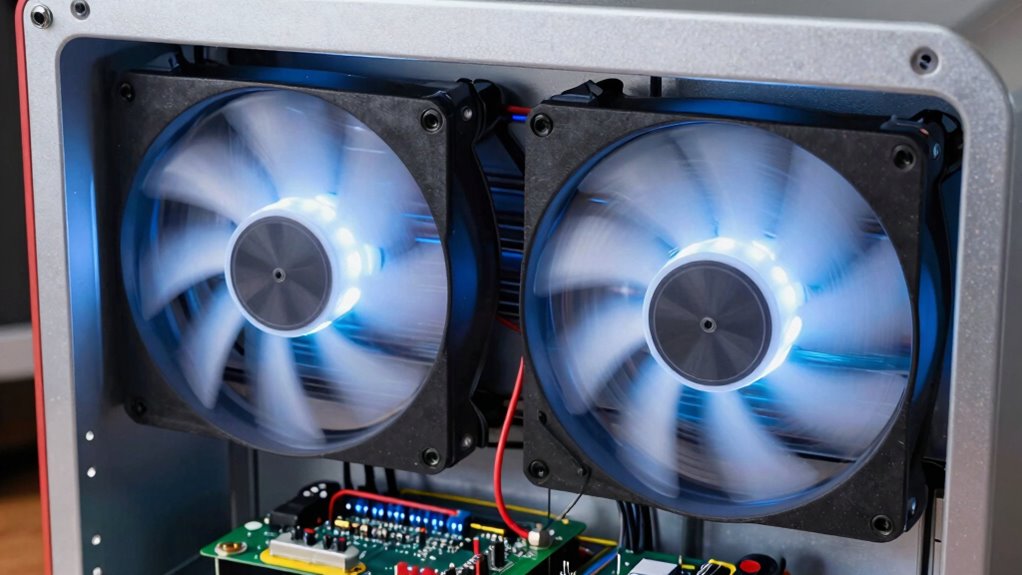
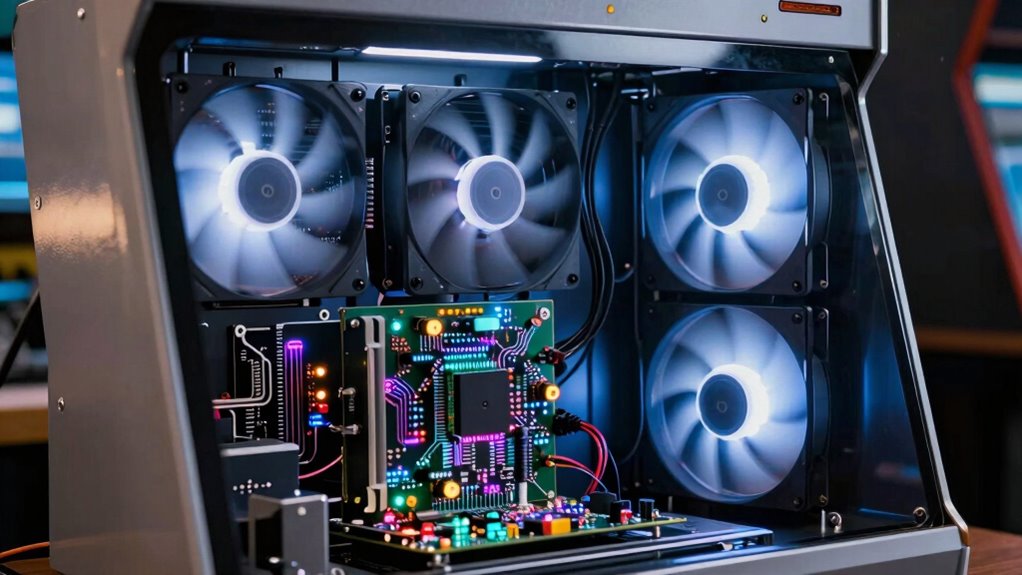
Cooling fans play a critical role in maintaining the perfect performance and longevity of arcade hardware. When arcade machines operate, they generate significant heat, especially from components like the CPU, graphics cards, and power supplies. Without proper cooling, this heat can cause overheating, leading to hardware failures or reduced lifespan. By installing effective cooling fans, you help dissipate heat efficiently, guaranteeing your arcade setup runs smoothly and reliably. Proper airflow not only safeguards the internal components but also keeps external features, such as LED lighting, functioning at their best, preventing overheating that could cause flickering or dimming.
Effective cooling fans ensure smooth operation and extend the lifespan of your arcade hardware.
In addition to protecting hardware, cooling fans also influence the performance of integrated systems like sound systems and LED lighting. Overheated sound systems may experience distortion or static, diminishing the gaming experience. When you maintain a well-ventilated environment with adequate fans, the sound system components stay cool, preserving sound clarity and volume. Similarly, LED lighting is sensitive to heat; excessive temperatures can cause LEDs to dim, flicker, or burn out prematurely. Proper cooling ensures consistent, vibrant lighting effects that enhance the visual appeal of your arcade cabinet or setup.
You might not think about it often, but the placement and quality of cooling fans directly impact how well your arcade hardware functions over time. If fans are poorly positioned or underpowered, hot spots can develop, leading to uneven cooling and increased risk of damage. Regular maintenance, such as cleaning dust from fan blades and filters, helps maintain ideal airflow and prevents overheating. In fact, effective thermal management can significantly extend the lifespan of your components and prevent costly repairs. Paying attention to proper fan placement and choosing the right types of fans ensures even cooling across all critical areas. When you pay attention to these details, you extend the life of your equipment, saving money and reducing downtime caused by hardware failures. Additionally, choosing high-quality cooling fans can significantly improve overall thermal management and system stability. Proper thermal management is essential for keeping your arcade hardware in peak condition and ensuring consistent performance.
Furthermore, cooling fans contribute to a quieter operation, especially if you choose high-quality, noise-reducing models. This creates a more immersive gaming environment, free from distracting fan noises that could interfere with gameplay. A well-cooled system also runs more efficiently, as components operate within their perfect temperature ranges, reducing energy consumption and minimizing wear and tear. When you prioritize effective cooling, you ensure that your arcade hardware remains in peak condition, providing a seamless and enjoyable experience for players.
Popular right now

De’Longhi Classic Matte Black Espresso Machine with Milk Frother

De'Longhi La Specialista Arte Evo Espresso Machine with Grinder

KitchenAid Artisan 5-Qt Tilt-Head Stand Mixer – Dried Rose (KSM150PS)
As an affiliate, we earn on qualifying purchases.
Frequently Asked Questions
Do Cooling Fans Increase Noise Levels in Arcade Machines?
Yes, cooling fans do increase noise levels in arcade machines. Fan noise can be noticeable, especially during intense gameplay. To manage this, you can implement noise mitigation strategies, like using quieter fans or sound-dampening materials. While they add some noise, the benefits of cooling and protecting your hardware outweigh the minor increase in sound, ensuring your arcade remains functional and enjoyable without excessive noise disruptions.
How Often Should Arcade Cooling Fans Be Replaced?
You should replace arcade cooling fans every 2 to 3 years, depending on their fan lifespan and usage. Like a car’s oil change, routine replacement keeps things running smoothly. I once ignored a fan, and it caused overheating, leading to costly repairs. Regular checks and adhering to recommended replacement intervals prevent hardware damage, ensuring your arcade stays cool and operational without unexpected downtime.
Can Cooling Fans Prevent All Types of Hardware Failure?
Cooling fans critically improve thermal management, but they can’t prevent all types of hardware failure. Fan efficiency varies, and while they reduce overheating risks, other issues like electrical faults or component degradation can still occur. You should regularly check and maintain your fans, ensuring proper airflow. Remember, fans are an essential part of cooling, but they work best when combined with overall hardware upkeep and monitoring, not as a complete failure prevention solution.
Are There Different Types of Cooling Fans for Specific Arcade Models?
Yes, there are different types of cooling fans for specific arcade models. You need to take into account fan placement carefully to guarantee ideal airflow and prevent overheating. Regular fan maintenance, like cleaning dust and checking for noise or vibration, is essential to keep them working efficiently. By selecting the right fan type and maintaining it properly, you protect your arcade hardware from heat damage and prolong its lifespan.
How Do You Install Cooling Fans in an Arcade Cabinet?
To install cooling fans in an arcade cabinet, start by turning off and unplugging it. Remove the cabinet panels where you want to add ventilation. Mount the fan securely using screws, ensuring airflow direction aligns with your cooling needs. Connect the fan to the power source, often the arcade’s internal wiring. Proper fan installation improves cabinet ventilation, prevents overheating, and maintains peak hardware performance.
Conclusion
You might think cooling fans are just optional accessories, but they play a crucial role in protecting your arcade hardware. By preventing overheating, they extend the lifespan of components and guarantee smooth gameplay. Some believe that fans also help stabilize internal temperatures, reducing the risk of hardware failure. So, next time you power up your arcade machine, remember that a simple cooling fan isn’t just for comfort—it’s your hardware’s best defense against heat damage.